9 best virtual call centre software to boost customer experience
Virtual call centre software empowers teams to provide high-quality voice support from anywhere. Try an AI-powered solution that’s easy to use, customisable, and reliable.

Last updated January 12, 2026
9 best virtual call centre software for 2026
Technological advancements have transformed the world of customer support, especially when it comes to call centres. Traditional call centres require extensive infrastructure that leads to operational challenges and higher costs. In contrast, virtual call centre software is more affordable and easier to set up and scale.
With virtual call centre solutions, businesses are equipped to deliver high-quality voice support from wherever they are. Tools like inbound call centre software enable teams to efficiently manage both inbound and outbound calls, and call forwarding software ensures seamless call routing to agents across regions. These solutions also make it easy to manage tickets and track customer interactions through cloud-based systems, which don't require complex equipment or a physical office. Features like AI-powered routing, omnichannel communication, and smart IVR software have completely reshaped how call centres operate.
There are plenty of virtual call centre solutions available, but choosing the best one for your team requires some effort. To help you make an informed decision, we've curated a list of the 9 best virtual call centre software options.
Let’s get into it.
More in this guide:
- What is a virtual call centre?
- Virtual call centre software comparison chart
- The 9 best virtual call centre software
- How virtual call centre software works for remote success
- Key benefits of virtual call centre platforms
- How to choose the right virtual call centre software
- Customer stories: How growing businesses benefit from virtual call centre software
- Frequently asked questions
- Upgrade your virtual call centre with Zendesk
What is a virtual call centre?A virtual call centre is a cloud-based system that connects customers and businesses using Voice over Internet Protocol (VoIP) technology. The data transmission happens via the internet instead of traditional phone lines, allowing companies to operate flexibly and cost-effectively. With virtual call centres, agents handle not only calls but also chat, emails, messages, and social media interactions from anywhere, without needing a physical office. |
Virtual call centre software comparison chart
Comparing pricing, free trials, and key selling points is essential to finding the right fit for your team. Here's a quick summary of the 9 best virtual call centre solutions.
|
Software |
Best for |
Starting price |
Free trial |
|
Best for AI-powered, omnichannel customer resolutions |
£40 per agent/month | ||
|
Best for AI-powered and scalable voice support |
£15 per agent/month billed annually |
14 days | |
|
Best for optimising complex global call centre operations |
$110 per agent/month |
60 days | |
|
Best for large, enterprise contact centres |
$75 per agent/month for voice only |
Contact sales | |
|
Best for simplified CX orchestration |
$15 per agent/month |
14 days | |
|
Best for CRM integrations |
€30 per agent/month for up to 3 agents |
7 days | |
|
Best for modernising enterprise contact centres |
$149 per agent/month for a digital or voice-only contact centre solution |
Not available | |
|
Best for fast setup |
$15 per agent/month |
14 days | |
|
Best for collaboration across hybrid teams |
$69 per agent/month |
Not available |
The 9 best virtual call centre software
Explore the main features of the best virtual call centre solutions to decide which one matches your team's needs.
- Zendesk Contact Centre: Best for AI-powered, omnichannel customer resolutions
- Zendesk Voice: Best for AI-powered and scalable voice support
- NiCE: Best for optimising complex global call centre operations
- Genesys: Best for large, enterprise contact centres
- Nextiva: Best for simplified CX orchestration
- Aircall: Best for CRM integrations
- Five9: Best for modernising enterprise contact centres
- Dialpad: Best for fast setup
- Zoom: Best for collaboration across hybrid teams
1. Zendesk Contact Centre
Best for AI-powered, omnichannel customer resolutions
|
Starting price |
Free trial |
Key features |
|
£40 per agent/month billed annually Explore more Zendesk pricing plans. |
Contact sales |
|
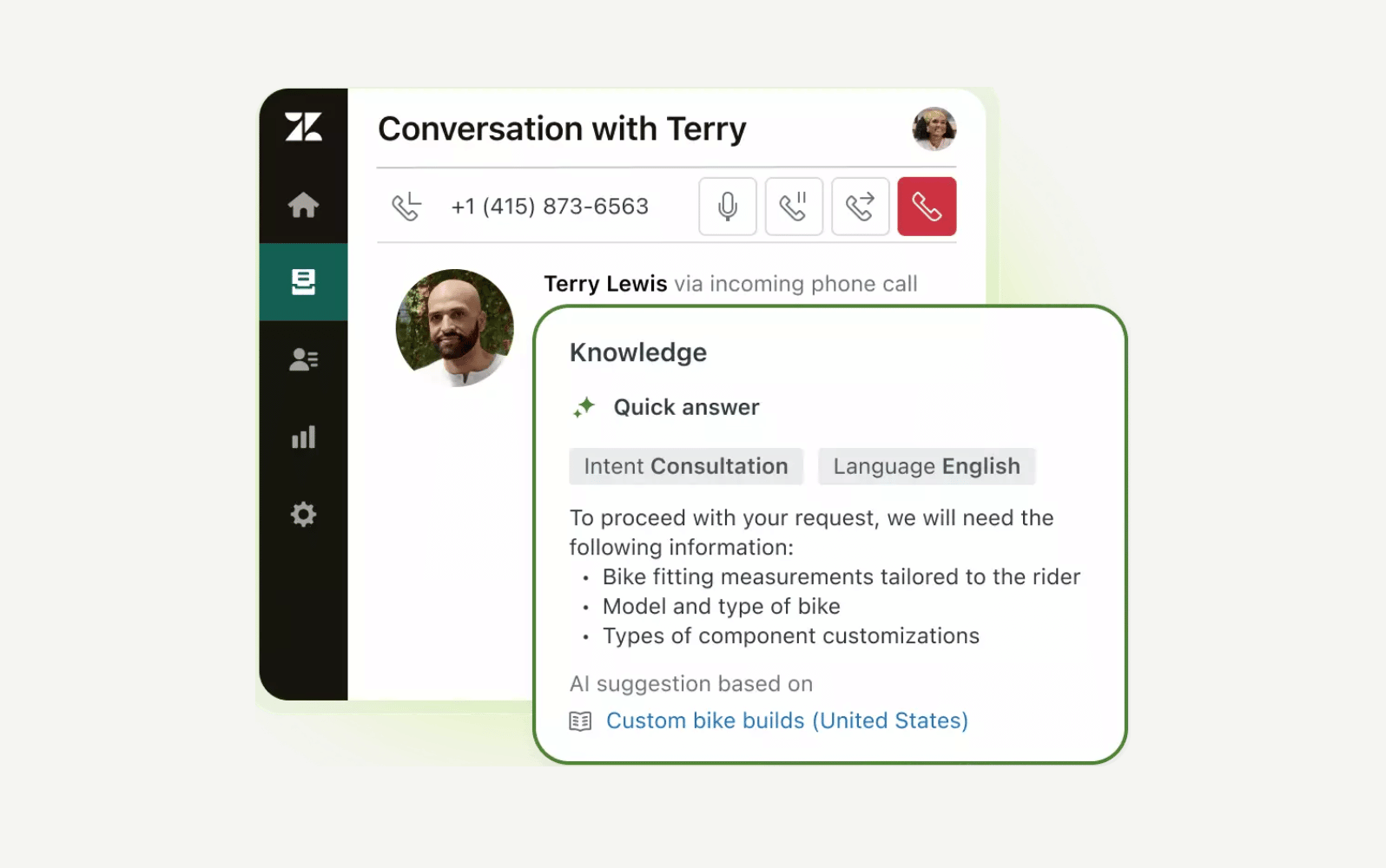
Zendesk Contact Centre was built for companies seeking seamless, high-volume support across every channel. It combines advanced omnichannel routing, Voice AI, and workforce engagement management (WEM) into a single platform.
With Zendesk Contact Centre, agents can handle voice, chat, email, and social messaging from a single virtual space. This enables the delivery of rich, context-aware support that increases customer satisfaction and loyalty. Built to scale for any organisation, it’s also ideal for growing teams using call centre software for small businesses, delivering enterprise-grade capabilities without complex infrastructure.
But what makes Zendesk stand out is its smart orchestration of customer interactions. Thanks to its omnichannel routing, every query from any channel is automatically directed to the right agent with all the context they need. Voice AI agents can even handle sophisticated conversations and empower human agents with predictive guidance.
Plus, native AI-powered workforce engagement management provides tools to optimise team performance and boost productivity, helping managers and agents enhance customer experiences.
Easy to deploy and backed by secure and scalable AWS cloud infrastructure, Zendesk Contact Centre is an excellent option to accelerate growth and deliver exceptional experiences for customers and agents.
|
Pros |
Cons |
|
|
What people are saying:
- “Easy to use, set up, customize, and get help if needed. Implementing AI is also easy.”
- “Zendesk for Contact Centre shines with its intuitive interface and seamless omnichannel capabilities, making it remarkably easy to use for both agents and managers.”
- “Zendesk is extremely user-friendly and simple to navigate. I really appreciate how easily I can move between tickets and profiles, merge interactions, leave both public and internal notes, escalate issues, and more. It truly makes my work as a CX service representative much easier in every way!”

Experience an AI-powered and scalable virtual call centre with Zendesk voice
It only takes 30 seconds to start a free demo.
2. Zendesk Voice
Best for AI-powered and scalable voice support
|
Starting price |
Free trial |
Key features |
|
£15 per agent/month billed annually Explore more Zendesk pricing plans. |
14 days |
|
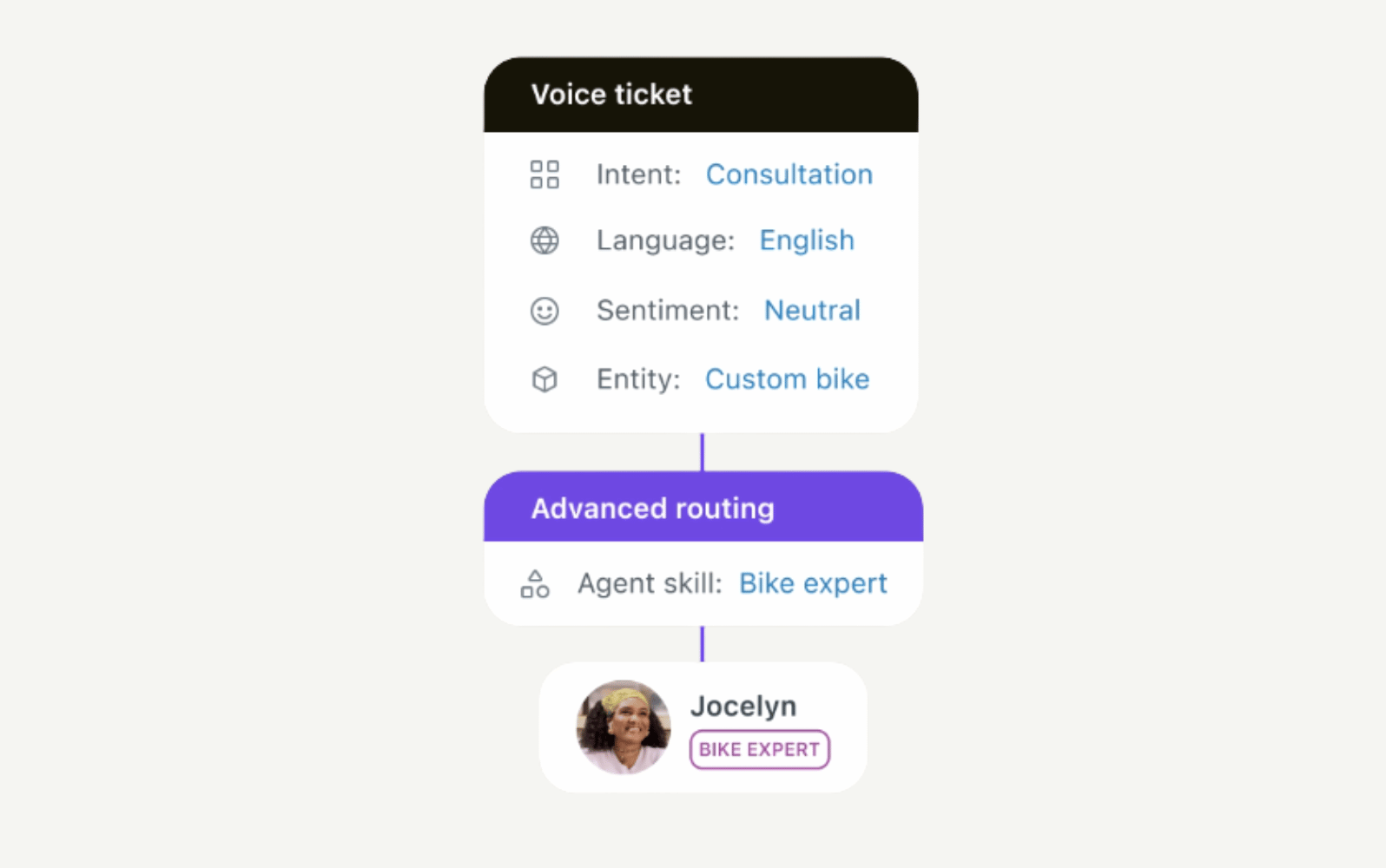
Zendesk Voice offers AI-powered tools for virtual call centres that guarantee high-quality customer experience while maintaining genuine human connection. With end-to-end resolutions powered by voice AI agents, you can offer round-the-clock phone support and resolve even complex customer interactions.
Plus, AI agents can answer calls using natural language to support customers, managing even the most sophisticated interactions or redirecting customers to a human agent when necessary. This reduces wait times and costs while upholding quality customer experience, which is essential to boosting customer satisfaction levels.
There's also Copilot, which automates tasks and provides relevant insights, helping service teams deliver faster resolutions and drive productivity. Additionally, QA insights help agents identify churn risks and outliers and analyse conversations to ensure high-quality interactions.
What's more, with omnichannel support built into the Zendesk Resolution Platform, Zendesk Voice helps you manage all your interactions in a unified workspace. Its virtual call centre software capabilities let you direct and route calls in the same workspace as your other channels, and benefit from full context in every interaction. The result is faster resolutions and higher overall customer satisfaction.
|
Pros |
Cons |
|
|
What people are saying:
- “The platform simplifies implementation with robust onboarding tools and flexible configurations, allowing teams to get up and running quickly.”
- “It offers a comprehensive suite of tools that cater to businesses of all sizes, providing solutions for ticketing, live chat, knowledge base management, and customer support and more.”
- “It was so useful and intuitive to use, AI features are great and also agents have ability to know for whom they are transferring the calls.”
3. NiCE
Best for optimising complex global call centre operations
Source: NiCE
|
Starting price |
Free trial |
Key features |
|
$110 per agent/month |
60 days |
|
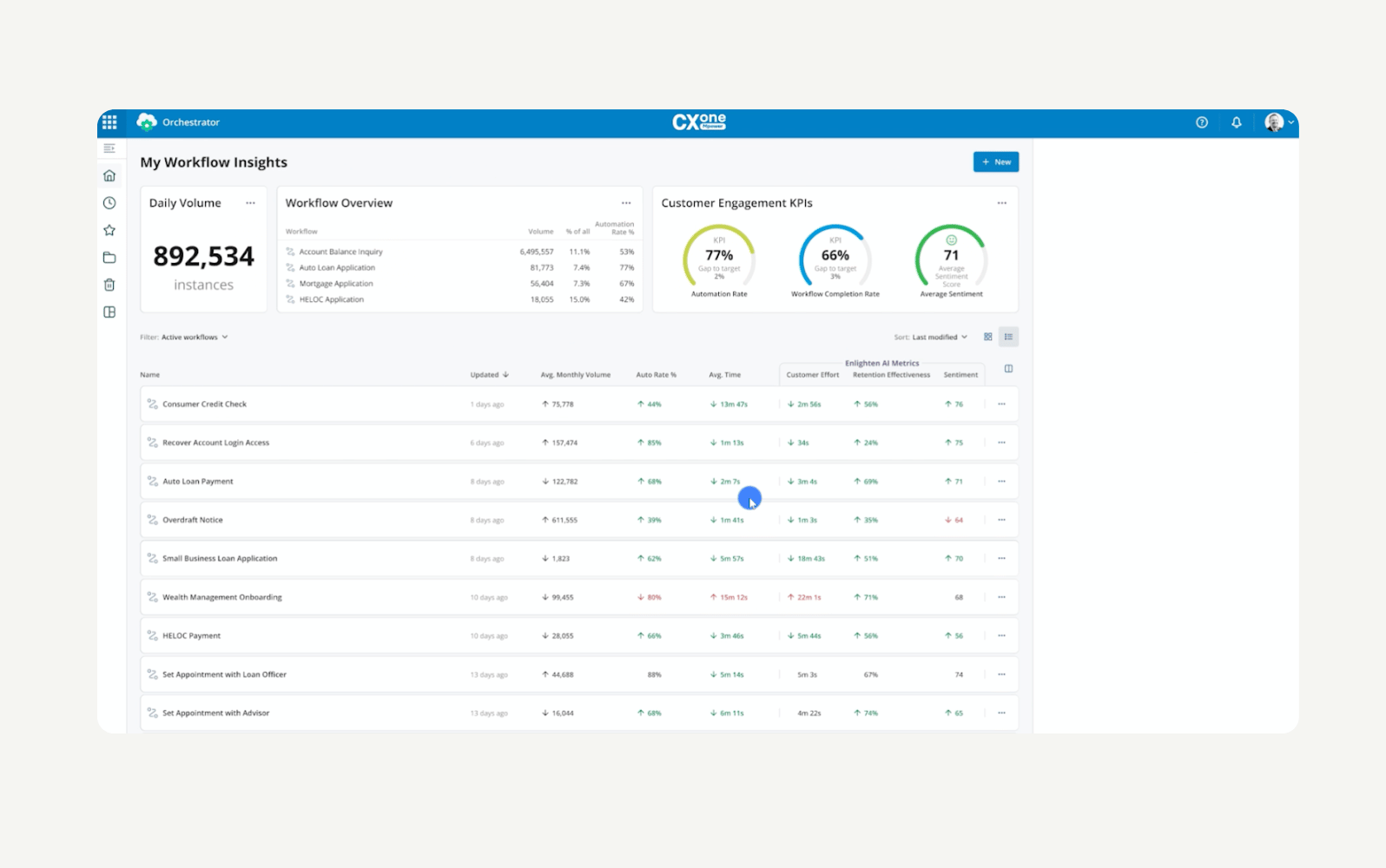
NiCE's call centre software solution, CXone Mpower, is designed to optimise complex global call centre operations. Built for large-scale organisations, it unifies customer interactions across multiple languages, regions, and channels.
With omnichannel support, NiCE CXone Mpower ensures engagement across voice and digital platforms. The virtual call centre software also provides real-time insights, gamification, and flexible scheduling through its workforce engagement management tools.
An IVR system is also available, which routes high call volumes to help teams maintain service quality, operational efficiency, and performance at scale across markets and global customer bases.
|
Pros |
Cons |
|
|
What people are saying:
- “What I like best about NiCE CXone Mpower is its intuitive interface and smooth integration with daily workflows. It centralizes communication tools in one place, making it easier to manage customer interactions efficiently.”
- “NICE CXone Mpower is always clear and reliable, which is crucial for maintaining professional communication with our customers.”
- “Incoming calls may not display correctly, and some calls may be dropped for no reason.”
Learn more: Discover how NiCE integrates with Zendesk and how Zendesk vs. NiCE compare.
4. Genesys
Best for large, enterprise contact centres
Source: Genesys
|
Starting price |
Free trial |
Key features |
|
$75 per agent/month for voice only |
Contact sales |
|
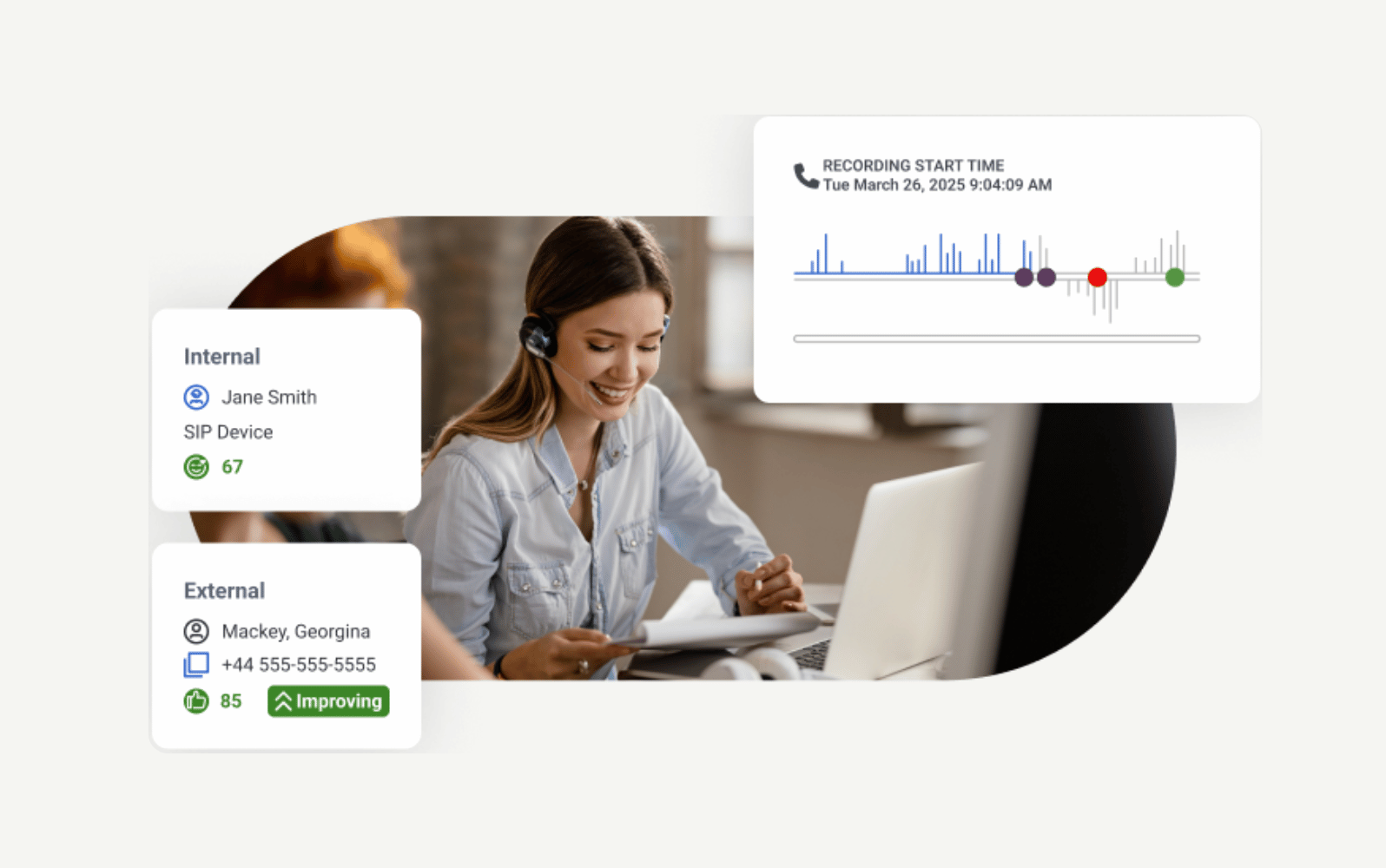
Genesys Cloud CX is a cloud-based contact centre focused on customer and employee experience. The all-in-one CCaaS solution supports businesses of all sizes in managing customer and employee experience from a single platform.
It offers several features like AI-powered experience orchestration, omnichannel routing, workforce engagement management, and journey analytics. Plus, Genesys Cloud CX provides resources for enterprises to modernise operations and unify CX across multiple channels, such as voice, digital, and self-service.
|
Pros |
Cons |
|
|
What people are saying:
- “It has a very simple interface which includes voicemails, chats, emails and social channels all in one place. Easier to manage calls and have all data. We can conference calls, can do bridge callings, integrate with other applications to make calls to clients.”
- “The platform is intuitive for agents and powerful for administrators, with real-time dashboards, workforce management, and AI-powered capabilities like predictive engagement and bots.”
- “Reporting Limitations: Out-of-the-box reports are limited; building custom reports often requires additional effort or external tools.”
Learn more: Discover how Genesys integrates with Zendesk and how Zendesk vs. Genesys compare.
5. Nextiva
Best for simplified CX orchestration
Source: Nextiva
|
Starting price |
Free trial |
Key features |
|
$15 per agent/month |
14 days |
|
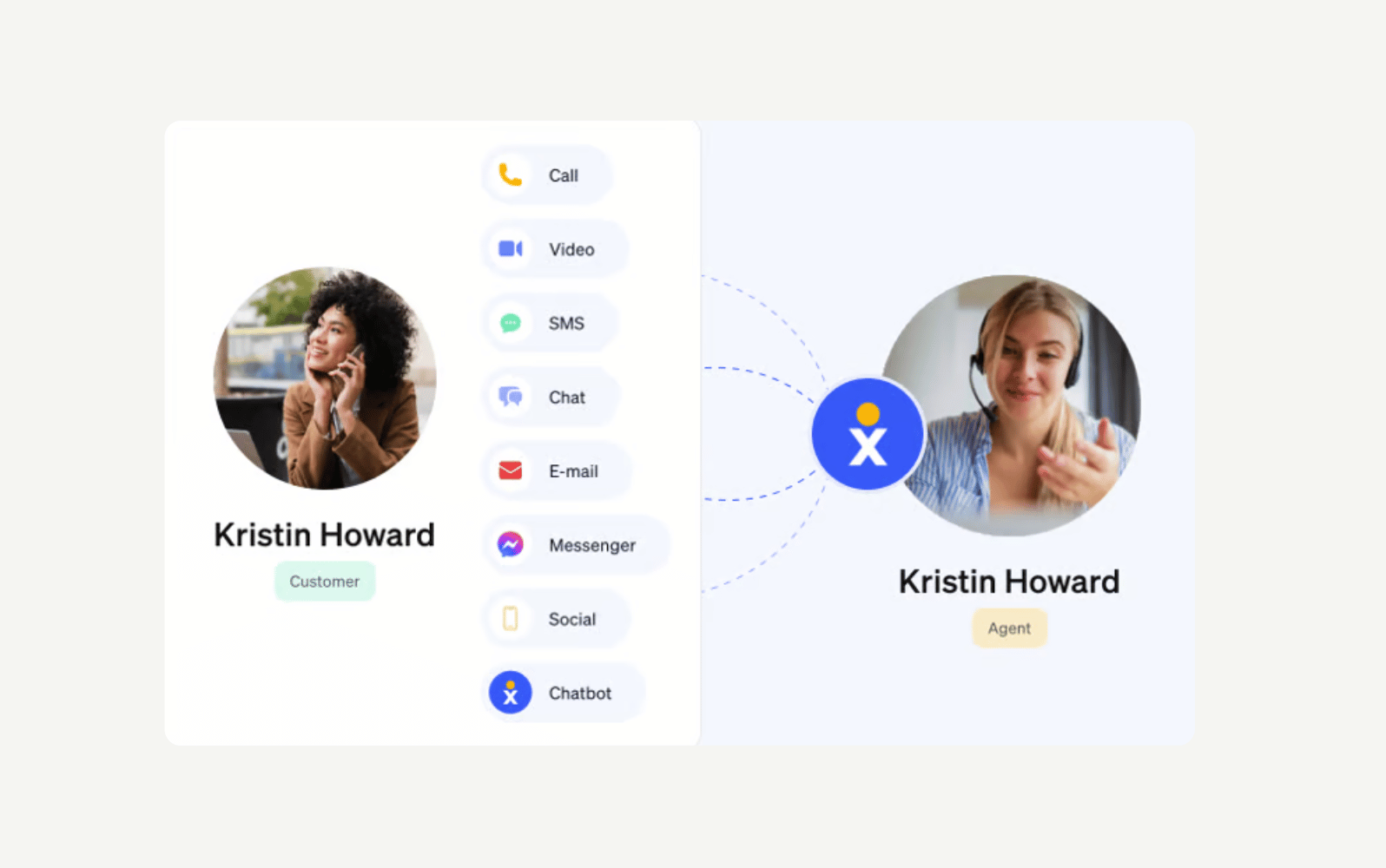
Nextiva is a cloud-based, AI-powered contact centre platform that unifies customer interactions across voice, digital, and social channels. As the best for simplified CX orchestration, Nextiva focuses on helping businesses manage every customer touchpoint from one centralised platform, enabling seamless omnichannel communication.
Combining advanced automation, AI-driven insights, and journey analytics, Nextiva allows organisations to provide personalised and context-aware experiences at scale. Its features include voice bots, agent assist, workforce engagement management, and end-to-end orchestration. Intelligent routing, built-in analytics and sentiment tracking, along with scripting tools are also reasons why Nextiva is among the best virtual call centre solutions.
|
Pros |
Cons |
|
|
What people are saying:
- “The thing I like the most is their functionality. The specific feature is phone-presence which allows me to see whether team members (even if remote) are available, busy or away. It became easier to coordinate my team communication operations, even though we are a small team.”
- “The reporting tools could be a bit more detailed, especially for tracking call metrics by individual users.”
- “The biggest challenge during implementation was underestimating the time it would take to configure the more complex call flows.”
6. Aircall
Best for CRM integrations
Source: Aircall
|
Starting price |
Free trial |
Key features |
|
€30 per agent/month for up to 3 agents |
7 days |
|
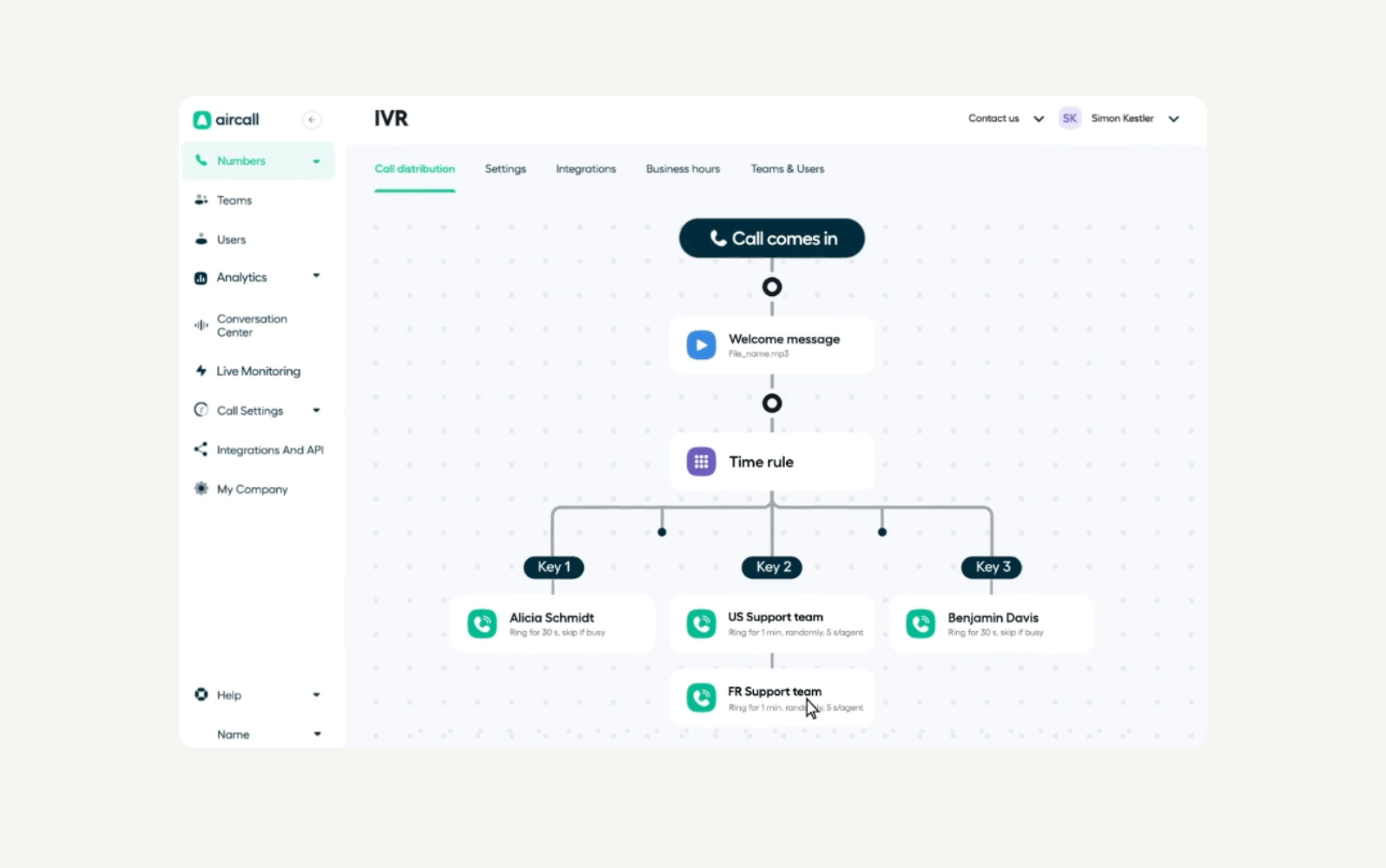
Aircall is a cloud-based platform for managing customer communications over voice. It handles voice interactions for sales and support teams within small to mid-sized companies. With a focus on accessibility and quick deployment, Aircall offers several features for teams to manage customer conversations across devices and locations.
One of those features is intelligent call routing, which ensures customers reach the right agent quickly. There's also an IVR system to support self-service and reduce wait times. Plus, with AI voice agents, Aircall automates routine calls and qualifies leads.
Additionally, to support sales workflows, Aircall integrates with several CRM systems. However, it's limited to voice support, so email, chat, or social media engagement aren’t available.
|
Pros |
Cons |
|
|
What people are saying:
- “We've been using Aircall for our business communications, and the experience has been excellent. The interface is clean and user-friendly, the call quality is consistently clear, and integration with our CRM has streamlined our workflow significantly.”
- “The app is fast and intuitive, with good sound quality. It offers many useful features that are easy to personalize according to your needs and can be implemented at any time.”
- “The price may seem a bit high for small teams, especially if they do not use all the offered integrations.”
Learn more: Discover how Aircall integrates with Zendesk.
7. Five9
Best for modernising enterprise contact centres
Source: Five9
|
Starting price |
Free trial |
Key features |
|
$149 per agent/month for a digital or voice-only contact centre solution |
Not available |
|
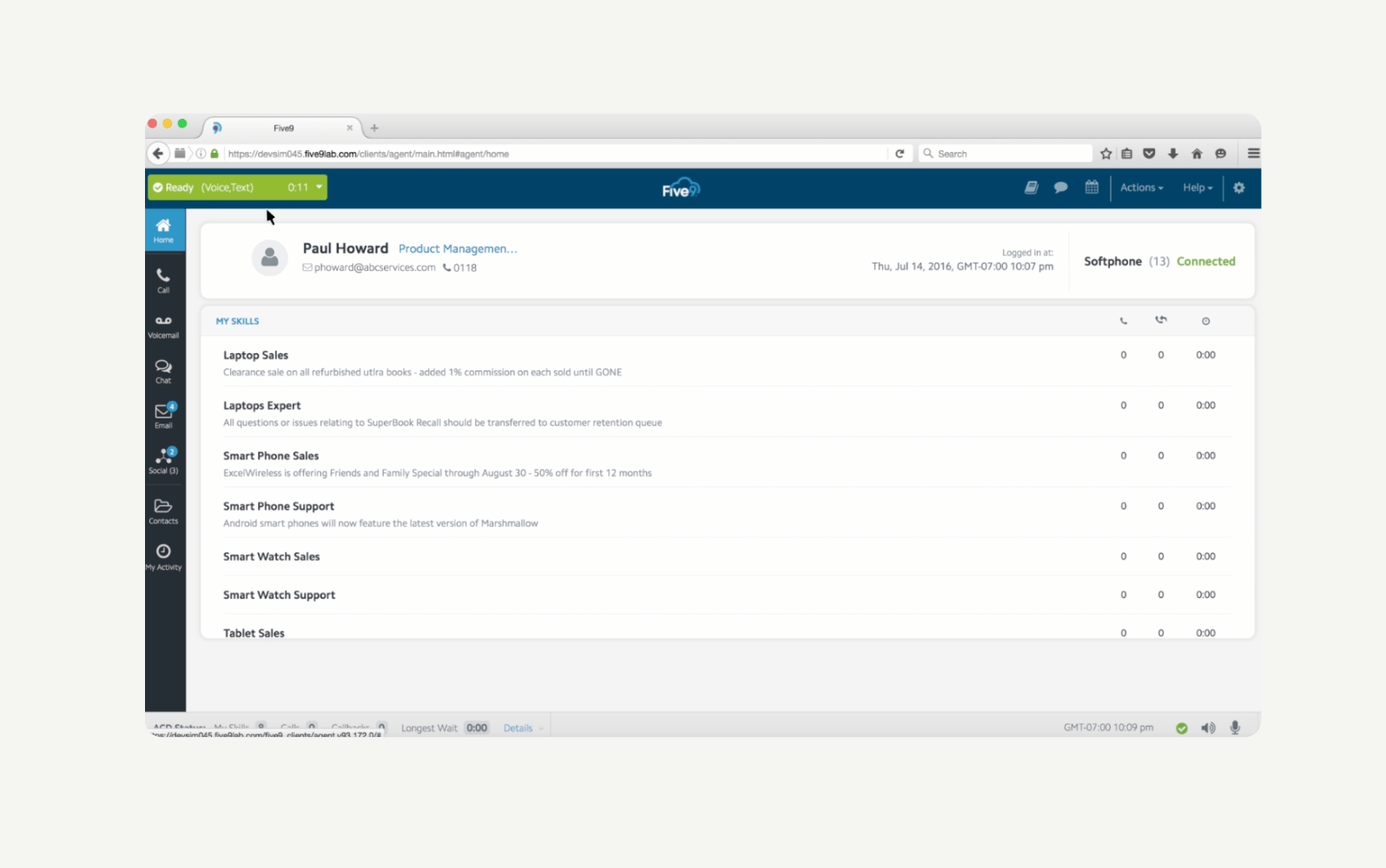
Five9 is a virtual contact centre solution that helps businesses modernise customer experiences through AI, automation, and scalable cloud technologies. The platform is built for enterprises with modern microservices architecture. It provides tools for agility, productivity, and operational efficiency, enabling teams to keep up with rapidly changing customer communication preferences.
With flexible omnichannel support, Five9 unifies voice, email, chat, SMS, and social messaging into a single platform. It also offers intelligent call routing and IVR systems to ensure customers are connected to the right agents. Finally, its workforce engagement tools boost agent performance and service quality, driving higher satisfaction in high-volume contact centres.
|
Pros |
Cons |
|
|
What people are saying:
- “We like the supervisor tool where we can monitor incoming calls and phone agents daily performance.”
- “A good option for call/contact centre, to reach the customer and handle all calls from a single platform.”
- “Setting up complex workflows or integrations might take longer than expected for less experienced users.”
Learn more: Discover how Five9 integrates with Zendesk.
8. Dialpad
Best for fast setup
Source: Dialpad
|
Starting price |
Free trial |
Key features |
|
$15 per agent/month |
14 days |
|
Dialpad is a virtual call centre platform designed for remote and hybrid teams. Easy to set up and manage, it enables agents to connect with customers across voice, video, chat, and social messaging from a single, AI-powered workspace.
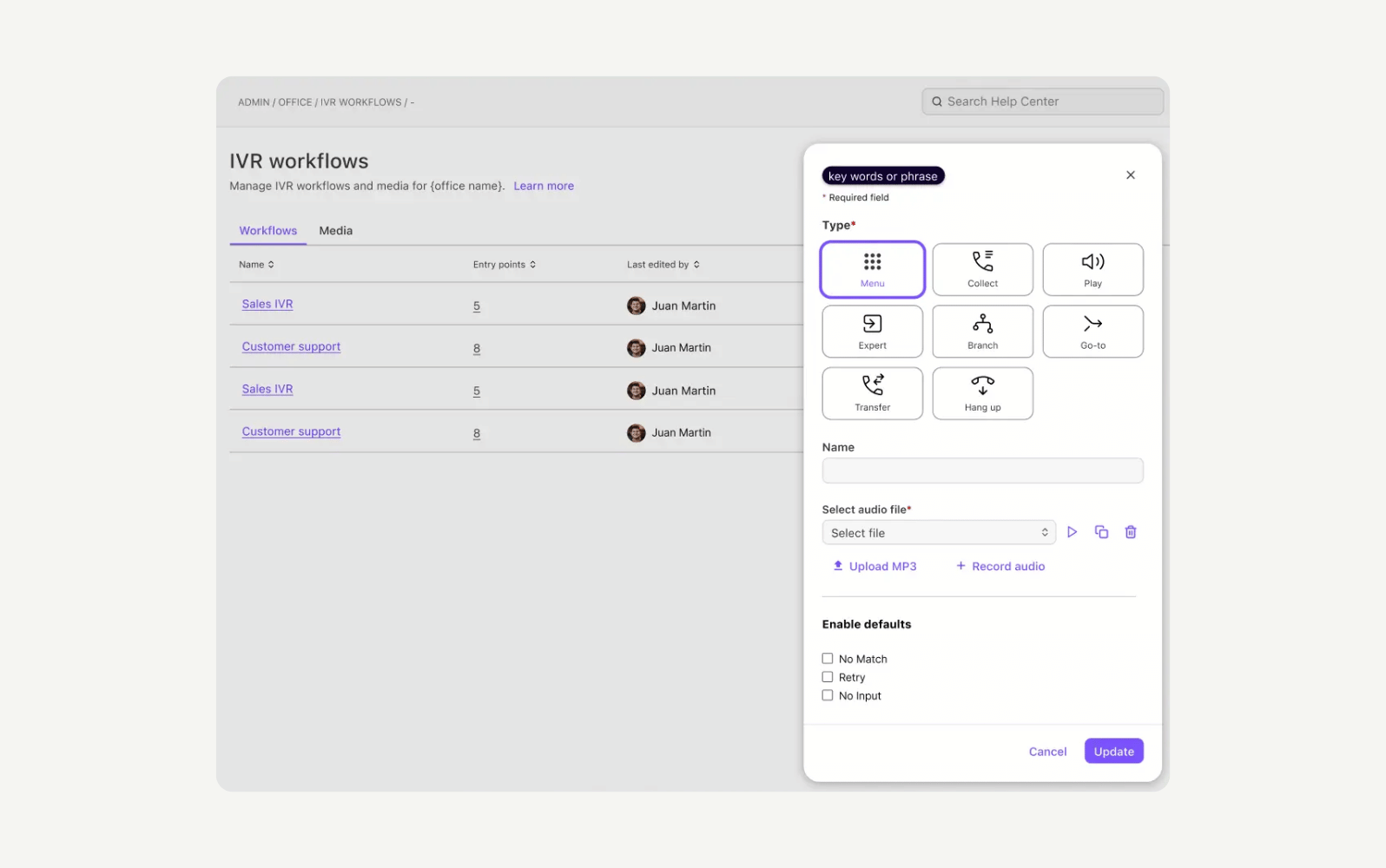
Flexibility is at the heart of Dialpad, as it aims to provide fast deployment without the need for hardware or complex IT infrastructure. Along with omnichannel support and easy setup, Dialpad also features customisable IVR menus for intelligent call routing. Plus, workforce management tools help companies optimise support staffing and performance.
|
Pros |
Cons |
|
|
What people are saying:
- “The user interface is intuitive and easy to navigate, allowing for quick adoption across teams.”
- “Dialpad Connect is super easy to use and keeps everything in one place — calls, video, messaging, even SMS. I love that I can switch between devices seamlessly and stay connected no matter where I am, which is huge for a team spread across multiple locations.”
- “Some features are unpolished and require an overhaul, for instance, the desktop app.”
Learn more: Discover how Dialpad integrates with Zendesk and how Zendesk vs. Dialpad compare.
9. Zoom
Best for collaboration across hybrid teams
Source: Zoom
|
Starting price |
Free trial |
Key features |
|
$69 per agent/month |
Not available |
|
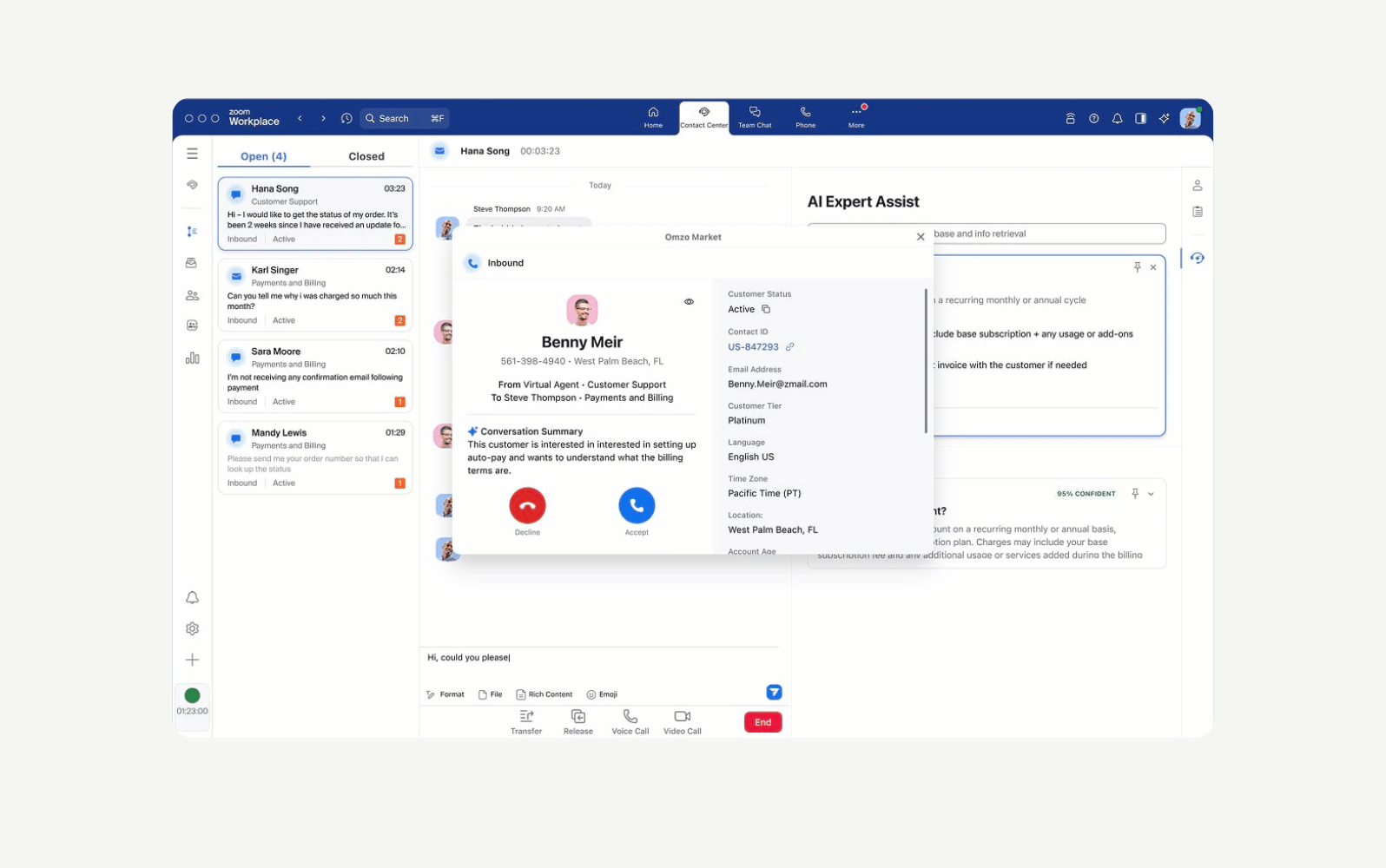
Zoom contact centre is an AI-first customer experience platform that gathers voice, chat, video, email, and social interactions in a single, scalable solution. It connects customer communication with back-office collaboration tools, allowing teams to resolve enquiries efficiently and maintain consistent support service across all channels.
The platform offers end-to-end visibility into interactions for data-driven decision-making, IVR for call routing, and workforce engagement management tools to optimise agent scheduling and performance. Plus, Zoom integrates with the most popular CRMs, including Zendesk.
|
Pros |
Cons |
|
|
What people are saying:
- “The dynamic call routing is awesome. ZCC integrates with our CRM and when a call comes in, ZCC searches for the phone number in our CRM. If no number is found, the caller is routed to our Client Development Team. If the number is found in a profile in our CRM, the call is routed directly to the rep that is assigned to that client.”
- “What I like most about the Zoom Contact Centre is how simple and user-friendly it is to operate and manage.”
- “Zoom contact centre was very difficult to set up.”
Learn more: Discover how Zoom integrates with Zendesk and how Zendesk vs. Zoom compare.
How virtual call centre software works for remote success
Virtual call centre software uses cloud-based infrastructure to connect agents and customers anywhere. This means that companies no longer need to rely on physical hardware and on-premise phone systems. With AI-powered tools and unified communication channels, agents collaborate with each other from different offices (even across countries) or from home.
Equipped with the right tools, remote teams perform effectively without compromising quality or collaboration. The result is faster responses and consistent service quality.
Key benefits of virtual call centre platforms
Virtual call centre solutions empower businesses to deliver exceptional customer experiences while operating from anywhere. Here are some key benefits of virtual call centre platforms.
Empower agents to work from anywhere
Remote work is incredibly beneficial for companies that want to attract talented personnel. Instead of hiring locally because you need agents in a physical office, you can look for skilled talent from all over the world. Plus, a powerful virtual call centre platform provides top-notch tools for agents to work efficiently even from home.
Scale effortlessly without heavy infrastructure costs
Let's say your support demands are increasing, and you need to scale. Think of two scenarios. One option is to open a new call centre space and pay for new desks, computers, phones, rent, electricity, and other additional costs. The other is to buy extra virtual seats within your existing remote call centre operation, for agents who will work from their own homes.
Guess which one costs less and is faster to set up? With a virtual call centre solution, you can scale effortlessly without the hassle and high costs of building a large physical infrastructure.
Boost productivity and customer satisfaction
Virtual call centre software streamlines operations by automating routine tasks and intelligently routing calls to the right agents. It also optimises staffing and empowers virtual agents to manage complex customer interactions. All these capabilities help increase productivity, reduce wait times, and achieve better resolutions, resulting in higher customer satisfaction levels.
Gain actionable insights through data and analytics
Feature-rich virtual call centre software provides real-time dashboards and reporting capabilities that give managers a clear view of performance. Insights regarding call volumes, handle times, customer sentiment, and satisfaction trends help teams identify what's working and what needs to improve. With these analytics, leaders can optimise staffing, identify coaching opportunities, and make data-driven decisions.
Connect seamlessly across channels and tools
Thanks to omnichannel capabilities, agents can handle calls, chats, emails, and social media interactions in one place. Eliminating the hassle of switching between platforms and misplaced information leads to smoother collaboration within teams, faster responses to customers, and more personalised support across all communication channels.
Enhance reliability with cloud-based redundancy
Virtual call centre solutions are designed for uptime and resilience, as they operate in the cloud. Cloud-based redundancy and global data centres keep operations running smoothly—even during outages or spikes in demand. This ensures consistent, reliable service for customers and uninterrupted workflows for remote teams.
How to choose the right virtual call centre software
To choose the right virtual call centre software, focus on a few key areas:
Assess your needs
Some teams may need a cloud contact centre model or a computer telephony integration (CTI) product, while others might need one to improve their CX. If you’re looking for the latter, prioritise virtual call centre software that’s purpose-built for CX, like Zendesk.
Make AI a priority
AI can help virtual teams boost productivity through AI-powered QA, WFM, intelligent routing, and more. Look for AI tools that are easy to use to increase adoption and lower implementation costs.
Evaluate the software’s customisability and flexibility
For any software to be useful to your organisation, it must integrate seamlessly with your existing systems. Tech stack consolidation ensures smoother operations and helps you get the most out of your virtual call centre investment. So, give priority to solutions you can configure around your current processes.
Calculate ROI
Consider how new technology will financially impact your business—both in terms of how it can save you money and help you drive more revenue. Also, prioritise solutions with transparent pricing and avoid software that requires a team of developers to implement.
Analyse time to value and ease of use
Consider how long it will take your team to get up to speed and the projected time to value. The sooner you can realise the product’s full potential, the better.
Consider a free trial
Research is useful, but it helps to see the software in action. Free trials allow you to thoroughly explore a product's features and functionality, helping you determine if it meets your needs.
Customer stories: How growing businesses benefit from virtual call centre software
Liberty London

“With Zendesk AI, I'm seeing an exciting opportunity to streamline and be more efficient. That will allow our team to have more time to work on projects of importance to the business, be it driving revenue or new sales channels.”
—Ian Hunt, director of customer services at Liberty London
Dunlop Sports
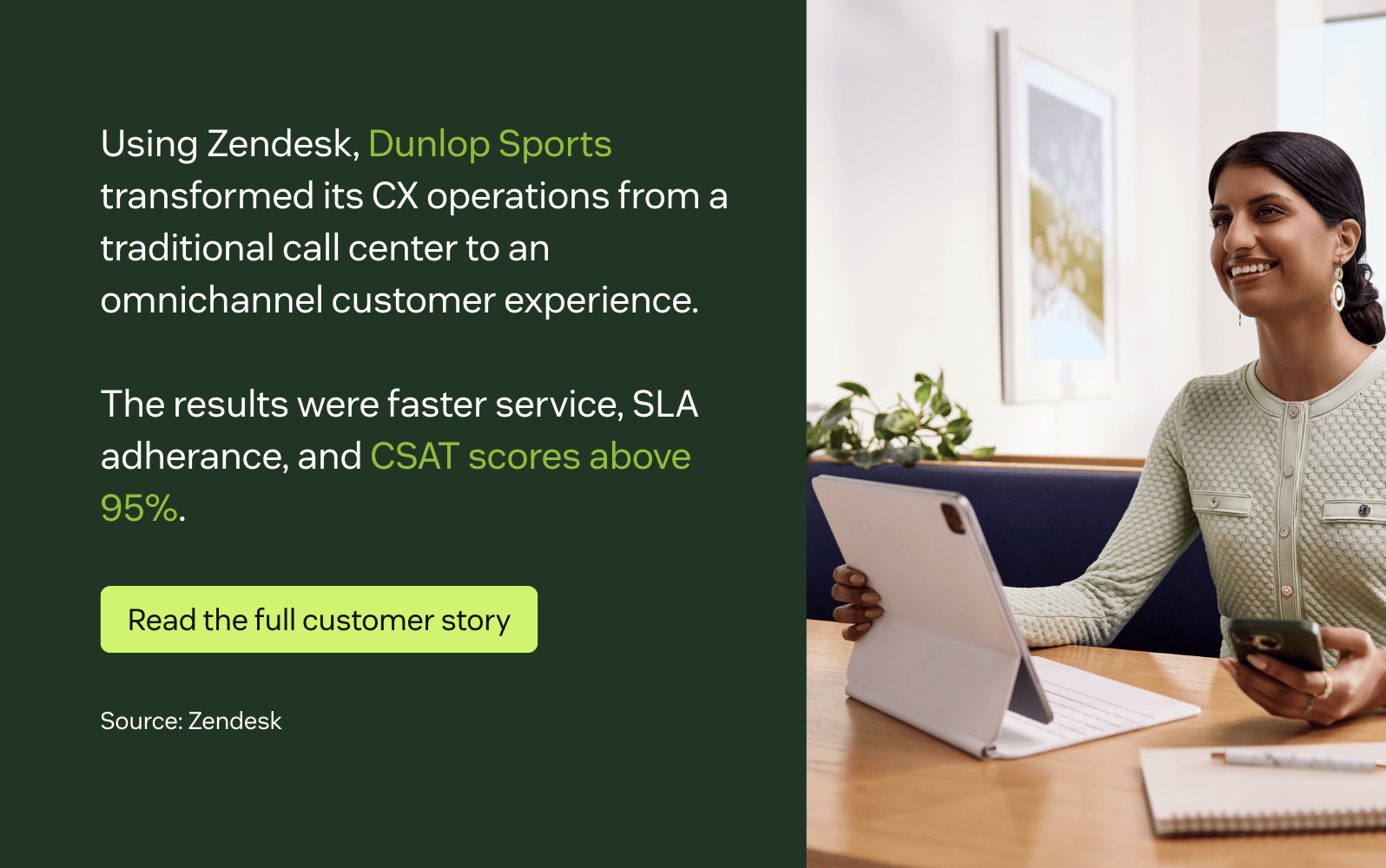
“Zendesk helps correlate all the times that somebody calls by providing the notes and the tracking of customer interactions. That helps us speed up the process and cut down on the average handle time of a phone call because we have all the context we need to deliver a consistent message.”
—Cody Gaudreau, customer experience manager at Dunlop Sports
TELUS

“This partnership has introduced a first-class messaging system expertly blending AI efficiency with the best of personalized human support. We continue to set ourselves apart, advancing in our journey of responsible digital transformation with a steadfast focus on customer experience.”
—Zainul Mawji, Executive Vice-president and President at TELUS
Frequently asked questions
Upgrade your virtual call centre with Zendesk
Virtual call centre software can elevate your support operations, but to achieve this, you need the right software—and that means Zendesk. Our AI-powered virtual call centre capabilities can help you connect with your customers. AI-powered routing capabilities, AI agents, and IVR can help your customers get their solutions quickly. QA and WFM tools help you effectively manage remote and regional call centre teams, track productivity, and monitor real-time performance. These capabilities enable you to deliver an outstanding CX while building a complete and efficient customer support team.
Related customer service guides
Here are some related guides to continue learning about similar systems.
Related posts

Contact centres vs call centres: what is the difference?
Are you unsure whether to invest in a contact centre or a call centre to help…

What is a contact centre? Definition, types, and use cases
Establish a flexible, dynamic contact centre to drive customer loyalty and improve agent efficiency.

How to start a virtual call centre that provides excellent customer service
Learn the best way to set up and manage a remote customer service team.

CCaas: The definitive guide to contact centre as a service (+ the five best providers)
It's time to drop your dated call centre technology. Learn how a CCaaS solution helps you connect with customers across all channels.