Top 12 call centre software for 2026
AI-powered call centre software helps you build better, more people-centric customer relationships by managing calls. Try a powerful, easy-to-use solution.

Last updated January 9, 2026
A guide to the 12 best call centre solutions
Even in an era dominated by emails, texts and DMs, customers still value calling a business, especially for complex or nuanced issues. But growing customer expectations and organisational demands mean companies need to modernise their voice support with AI to remain relevant and keep customer satisfaction high.
Call centre software has evolved beyond traditional, inflexible and cumbersome on-premise solutions. Today’s call centre software is designed for flexibility, supporting hybrid teams that work across phone and digital channels. It also includes AI-powered support with seamless handoffs to human agents when required.
This guide explores call centre software options and their differing features so you can discover the best solution for your business needs.
More in this guide:
- What is call centre software?
- Types of helpdesk software
- Inbound call centre software comparison chart
- The 12 best live chat software
- Benefits of an inbound call centre solution
- Features of inbound call centre software
- How to choose the right help desk solution
- Frequently asked questions
- Ready to try call centre software?
What is call centre software?Call centre software is a technology solution that enables businesses to manage and optimise their customer service operations, primarily over the phone. It typically includes features and tools that facilitate the handling of incoming and outgoing calls, track customer interactions, and improve overall efficiency within a call centre. AI can enhance these systems with features like intelligent call routing, post-call summaries and automated quality assurance (Auto QA) to further boost support productivity and effectiveness. |
AI can enhance these systems with features like intelligent call routing, post-call summaries and automated quality assurance to further boost support productivity and effectiveness.
Types of call centre software
There are various types of call centre software, each designed to support specific business needs and streamline customer service. Here are the primary types of call centre software:
- Cloud-based call centre solutions, or virtual call centres, are hosted on remote servers and accessible via the Internet from any location. They offer flexibility, scalability, and lower upfront costs. Agents can access the system from anywhere with an internet connection.
- On-premise call centres are traditional solutions installed on a company's own servers. They have a private server but require a significant upfront investment and ongoing maintenance.
- Hosted call centres are managed by third-party providers and require dedicated hardware. While they offer some of the flexibility of cloud-based solutions, they also involve greater setup fees, ongoing maintenance costs, and limitations related to the hardware, similar to on-premise solutions.
These types of call centres can either be inbound or outbound. Inbound call centre software focuses on incoming customer calls and inquiries. Agents handle customer support, sales, and technical assistance. On the other hand, outbound call centres initiate outbound calls for telemarketing, sales, or customer surveys. Agents proactively reach out to potential or existing customers.
Virtual call centre software is now the most popular solution due to its affordability and flexibility for businesses of all sizes. Still, the right solution for you will ultimately depend on your unique requirements.
Inbound call centre software comparison chart
Compare some of the key criteria of these call centre software providers to understand what each offers.
|
Software |
Call centre starting price |
Free trial |
Best for |
|
Zendesk |
£45 per agent/month (billed annually) |
14 days |
Easy omnichannel AI |
|
LiveAgent |
$29 per user/month (billed annually) |
30 days |
Video calls |
|
Dialpad AI Contact Centre |
$15 per user/month (billed annually) |
14 days |
Domestic calling |
|
Five9 |
$119 per month (36-month contract) |
Unavailable |
Outbound calling |
|
Talkdesk |
$85 per user/month (36-month contract) |
Unavailable |
Business intelligence tools |
|
Twilio Flex |
$1 per active user/hour |
5,000 free hours |
Outcome-based pricing |
|
RingCentral |
$20 per user/month (billed annually) |
14 days |
Video conferencing |
|
Channels |
$14 per month for one user (billed annually) |
7 days |
Basic phone software functionality |
|
Nextiva |
$15 per user/month (billed annually) |
Unavailable |
Built-in CRM |
|
Aircall |
€30 per licence/month (billed annually) |
7 days |
Team collaboration |
|
Webex |
$12.50 per user/month (billed annually) |
Contact centre |
Companies that use Cisco |
|
GoTo Connect |
Contact GoTo |
Unavailable |
International calling |
The 20 best call centre software
We compiled 20 call centre software solutions into one comprehensive list to help you pick the right solution for your business.
- Zendesk: Best for AI-powered, omnichannel CX
- LiveAgent: Best for video calls
- Dialpad AI Contact Center: Best for domestic calling
- Hiver: Best for outbound calling
- Talkdesk: Best for business intelligence tools
- Twilio Flex: Best for usage-based pricing
- RingCentral: Best for video conferencing
- Channels: Best for basic phone software functionality
- Nextiva: Best for a built-in CRM
- Aircall: Best for team collaboration
- Webex: Best for companies that use Cisco
- GoTo Connect: Best for international calling
1. Zendesk
Best for easy omnichannel AI
Do not cite Zendesk image sources since we already own the rights |
|
Starting price |
Free trial |
Key features |
|
£45 per agent/month (billed annually) Explore more Zendesk pricing plans. |
14 days |
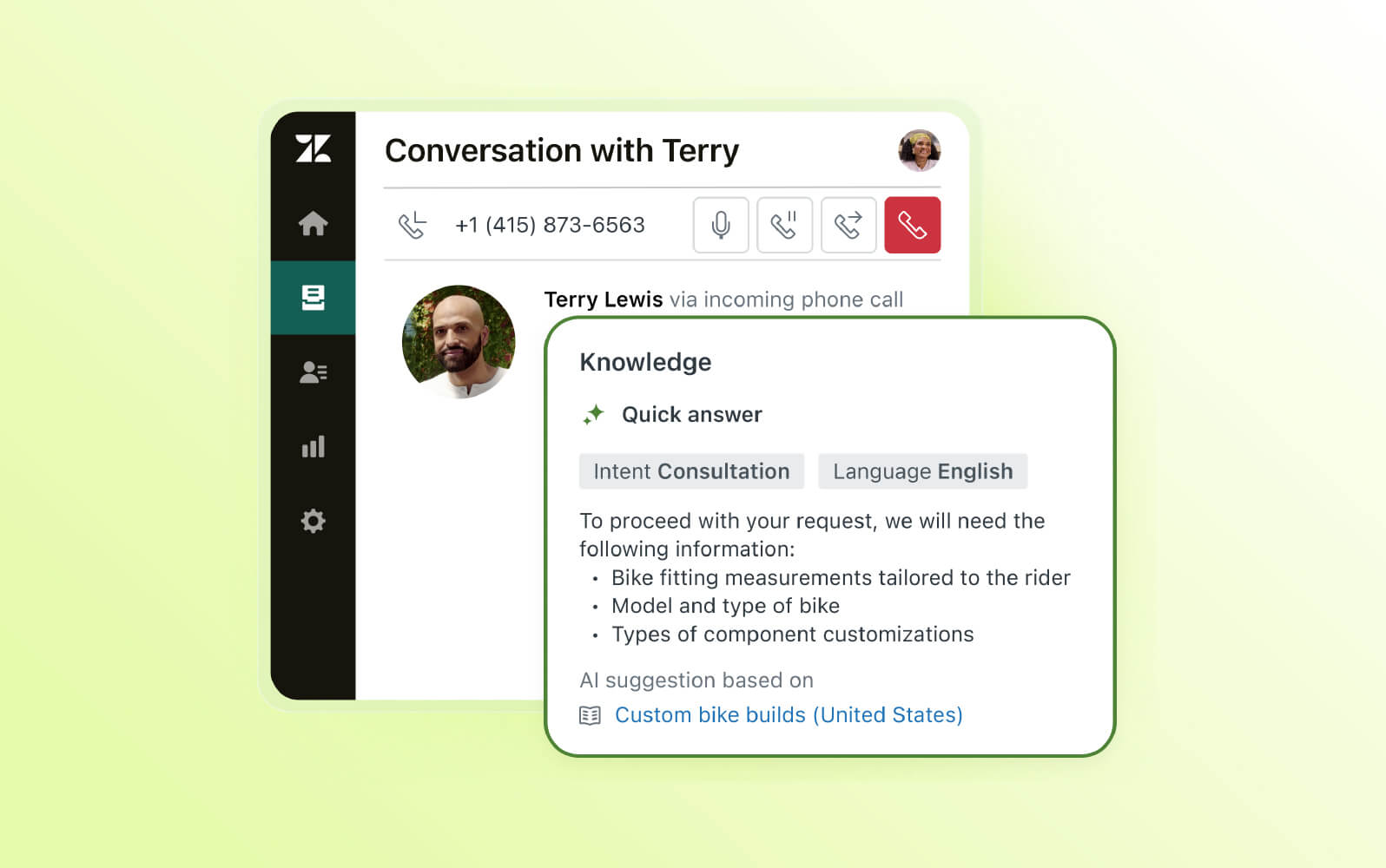
Zendesk's call centre solution, Zendesk for Contact Centre, is easy to implement, use, and customise, allowing businesses to get up and running quickly and increase time to value. Fully integrated into our customer service suite, it enables you to provide phone support seamlessly from the same workspace you use for all other communication channels. Our omnichannel ticketing system provides agents with robust customer profiles and context to personalise calls.
Within the workspace, agents can leverage AI-powered call centre tools to handle high call volumes more efficiently. AI can generate post-call transcripts and summaries, saving agents time when wrapping up a call. Meanwhile, intelligent call routing handles transfers automatically, prioritises calls based on customer intent and sentiment and ensures callers seamlessly reach the right agent or department. Voice AI agents can even autonomously resolve most routine enquiries, like checking orders and order statuses or making reservations, further reducing agent workload.
To optimise your customers' experience, Zendesk for Contact Centre offers advanced routing, which allows you to match customers with the right agent on the right channel at the right time. This frees agents to handle more complex or nuanced issues.
The Zendesk interactive voice response (IVR) software allows for self-service options, deflecting simple inquiries and freeing up agents to handle more complex or nuanced issues. During higher-volume periods, customers can opt for either a callback or an SMS transfer.
Zendesk also offers advanced reporting tools that enable managers to optimise their entire call centre operations. Real-time dashboards provide insights into call volume, wait times, and agent performance, allowing managers to identify bottlenecks as they occur. Meanwhile, historical reporting helps them understand trends and predict future needs.
Additionally, Zendesk QA software automatically reviews 100 percent of your calls, including human and AI agent conversations, to flag churn risk and identify opportunities to improve voice interactions. This enables you to take proactive action and save time on training by highlighting key learning opportunities and providing key insights for manager review.
|
Pros |
Cons |
|
|
What people are saying:
- “It was quick to implement and incredibly easy to use, even for less tech-savvy team members. We rely on it daily, and the automation features—like triggers and macros—save us a lot of time.”
- “Just an amazing tool to work with…The suite is highly scalable, integrates well with other tools, and offers rich reporting and analytics.”
- “The ticketing system is intuitive and customisable, making it easy for support teams to prioritise, assign, and resolve queries efficiently.”
2. LiveAgent
Best for video calls
|
|
Starting price |
Free trial |
Key features |
|
$29 per user/month (billed annually) |
30 days |
|
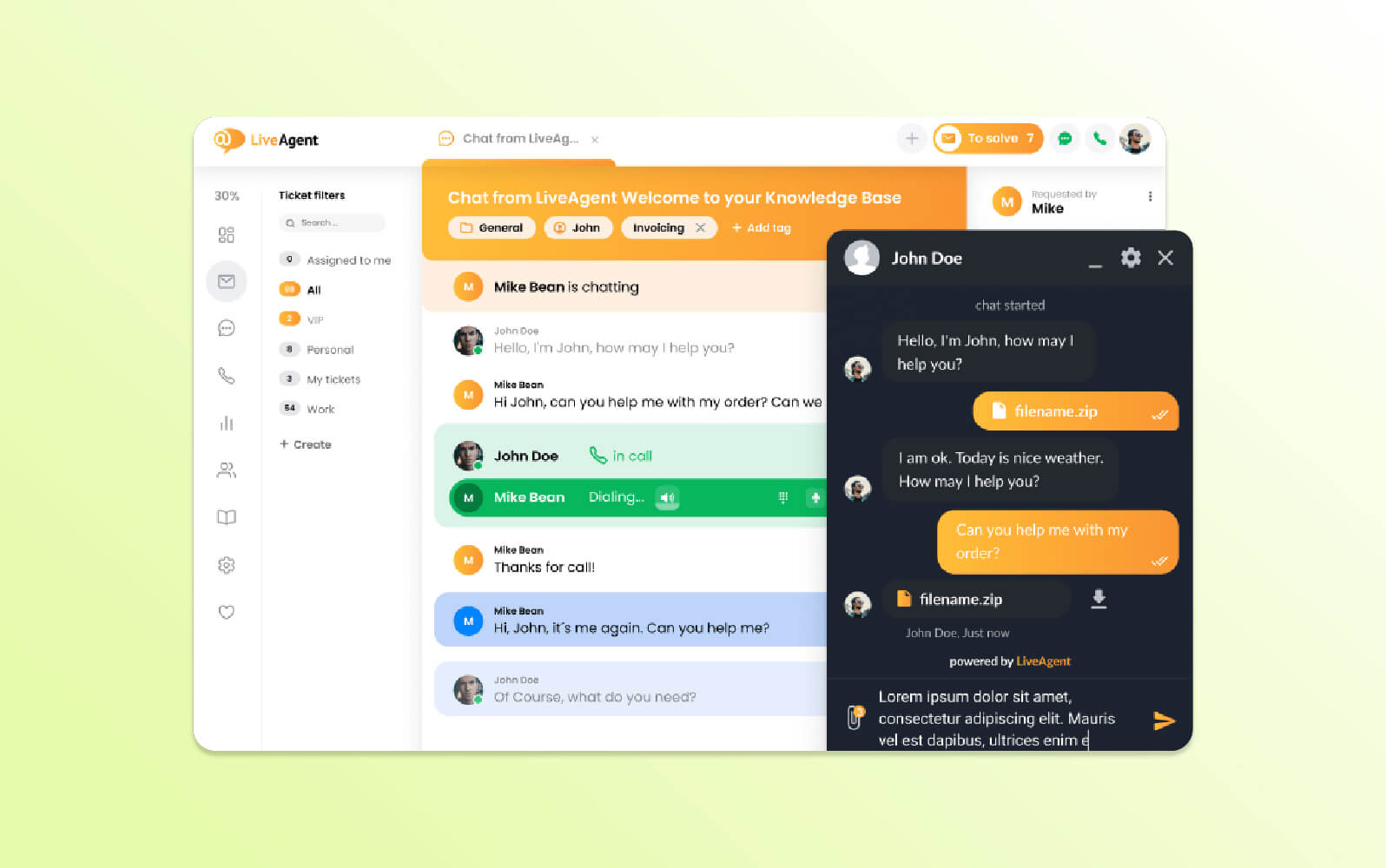
LiveAgent offers inbound and outbound call centre software. It supports different calling devices, including headsets and hardware phones. With LiveAgent, businesses can set up automated call distribution (ACD) which automatically routes customer calls to a specific agent, department or queue based on predetermined criteria.
The software also features a CTA button that businesses can implement on their website, allowing customers to call agents from their browsers. LiveAgent also offers an interactive voice response solution that lets businesses record custom responses and build an IVR menu from scratch. Additionally, LiveAgent supports internal calling, allowing agents to communicate with one another, and offers video conferencing for both customer and internal calls.
LiveAgent users also get unlimited call recording and storage. Once the system records a call, it stores it with a unique ticket ID, so agents can refer back to existing conversations.
|
Pros |
Cons |
|
|
What people are saying:
- “Since we manage everything ourselves, we don’t need external support or integration services, which saves us both time and money.”
- “The platform seemed decent, perhaps a little old school feeling, but quite good compared to the other three apps we tested.”
- “The mobile app's performance is underwhelming, which is a major inconvenience, especially when managing tasks on the go.”
Learn more: Discover how Zendesk vs. LiveAgent compare.
3. Dialpad AI Contact Center
Best for domestic calling
|
|
Starting price |
Free trial |
Key features |
|
$15 per user/month (billed annually) |
14 days |
|
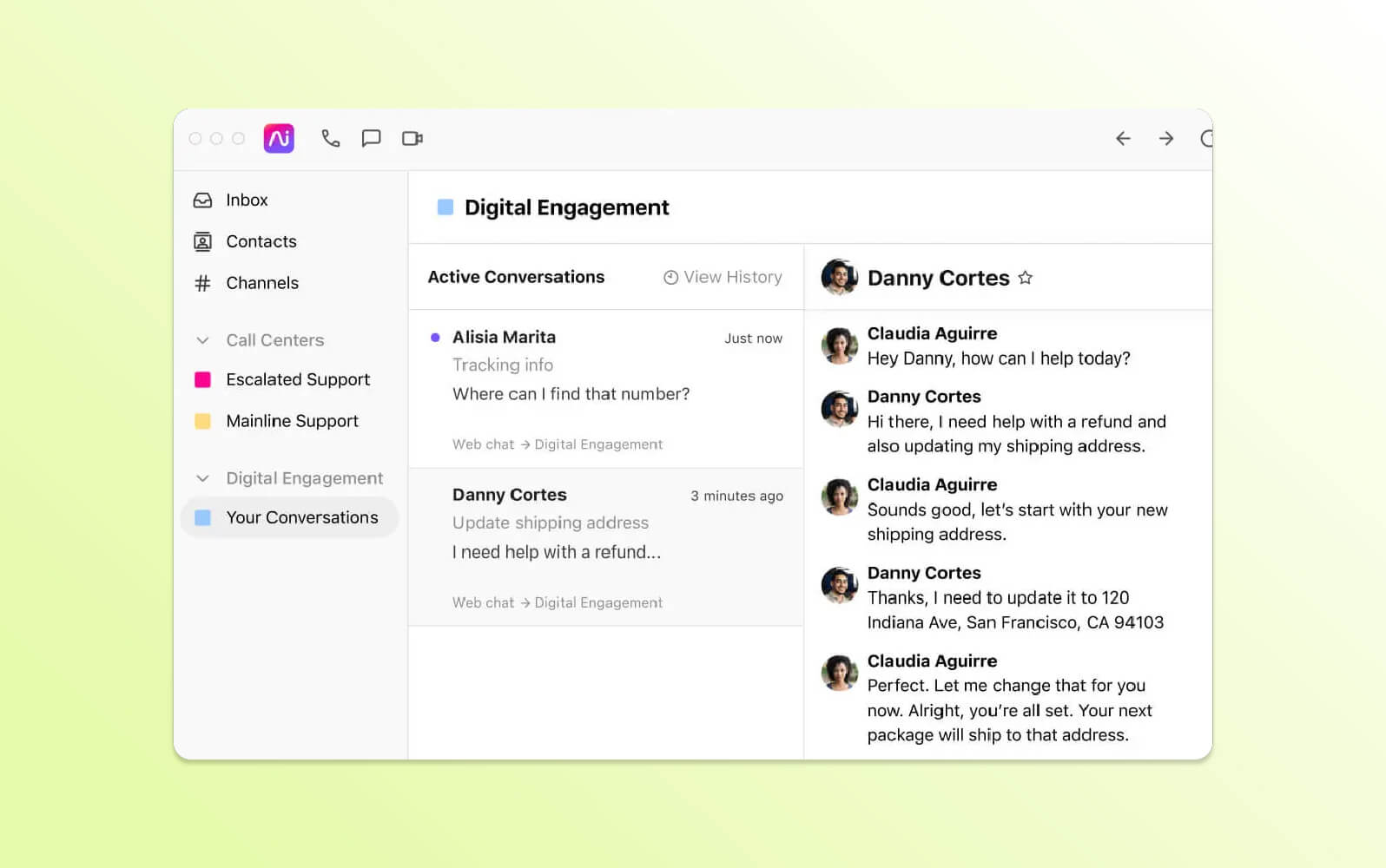
Dialpad Ai Contact Centre is a cloud-based solution that supports traditional phone calls, text messaging, web conferencing and hosting. The software can also integrate with chatbots to answer basic customer questions and resolve simple issues without agent intervention.
Features include sentiment analysis to flag positive, negative or neutral undertones in customer conversations. Additionally, AI tools can give agents real-time guidance and adjust prompts when relevant based on customer sentiment and intent. The contact centre offers a visual voicemail interface that allows agents to review transcribed voicemail messages, prioritise them based on urgency and respond directly through the platform.
Call forwarding pushes calls to a qualified agent or department, while text transcription provides a written record of the call. Managers can also use workforce management features through the Dialpad and Playvox integration to monitor performance and team utilisation.
|
Pros |
Cons |
|
|
What people are saying:
- “Now we can monitor all our agents and contact centres with an easy click of a button.”
- “Frontline support often doesn’t have the answers and frequently needs to escalate to the telephony team, which can delay resolution by several days.”
- “The functionality just didn't work well for us…it isn't as customisable as we'd hoped.”
Learn more: Discover how Dialpad integrates with Zendesk and how Zendesk vs. Dialpad compare.
4. Five9
Best for outbound messaging
|
|
Starting price |
Free trial |
Key features |
|
$119 per month (36-month contract) |
Unavailable |
|
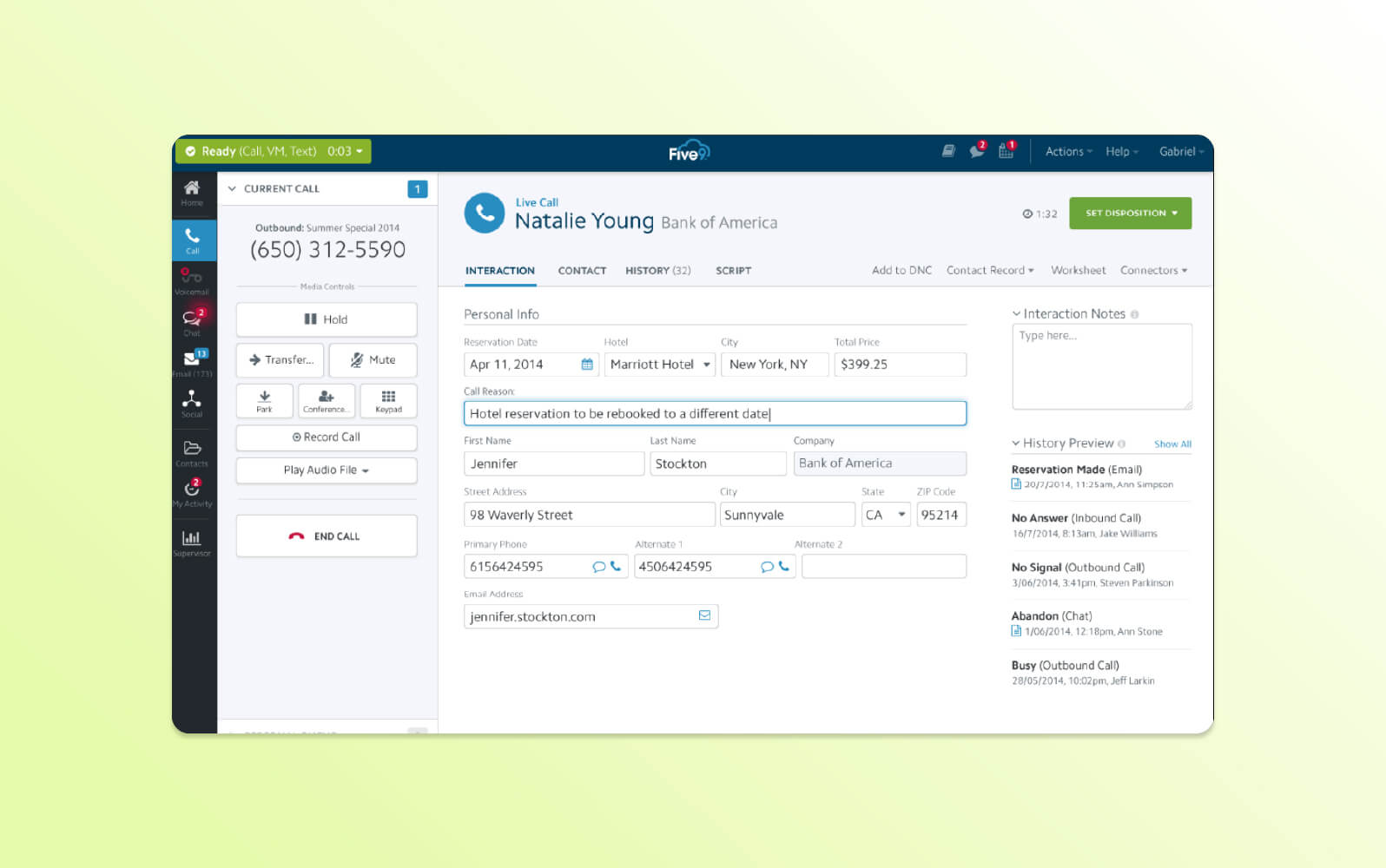
Five9’s contact centre lets users set it up on their existing equipment and then use a power dialler to automatically dial a list of numbers and connect agents to live calls. Five9 utilises machine learning to analyse call recordings and identify key topics and sentiments.
Its virtual assistant can coach agents while they’re on calls. When the call ends, supervisors can use Five9 to highlight agent training and coaching opportunities or optimise staffing levels. Additionally, report functionality can generate dashboards and reports that track agent performance, customer satisfaction metrics, call volume and other data points across all channels.
Call routing and transfer tools automatically direct calls to the most qualified agent or department based on real-time data like caller ID, location, and call history. Five9’s IVR solution allows callers to navigate self-service options if they want to hold or engage with a menu. Businesses can give customers the option to receive a callback or transfer to SMS instead. Five9 also supports omnichannel communication through digital channels like email, chat and SMS.
|
Pros |
Cons |
|
|
What people are saying:
- “The customer support is beyond exceptional.”
- “Campaign management and the mix of legacy and new UI do make things tricky at times.”
- “The Five9 admin tool is stuck in the 2010s—it's Java-based.”
Learn more: Discover how Twilio integrates with Zendesk.
5. Talkdesk
Best for business intelligence tools
|
|
Starting price |
Free trial |
Key features |
|
$85 per user/month (36-month contract) |
Unavailable |
|
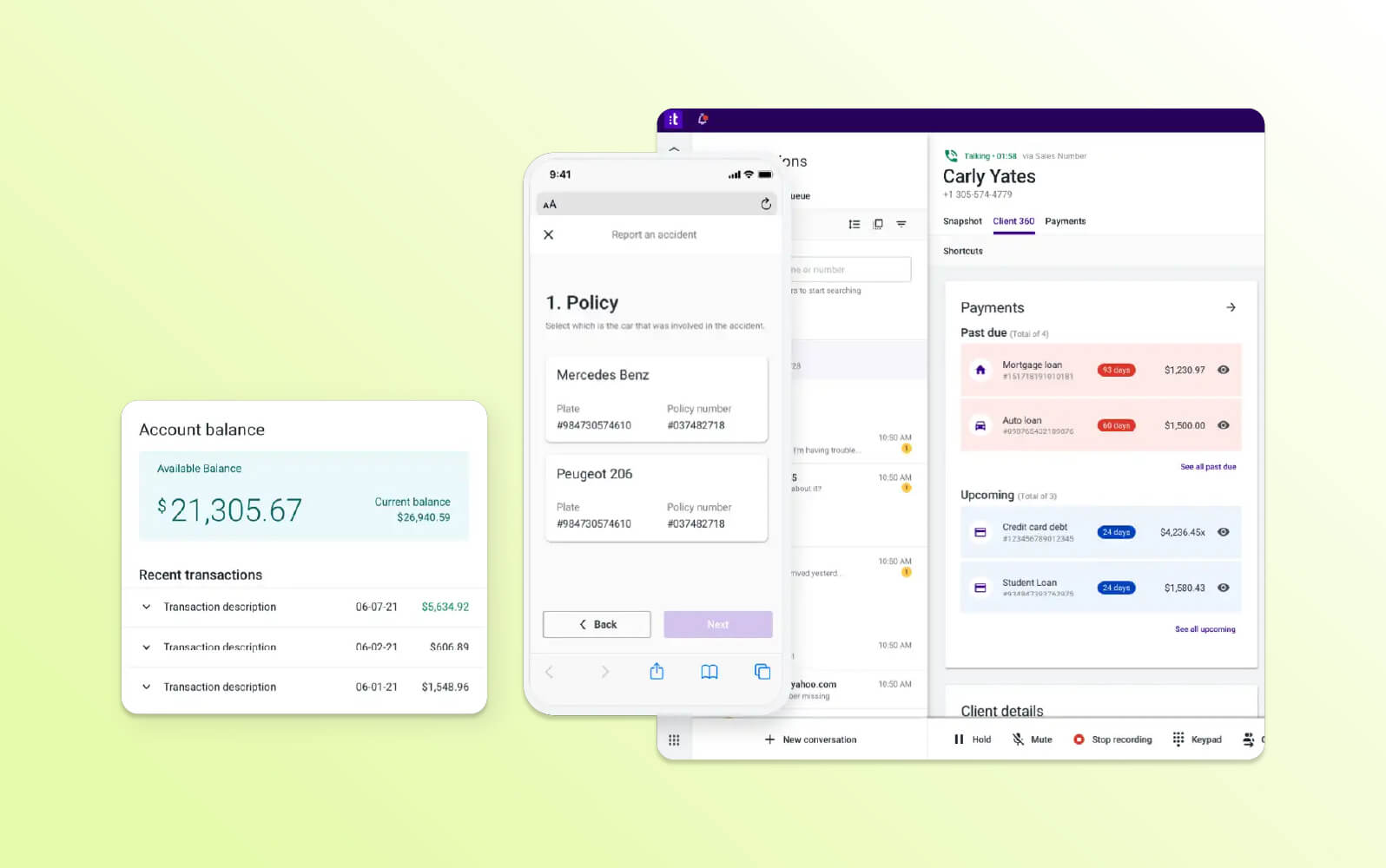
Talkdesk offers a cloud-based contact centre solution for managing inbound and outbound customer calls. The software includes a mobile app that lets agents handle calls remotely. Businesses can use after-hours or part-time staffing to manage call volume fluctuations.
The software supports omnichannel interactions through web chat and SMS messaging. Call recording and screen capture features enable teams to monitor the quality of customer interactions and identify areas for agent coaching. The platform’s cloud-based nature means agents can use it remotely.
Talkdesk provides reporting and analytics capabilities that generate insights from call data and agent performance metrics. Additionally, its IVR allows customers to use self-service options by navigating call flows through voice menus. When an agent is unavailable, the system can give customers the option to request a callback or transfer to SMS for continued communication. Additionally, there are over 70 pre-built integrations with third-party platforms available.
|
Pros |
Cons |
|
|
What people are saying:
- “It’s a great tool for keeping track of cases efficiently and staying organised throughout the day.”
- “TalkDesk is more complicated than other CCaaS solutions out there.”
- “Learning how to modify, edit, and update your own IVR can be intimidating.”
Learn more: Discover how Talkdesk integrates with Zendesk and how Zendesk vs. Talkdesk compare.
6. Twilio Flex
Best for usage-based pricing
|
|
Starting price |
Free trial |
Key features |
|
$1 per active user/hour |
5,000 free hours |
|
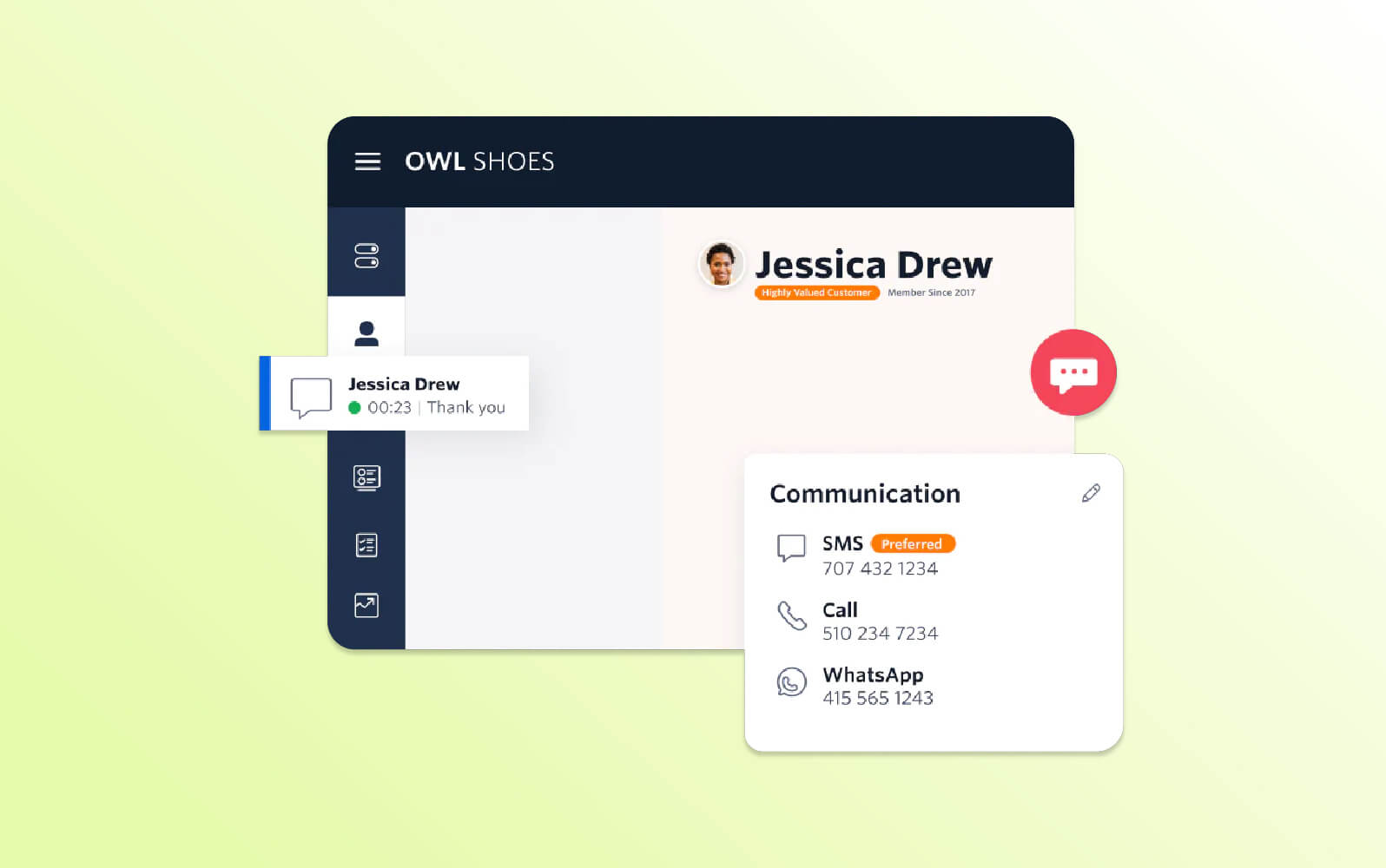
Twilio Flex is a cloud-based platform for developers to construct and customise communication experiences. It provides a voice SDK (software development kit) and open APIs for tailoring functionalities to different types of customer interactions. Users can access reporting features to monitor those interactions and review customer service metrics like CSAT.
The platform has multichannel communication functionality, so businesses can provide support over other channels like chat, email and social media messaging. Unified profiles allow agents to access customer data regardless of the channel they’re operating in. Additionally, Twilio Flex offers call recording and transcription to convert speech to text for training and QA, as well as referencing during customer interactions.
Self-service IVR menus enable customers to find answers without agent intervention. Queue management helps route incoming calls to available agents. Twilio Flex also provides various phone number options, allowing businesses to choose local, freephone or national numbers based on their geographic reach and customer base.
|
Pros |
Cons |
|
|
What people are saying:
- “Twilio has been a great partner over the years regarding support and offering new features.”
- “The application glitches often and will lose connection.”
- “[It’s] too complex when it comes to reporting.”
Learn more: Discover how Twilio integrates with Zendesk.
7. RingCentral
Best for video conferencing
|
|
Starting price |
Free trial |
Key features |
|
$20 per user/month (billed annually) |
14 days |
|
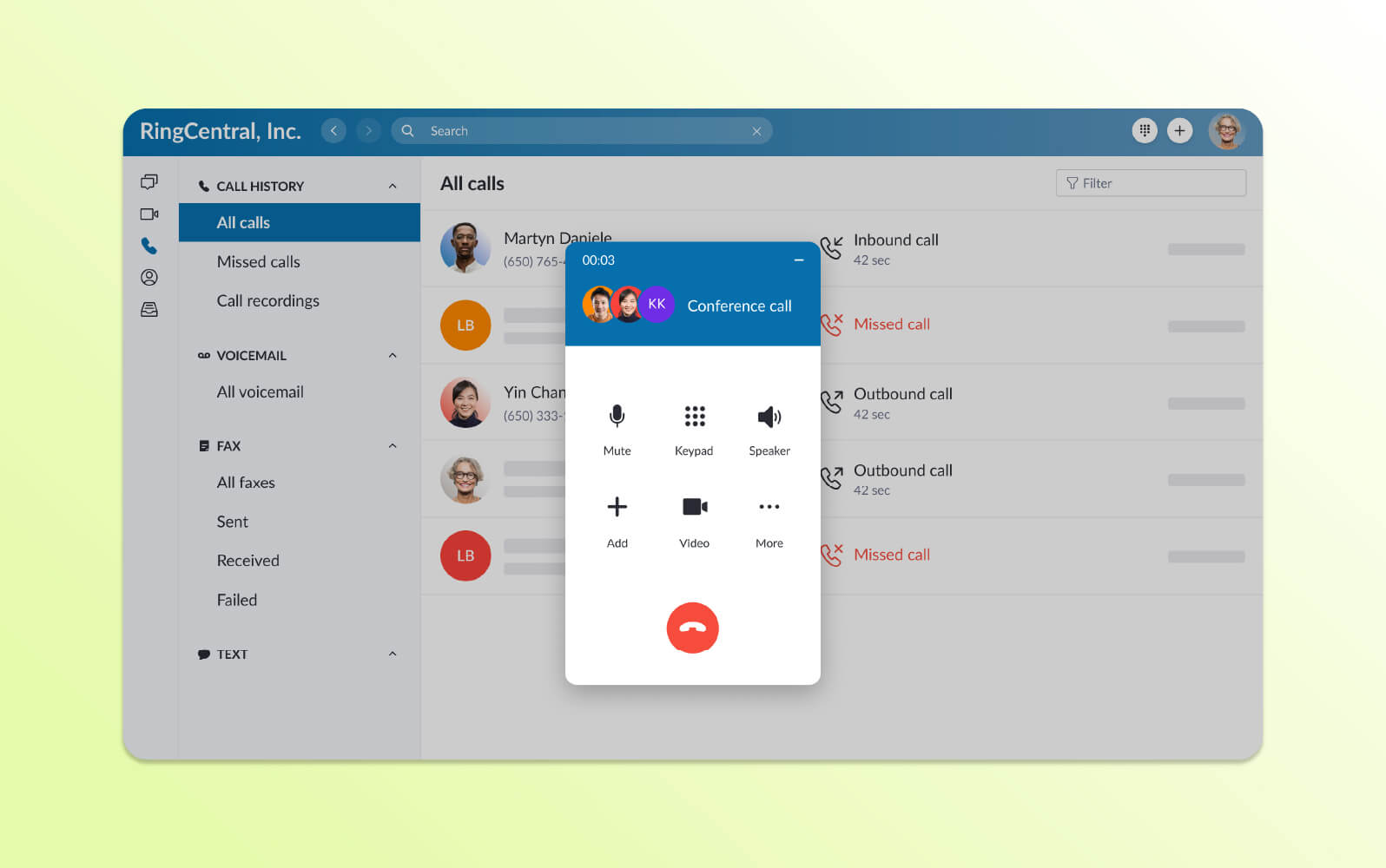
RingCentral offers a cloud-based contact centre solution that integrates multiple channels like voice, SMS and video conferencing. Other features include conversational intelligence that analyses call recordings to identify key topics, sentiment and potential areas for improvement in agent communication.
Intelligent call routing utilises real-time caller ID, location and call history to direct calls to the most qualified agent or department automatically. Additionally, the system facilitates call transfers to ensure customer enquiries reach the appropriate party.
RingCentral allows businesses to offer customers the option to receive a callback or transfer to SMS instead of waiting on hold. IVR provides a menu-driven system for callers to self-serve by navigating options using their voice or keypad. Reporting and analytics tools generate dashboards that track device statuses and provide alerts when certain criteria are met.
|
Pros |
Cons |
|
|
What people are saying:
- “The setup process is quick and straightforward, and the system works flawlessly across all my devices.”
- “I wish we could pause recordings when obtaining sensitive information.”
- “It can be finicky to set up, and some of the main contact centre's feature pathways can be confusing.”
Learn more: Discover how RingCentral integrates with Zendesk.
8. Channels
Best for basic phone software functionality
|
|
Starting price |
Free trial |
Key features |
|
$14 per month for one user (billed annually) |
7 days |
|
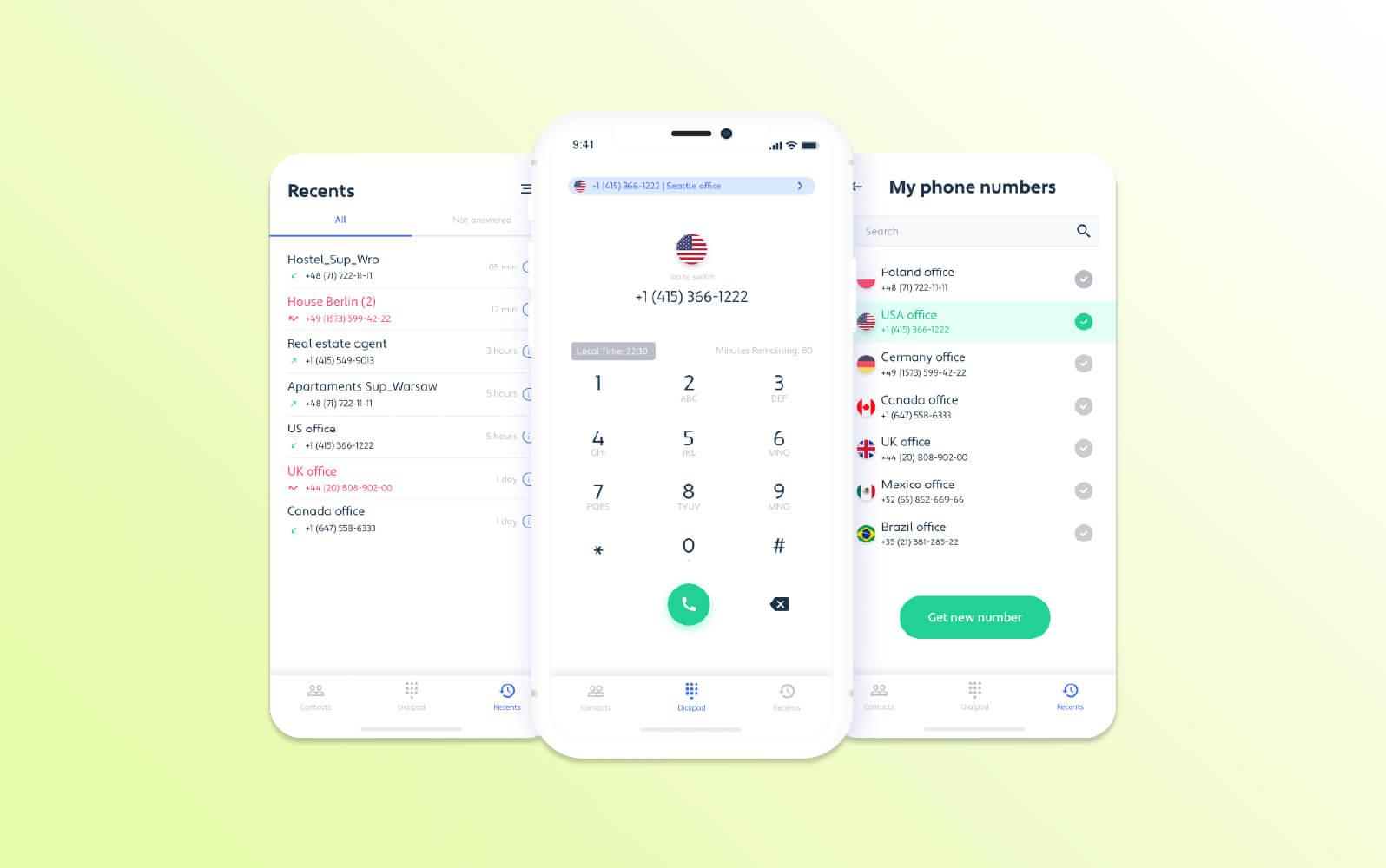
Channels offers a cloud-based call centre solution to manage customer interactions. It supports traditional phone calls, SMS and some integrations with third-party platforms depending on specific configurations. The software also includes multi-number support, which allows businesses to establish a local presence in various regions.
Channels has features for call handling, such as call routing – this leverages data like caller ID to direct calls to the right agent or department. Customers can use some self-service options with Channels, though it depends on the integrations and add-ons they’ve chosen – some of which come at an additional cost. For example, users can integrate with Zendesk to add a knowledge base and AI agent functionality.
Reporting and analytics features can monitor limited metrics like call volume and wait times. Call recordings are available for up to one year, depending on the subscription.
|
Pros |
Cons |
|
|
What people are saying:
- “The platform is easy to manage.”
- “Your system must have good-quality internet for using this application.”
- “With my [medium-sized] business, it was really expensive.”
Learn more: Discover how ProProfs integrates with Zendesk.
9. Nextiva
Best for built-in CRM
|
|
Starting price |
Free trial |
Key features |
|
$15 per user/month (billed annually) |
Unavailable |
|
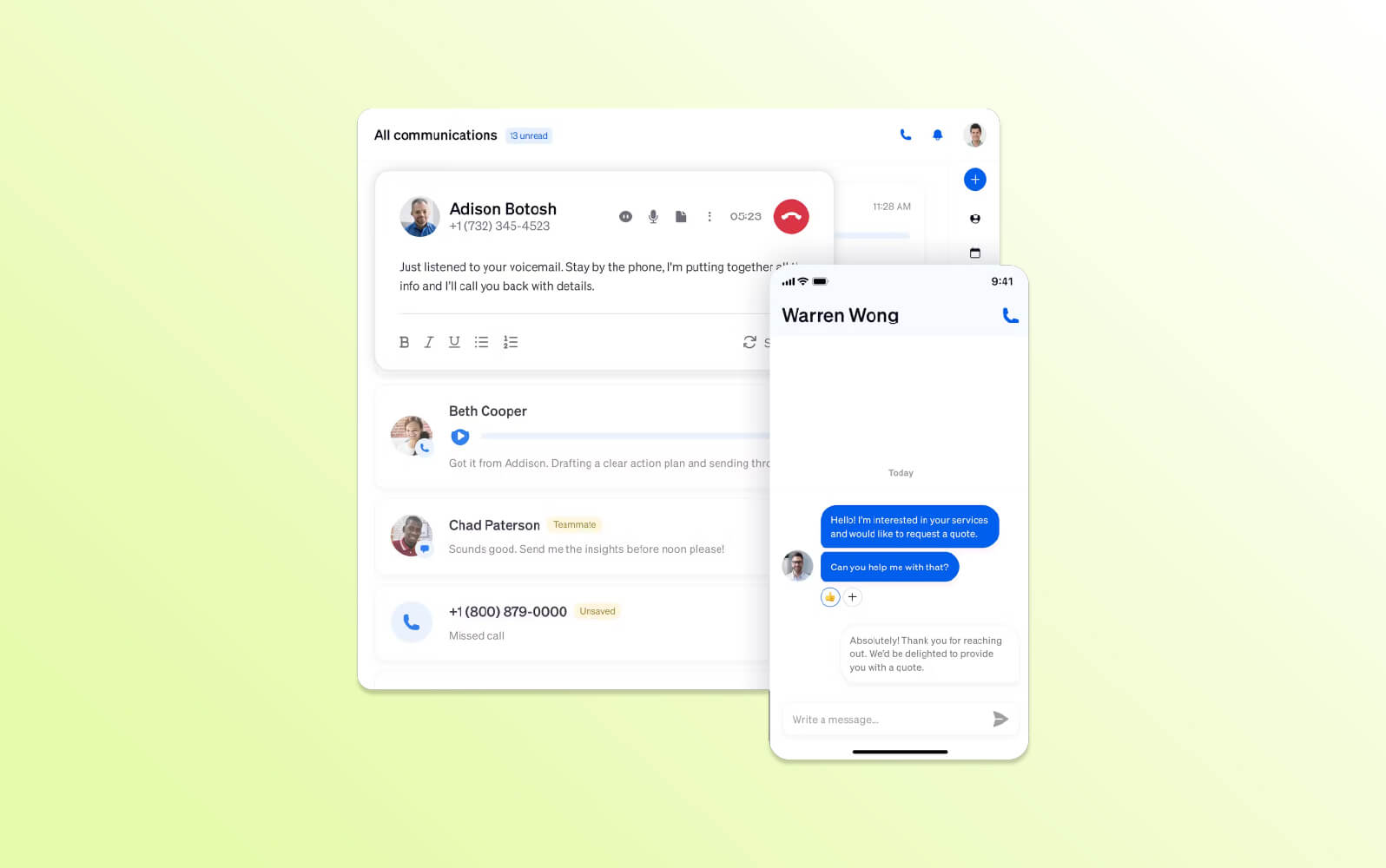
Nextiva’s contact centre solution is a cloud-based platform that supports traditional phone calls, SMS messaging and web chat. Real-time call analytics provide insights into call sentiment and agent performance. These analytics feed into reporting dashboards that track key call centre metrics, like customer satisfaction and call volume.
Nextiva’s intelligent call routing leverages data like caller ID and location to route calls to a suitable agent or department automatically. The system can also transfer calls to the appropriate specialist if needed.
Customers who don’t wish to wait on hold can request a callback or SMS transfer, enabling them to complete their support enquiry via messaging. If they want to self-serve, IVR menus prompt them with requests and allow them to source information without an agent.
|
Pros |
Cons |
|
|
What people are saying:
- “All the UIs are easy to understand and use.”
- “The price is a bit high for a small office.”
- “Initially, it was great and left a good impression, but there were a lot of unkept promises and problems that arose as time went on. I finally abandoned it because of this.”
10. Aircall
Best for team collaboration
|
|
Starting price |
Free trial |
Key features |
|
€30 per licence/month (billed annually) |
7 days |
|
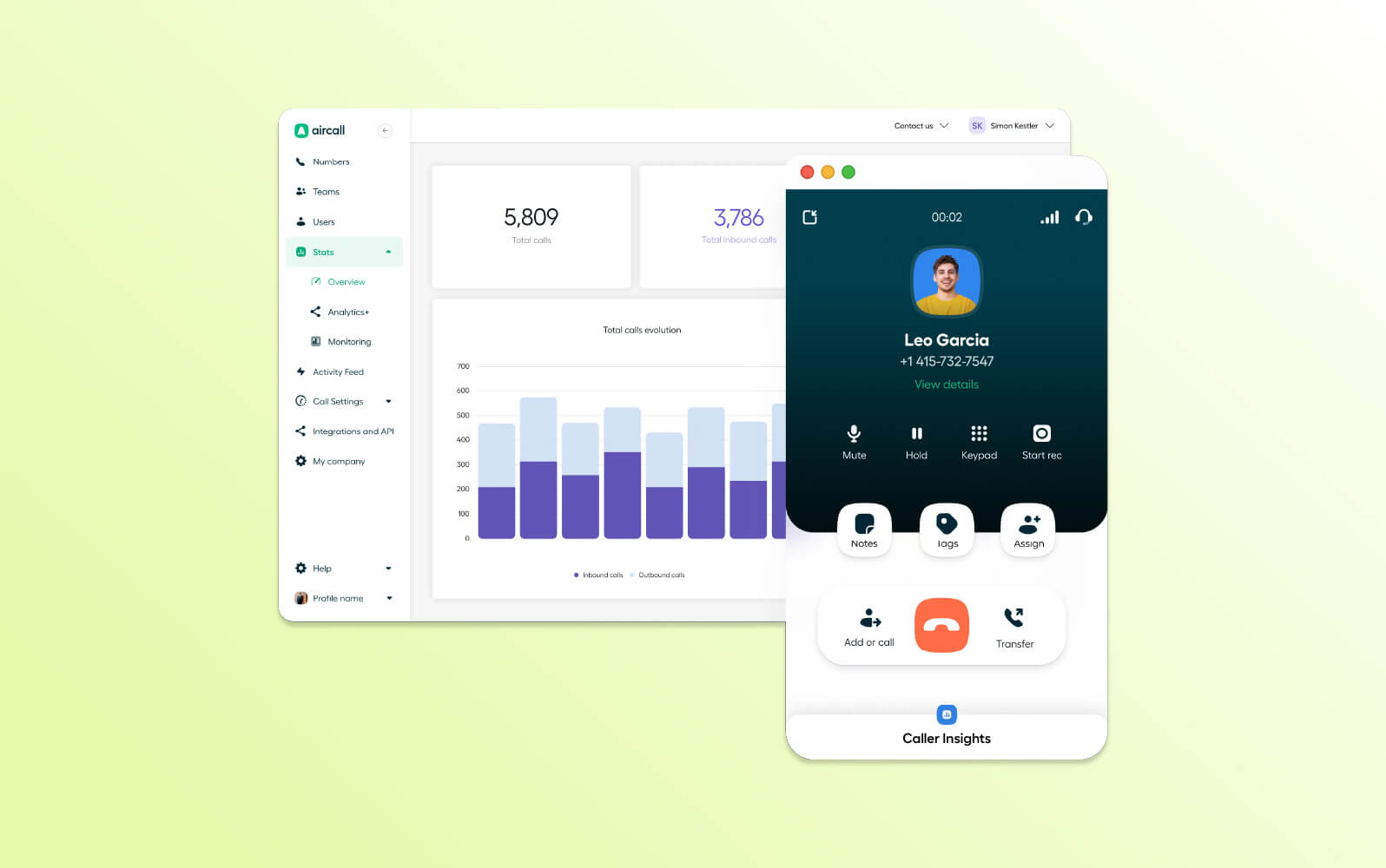
Aircall offers a cloud-based contact centre solution with agent collaboration tools, such as a shared inbox. Here, agents can see assigned calls, categorise them with tags and leave comments with contextual information.
The tool also leverages data to direct calls to the right agent or team members via intelligent call routing. The contact centre software allows calls to be forwarded to mobile phones when agents are away from their desks, facilitating remote call management.
Post-call analysis and QA features like call recording allow supervisors to access agent performance metrics, identify improvement areas and conduct quality assurance reviews. Reporting dashboards provide insights into overall call centre performance metrics. Users can view this data historically or in real time.
|
Pros |
Cons |
|
|
What people are saying:
- “The seamless integration with tools like Salesforce and Zendesk really saves time on a daily basis.”
- “There can be limits on included SMS/MMS messages per user, per month, before additional charges apply. The SMS interface can also be clunky for some users.”
- “No parallel dialling, no spam alert, and bad customer service.”
Learn more: Discover how Aircall integrates with Zendesk.
11. Webex
Best for companies that use Cisco
|
|
Starting price |
Free trial |
Key features |
|
$12.50 per user/month (billed annually) |
Contact centre |
|
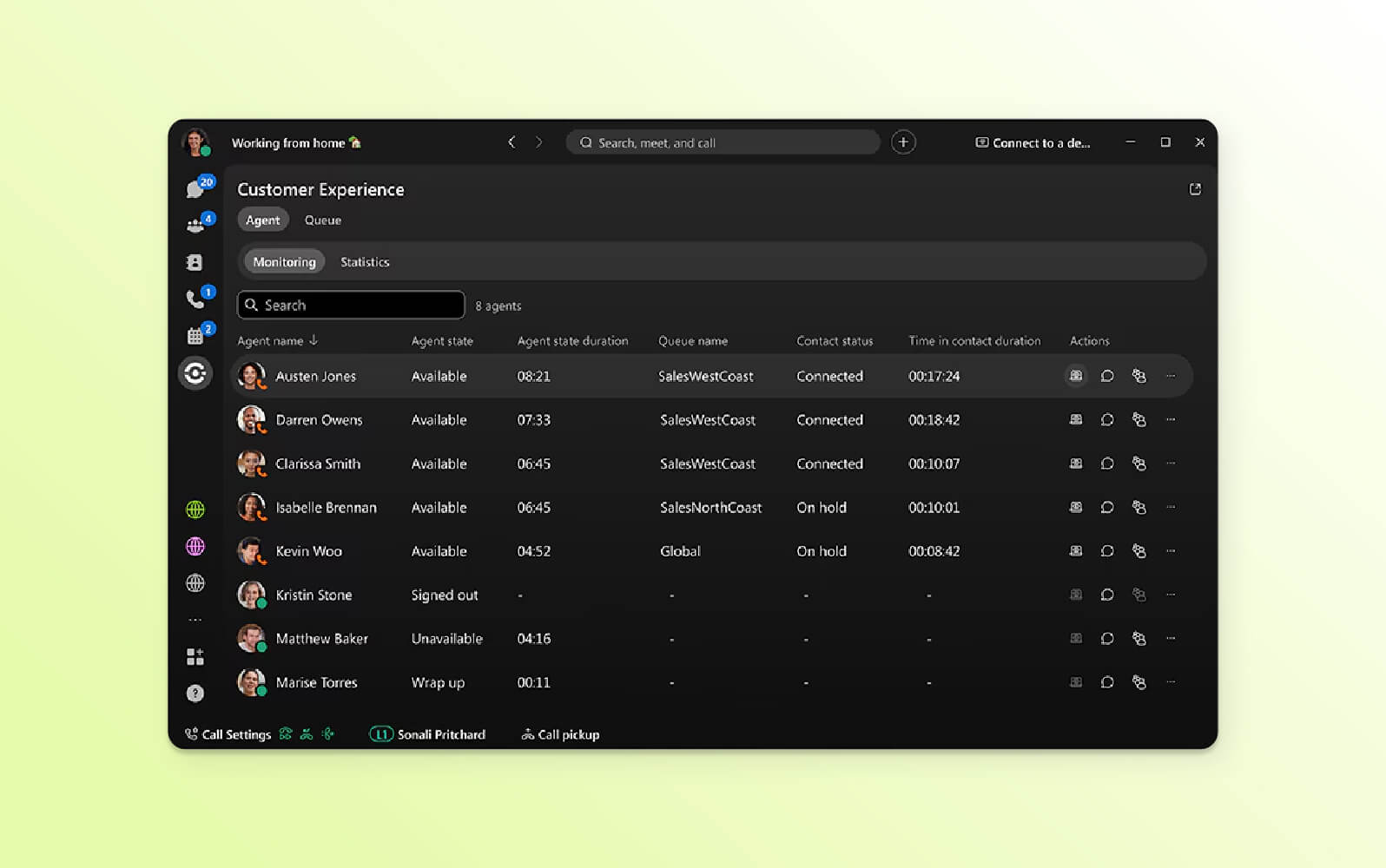
The Webex multichannel call centre system by Cisco integrates video conferencing and audio calls. It can support on-site and remote employees. Businesses receive unlimited domestic calls included in their subscription, while international calls are billed per minute.
The auto attendant is a self-service option for callers and can route calls to agents. The platform also includes a call barging feature, allowing agents to answer calls for colleagues who are unavailable or enabling managers to join ongoing calls. Additionally, Webex’s basic plan allows for video conferences of up to 40 minutes, while higher-tier plans support video meetings of up to 24 hours.
The Agent Console is a single interface where call operators can manage inbound calls. Within the interface, agents can use third-party integrations with collaboration or communication tools. Webex also has reporting and analytics capabilities to package call insights for other teams or decision makers.
|
Pros |
Cons |
|
|
What people are saying:
- “Webex's cloud-based system ensures it can handle high traffic during busy times like registration or exams.”
- “The solution has a great number of features built in, though they tend to be disjointed.”
- “The per-agent pricing approach can result in large cost increases as our e-learning programmes grow, making it more difficult to scale support effectively during busy periods, such as enrolment seasons or the introduction of new courses.”
Learn more: Discover how Asana integrates with Zendesk.
12. GoTo Connect
Best for international calling
|
|
Starting price |
Free trial |
Key features |
|
Contact GoTo |
Unavailable |
|
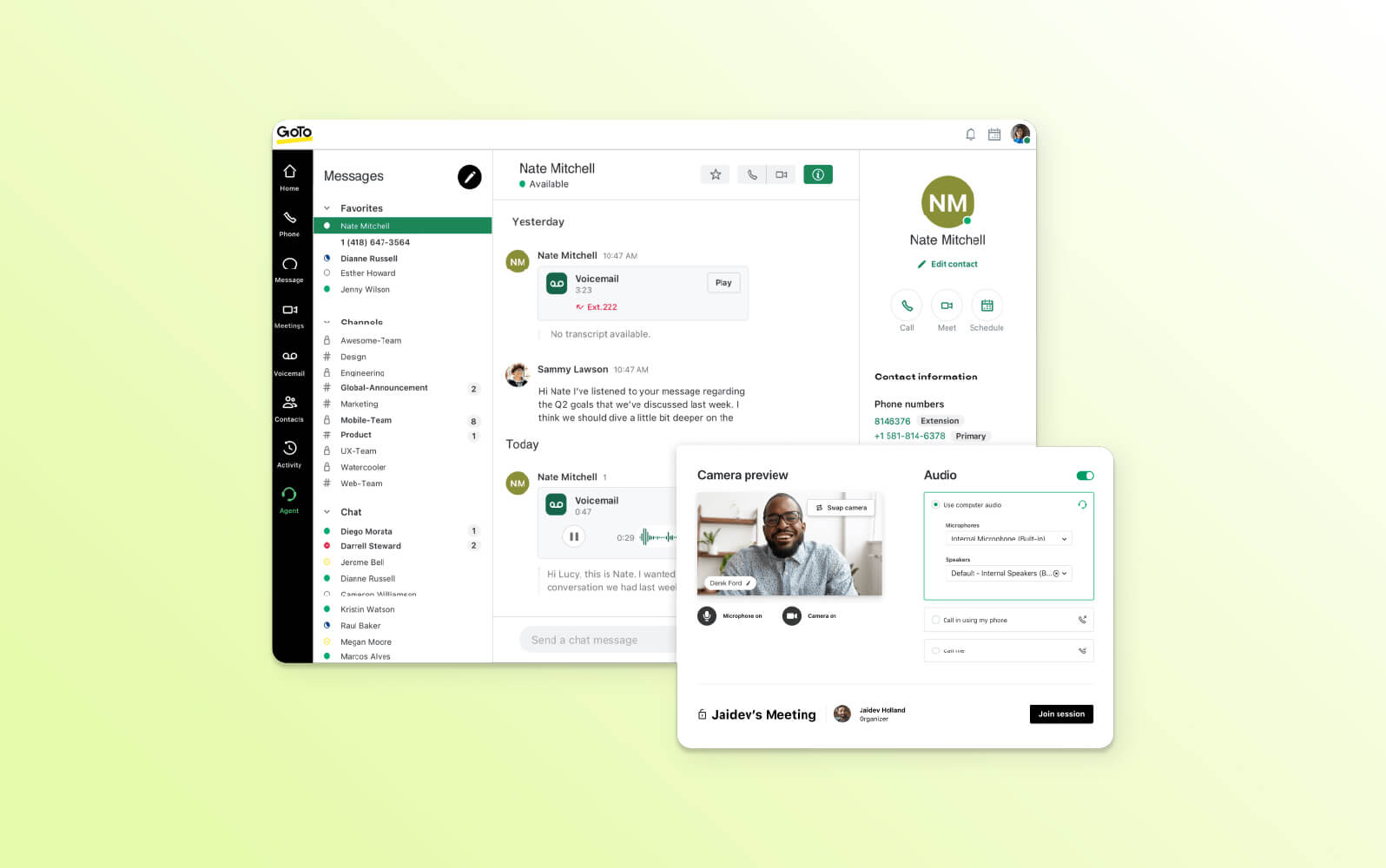
GoTo Connect offers a cloud-based contact centre as a service (CCaaS) solution that integrates phone systems, video conferencing and messaging features. For call management, the solution allows businesses to customise call routing with features like skills-based routing, ensuring calls are directed to the most suitable agent based on expertise.
Additionally, it offers a hot desking functionality, enabling agents to seamlessly transition between workstations and answer calls from any device with an internet connection. Automatic call distribution spreads incoming calls based on agent availability to manage call volume and wait times.
Supervisors can leverage GoTo Connect’s real-time and historical dashboards to monitor call centre performance and identify trends. These dashboards track various metrics like call volume, duration and agent performance. GoTo Connect includes features like call recording and post-call wrap-up for further analysis and coaching opportunities.
|
Pros |
Cons |
|
|
What people are saying:
- “The platform is reliable, easy to use, and packed with features that help streamline our communication and enhance productivity across the board.”
- “GoTo Connect offers some integrations (like Microsoft Teams and Salesforce), but its ecosystem is limited compared to competitors.”
- “The application upgrade cycle is really challenging. It introduces new features, but then breaks core features (like call recording), and the only solution is to use ‘cloud’ services.”
Learn more: Discover how GitHub integrates with Zendesk.
Benefits of an inbound call centre solution
Explore some of the key advantages that make a call centre a strategic asset for modern businesses.
Boosts call centre efficiency and productivity
Call centre software enables agents to quickly access customer information, resolve issues faster, and handle a higher volume of calls. Additionally, real-time analytics and reporting tools allow managers to monitor performance, identify customer pain points, and make data-driven decisions to optimise operations.
Enables 24/7 self-service support
IVR systems guide callers through automated menus, allowing them to access information and resolve issues independently. Voice AI agents provide instant responses to customer enquiries and offer assistance around the clock. By implementing these customer self-service tools, businesses can reduce call volume, improve customer satisfaction, and provide consistent support, even outside regular business hours.
Improves customer service management
Call centre solutions improve WFM by providing valuable insights into customer interactions and agent performance. Real-time analytics and reporting tools allow managers to monitor key call centre metrics, identify trends, and measure customer satisfaction. Managers can use call data to identify areas for improvement, optimise staffing levels, and implement targeted training programmes.
Delivers standout customer service
Call centre software is pivotal in creating exceptional customer experiences by streamlining interactions. By automating routine tasks, reducing wait times, and enabling agents to access relevant customer information quickly, call centre software improves customer satisfaction.
Additionally, features like call recording and quality monitoring allow businesses to identify areas for improvement and implement training programmes to ensure consistent, high-quality service, ultimately building strong customer relationships.
Enhances personalisation
Call centre software equips agents with the tools to deliver personalised and empathetic customer service. By integrating with CRM systems, agents can access comprehensive customer profiles, including purchase history, preferences, and past interactions. This enables them to tailor their approach to each customer, addressing their specific needs and concerns.
Features of call and contact centre software
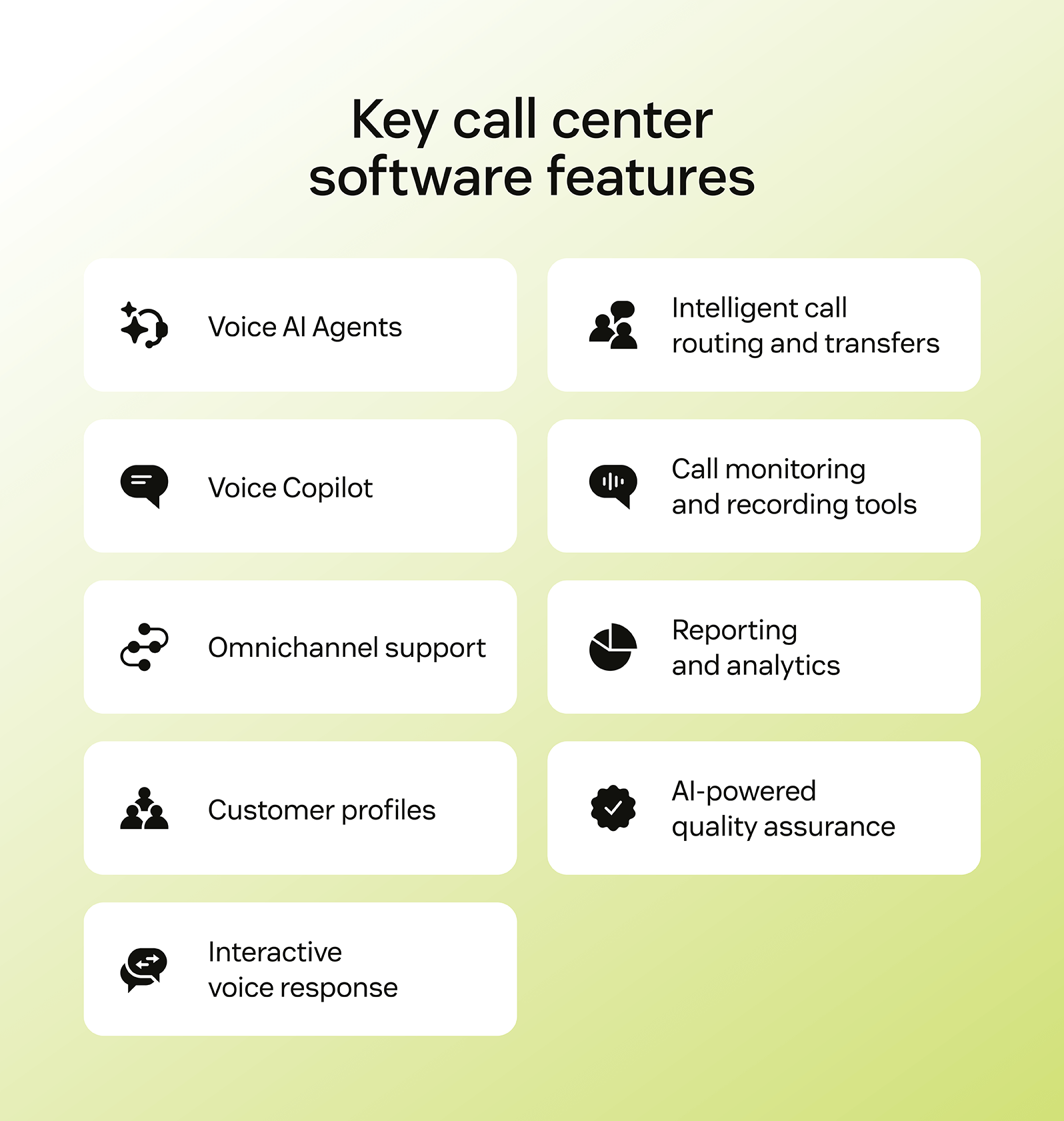
Call centre software (CCaaS) features can vary greatly depending on the provider you choose. But the right features are crucial – by helping your people work smarter and reduce mundane tasks, you can limit call centre burnout. Here are a few of the most important features to consider when selecting a solution.
- Voice AI Agents: AI-powered voice capabilities resolve most routine queries autonomously. They handle complex customer interactions by answering calls, generating automatic transcripts and summaries, and flagging urgent cases, allowing human agents to focus on higher-value conversations.
- Voice Copilot: The Zendesk advanced AI assistant supports agents during live calls by automatically capturing transcripts and recordings while providing real-time knowledge suggestions. Voice Copilot flags critical issues through intelligent triage and auto assist and surfaces relevant resources during interactions.
- Omnichannel support:Zendesk seamlessly integrates voice, email, chat, SMS, social media, and self-service channels within the unified Agent Workspace. Customers can use their preferred communication method, while agents maintain full context regardless of how conversations begin.
- Customer service desk: Agents access comprehensive customer profiles displaying previous interactions, current tickets, preferences, and complete history across all channels. This unified view eliminates repetitive questions and enables highly personalised service.
- IVR and Intelligent Virtual Agents (IVA):Zendesk IVR and IVA make up a robust, cloud-based solution that efficiently routes inbound calls and manages high call volumes. The intuitive no-code builder allows custom menu creation, personalised greeting recording, and routing workflow configuration without requiring technical expertise.
- Intelligent call routing and transfers:Smart distribution of voice calls, emails, chats, and social messages to the most suitable agent or group across channels within a unified workflow. Voice routing options include round-robin distribution, group assignment, and longest-idle agent selection for optimal resource allocation.
- Call monitoring and recording tools:Call centre managers and team leads can use the Zendesk live calls dashboard to view active calls, listen to agent conversations, and join when escalation is needed. Flexible recording settings, capture and store conversations for easy review directly from tickets.
- Reporting and analytics: Zendesk offers comprehensive reporting tools featuring real-time omnichannel dashboards for tracking agent performance and customer satisfaction. Pre-built dashboards provide filtering and drill-down capabilities, while historical reporting delivers customisable insights to identify trends and automation opportunities.
- AI-powered quality assurance: Additional QA software is used to analyse calls, chats, and emails to identify trends, compliance issues, and agent performance gaps with greater speed and accuracy than manual reviews. Modern QA tools like Zendesk QA score automatically all interactions and grade aspects like customer sentiment, and empathy, and product knowledge, enabling targeted training and process improvements.
Contact centre software, like some of the software listed in our roundup, has even more features that cater to other communication channels, like live chat and messaging.
How to choose the right help desk solution
Even when a software checks all the feature boxes, it can still be difficult to tell if it’s the best fit for your company. Consider these additional factors to find the right call centre software.
- Look for AI and automation:AI and automations elevate call centre operations by speeding up responses for customers and freeing up time for agents. It should also be easy to use and fast to set up, so your support team can hit the ground running. Most importantly, it should be purpose-built for CX and trained on real customer interactions, like Zendesk AI, so your customers receive personalised service while receiving accurate information for even complicated requests.
- Opt for enterprise-level security: Enterprise-grade security goes beyond basic password protection. It encompasses data encryption at rest and in transit to ensure information remains unreadable even if somebody intercepts it. Multifactor authentication (MFA) adds an extra layer of defence, and role-based access controls restrict who can view or modify sensitive data. In addition, companies with lower security risk tolerances and more rigorous internal policies can include an additional layer of data protection and security with Zendesk ADPP. With built-in encryption and flexible data hosting options worldwide, Zendesk keeps your sensitive information safe and compliant, wherever your business operates.
- Prioritise time to value: Time is money, and lengthy installation and training periods can be costly. Businesses can achieve a faster ROI with call centre software that’s simple to set up and user-friendly. For example, Zendesk allows you to start using the software immediately without needing extensive developer support, so you can address customer issues right away and avoid the expense of configuring complicated software.
- Ensure it’s easy to use and customise: However, the best call centre software combines ease of implementation and seamless customisation. Zendesk combines contact centre essentials from voice, messaging, AI, & WEM, without external vendors or added complexity. It does also offer 1,800 plug-and-play. When call centre software integrates effortlessly with your unique business systems, it gives agents a comprehensive view of customer interactions.
- Opt for total cost of ownership (TCO): However, focusing solely on list prices is insufficient. To understand the software's full value, companies must consider its TCO, like implementation costs, maintenance fees, and add-ons. Beyond features, it’s also crucial to assess capabilities that impact ROI, such as ease of use, customisation, time to value and scalability.
Without all of these features, a call centre solution can’t deliver a unified, holistic customer experience.
Frequently asked questions
Ready to try call centre software?
Zendesk call centre tools can help your team work smarter and minimise mundane tasks. With Zendesk, your call centre team can resolve issues faster using AI-powered tools such as automated QA, call summaries and transcripts.
Our secure, omnichannel solution enhances agent productivity by making it seamless to manage calls from the same interface as all your other support channels. It is ready to use out of the box—ensuring a quick time to value—and easily customisable to fit your business needs, so get started with a free trial today.
Related call centre software guides
Call centres rely on more than just the ability to make and answer calls to provide great experiences. Check out these additional guides for call centres to ensure your team members have everything they need.
Related links:

Call centre analytics: Key types, KPIs, and how to use them
What are call centre analytics? Call centre analytics involve monitoring and analysing customer interactions within a…

What is a call centre? Definition, types, and how they work
A call centre is a team of customer service agents who field calls. Learn what it takes to build a call centre that delivers top-tier customer experiences.

How to start a call centre (without breaking the bank)
What is a call centre? Put simply, it’s a team of customer service agents that responds to incoming calls concerning customers’ problems. Here’s how to start one.

What’s a BPO call centre, and what does it do?
If your business doesn’t have the capacity to handle all your inbound and outbound calls, it may be time to let a BPO call centre step in.