Top 16 ITSM tools in 2026
Streamline operations with top ITSM tools that boost efficiency and transform service delivery. Try an easy-to-use, AI-powered solution for free today.

Last updated October 14, 2026
A guide to the 16 best ITSM tools
Employees expect the same seamless experience from internal IT support that they receive as consumers. Traditional ITSM tools often fall short, creating frustration with unintuitive interfaces, slow resolution times, and outdated tools for employee self-service.
The ITSM solution from Zendesk changes this by combining powerful AI capabilities with intuitive design to create an employee service experience that feels both effortless and people-centric.
Whether you're looking to modernise legacy systems or implement ITSM for the first time, this guide explores how an innovative approach and the right tool can transform your IT service delivery.
More in this guide:
- What is IT service management (ITSM) tool?
- Benefits of ITSM tools
- ITSM tools comparison chart
- The 19 best AI chatbots
- Key features of CSM software
- How to choose the right IVR solution
- Frequently asked questions
- Deliver more effective IT service with Zendesk
What is an IT service management (ITSM) tool?An ITSM tool is a specialised solution that helps organisations manage their IT services efficiently through structured frameworks like the Information Technology Infrastructure Library (ITIL). It centralises service desk operations, incident management, change management, and asset tracking while automating workflows to reduce manual effort. These ITSM platforms streamline workflows and manage employee requests with various tools. They often offer self-service portals, knowledge bases, and reporting tools that help IT teams deliver better service, maintain compliance, and make data-driven decisions that align technology with business objectives. The best ones use service-focused AI to bolster employee experiences with faster, more accurate resolutions. |
Benefits of ITSM tools
The ITSM solution from Zendesk resolves employee issues quickly—and even proactively, thanks to AI built with service in mind. That way, your people can focus on tasks that are actually important to your overarching business goals.
Here are four benefits you can expect from Zendesk.
Deliver hyper-personalised, human-centred service
To provide top-tier service, it must feel tailored to each employee's needs. Zendesk can do this without high-touch, pricey service models that require costly add-ons or technical expertise. Zendesk AI analyses historical interactions, preferences, and context to deliver personalised support experiences at scale, no matter how small or large your organisation.
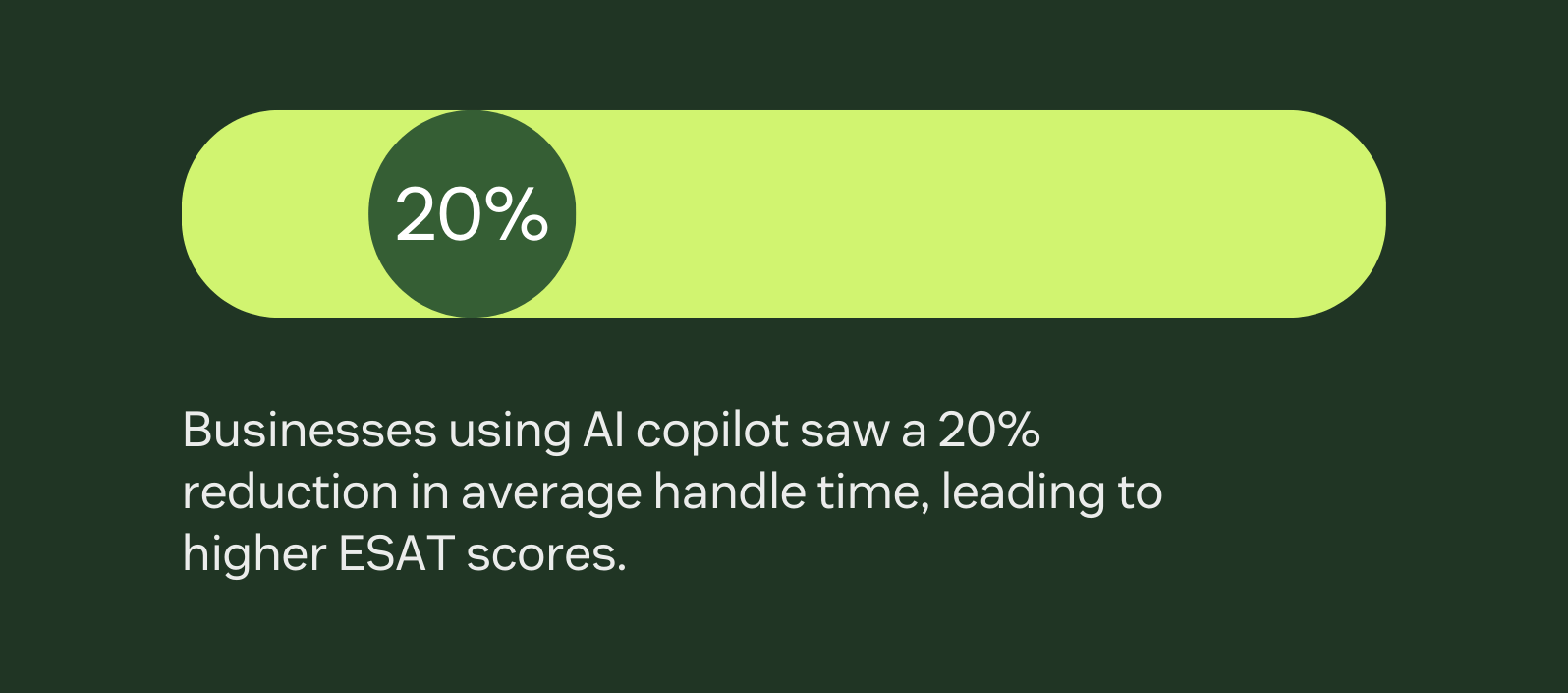
Agents receive AI-powered insights about each employee's technology environment and past issues, enabling them to provide empathetic, relevant assistance. The cost-effective system adapts communication styles based on sentiment analysis and personal preferences, so when AI is involved in solution delivery, every interaction feels natural and human. Businesses using tools like AI copilot have seen a 20 percent reduction in average handle time (AHT), leading to higher employee satisfaction scores.
Empower your teams with intuitive self-service
When employees can quickly resolve their issues, it lowers the number of support tickets you need to field. The Zendesk employee self-service portal has a Copilot that can walk employees through complex procedures step-by-step. This intuitive approach to self-service reduces ticket volume and allows employees to resolve issues immediately without waiting for agent assistance.
Scale smarter with a faster time to value
A rapid deployment methodology helps Zendesk accelerate implementation and maximise return on investment.
Pre-built templates and automation recipes allow teams to implement sophisticated processes in days rather than weeks. Workforce management tools allow you to monitor performance, scheduling, and more to ensure peak team efficiency during and after implementation. As your organisation grows, Zendesk can automatically suggest refinements to maintain that efficiency.
Keep sensitive employee data secure
Protect confidential information with an enterprise-grade security framework. Zendesk safeguards employee data with advanced encryption, role-based access controls, and AI-powered anomaly detection.
The system automatically identifies and redacts sensitive information in tickets, while maintaining comprehensive audit trails of all system activities. Regular security updates and compliance with international standards (including GDPR, SOC 2, and ISO 27001) ensure your employee data remains protected.
Zendesk AI is designed with privacy by design principles, using only necessary data and maintaining strict confidentiality standards.
ITSM tools comparison chart
Before we compare these ITSM tools in detail, let’s review an at-a-glance comparison chart with pricing information and top use cases.
|
Software |
Starting price |
Free trial |
Best for |
|
Zendesk |
$29 per agent/month (billed annually) |
14 days |
Human-centric, AI-powered CX |
|
monday Service |
$14 per seat/month (billed annually) |
14 days |
Visual workflow management |
|
Freshservice |
$15 per agent/month (billed annually) |
14 days |
Process-oriented ticket management |
|
SolarWinds Service Desk |
$39 per technician/month (billed annually) |
30 days |
Asset management integration |
|
Jira Service Management |
Free for up to 3 agents. $20 per agent/month thereafter (build monthly) |
7 days |
POS integration |
|
SysAid |
Contact SysAid |
30 days |
Has trainable automation |
|
Syncro |
$15 per user/month (billed annually) |
14 days |
MSP-focused operations |
|
Zoho Desk |
$7 per user/month (billed annually) |
15 days |
Omnichannel support |
|
ServiceNow |
Contact ServiceNow |
Contact ServiceNow |
Enterprise service management |
|
LogMeIn Resolve |
$3/month (billed annually) |
14 days |
Remote control capabilities |
|
Talkdesk |
$12 per agent/month (billed annually) |
30 days |
Self-service portals |
|
HappyFox |
$29 per agent/month (billed annually) |
Unavailable |
Cross-department ticketing |
|
Spiceworks Cloud Help Desk |
Free |
Not applicable |
Budget-conscious IT teams |
|
TeamDynamix |
Contact TeamDynamix |
Contact TeamDynamix |
Higher education and the public sector |
|
SupportBee |
$20 per user/month (billed annually) |
14 days |
Email-first support |
|
Jira Service Management |
$17 per agent/month with a minimum of 5 agents (billed annually) |
30 days |
Asset-centric ITSM |
The 16 best ITSM tools
Let’s get into it. Here are sixteen options for ITSM software so you can determine which is best for your business needs.
- Zendesk: Best for modern, employee-centric ITSM
- monday Service: Best for visual workflow management
- Freshservice: Best for process-oriented ticket management
- SolarWinds Service Desk: Best for asset management integration
- Jira Service Management: Best for CRM integration
- SysAid: Best for customisable automation
- Slack: Best for MSP-focused operations
- Zoho Desk: Best for integrated omnichannel support
- ServiceNow: Best for enterprise service management
- LogMeIn Resolve: Best for remote support capabilities
- LogMeIn: Best for self-service tools
- HappyFox: Best for cross-department ticketing
- Spiceworks Cloud Help Desk: Best for budget-conscious IT teams
- TeamDynamix: Best for higher education and the public sector
- SupportBee: Best for email-first support
- Jira Service Management: Best for asset-centric ITSM
1. Zendesk
Best for modern, employee-centric ITSM

|
Starting price |
Free trial |
Key features |
|
$29 per agent/month (billed annually) Explore more Zendesk pricing plans. |
14 days |
|
The Zendesk ITSM solution delivers a comprehensive, AI-powered software that transforms how IT teams deliver quality service across the organisation. At its core, Zendesk combines enterprise-grade functionality with consumer-grade usability, allowing teams to implement sophisticated service management without the complexity typical of legacy systems.
A robust employee self-service portal empowers your people to solve their own issues through an AI-enhanced knowledge base. An intelligent ticketing system can help you automatically categorise, prioritise, and route issues to the appropriate specialist.
The solution’s unified agent workspace centralises all employee requests in one intuitive interface. Meanwhile, Zendesk AI agents autonomously handle routine enquiries and provide instant support 24/7. And AI Copilot gives employees real-time guidance, sentiment analysis, and next-best-action recommendations for ultimate ease of use.
If your employees still call you up for support, native AI-assisted voice software lets agents focus on the conversation at hand while benefitting from these AI-powered suggestions. These intelligent assistants don't just respond to issues—they proactively identify potential problems before they impact productivity, creating a more resilient IT environment.
With the Zendesk Marketplace, you can connect your entire tech stack with pre-built connectors for over 1,800 applications. And for organisations concerned about compliance, Zendesk offers enterprise-grade security with role-based access controls, automatic sensitive information redaction, and adherence to international standards including GDPR, SOC 2, and ISO 27001.
Unlike other ITSM solutions, Zendesk turns IT service data into actionable business intelligence through its comprehensive analytics suite. Interactive dashboards visualise performance in real-time, while AI-powered trend analysis identifies emerging issues before they escalate. This data-driven approach, combined with rapid implementation methodology, ensures that Zendesk delivers measurable value quickly, including faster resolution times, reduced ticket volumes through improved self-service, and significant improvements in employee satisfaction scores.
|
Pros |
Cons |
|
What users are saying:
- “The platform is feature-rich, stable, and integrates well into our tech stack.”
- "Zendesk makes Tech Support straightforward and organised."
- “[The user interface] is very user-friendly, very easy to use.”

2. monday Service
Best for visual workflow management
|
Starting price |
Free trial |
Key features |
|
$14 per seat/month (billed annually) |
14 days |
|
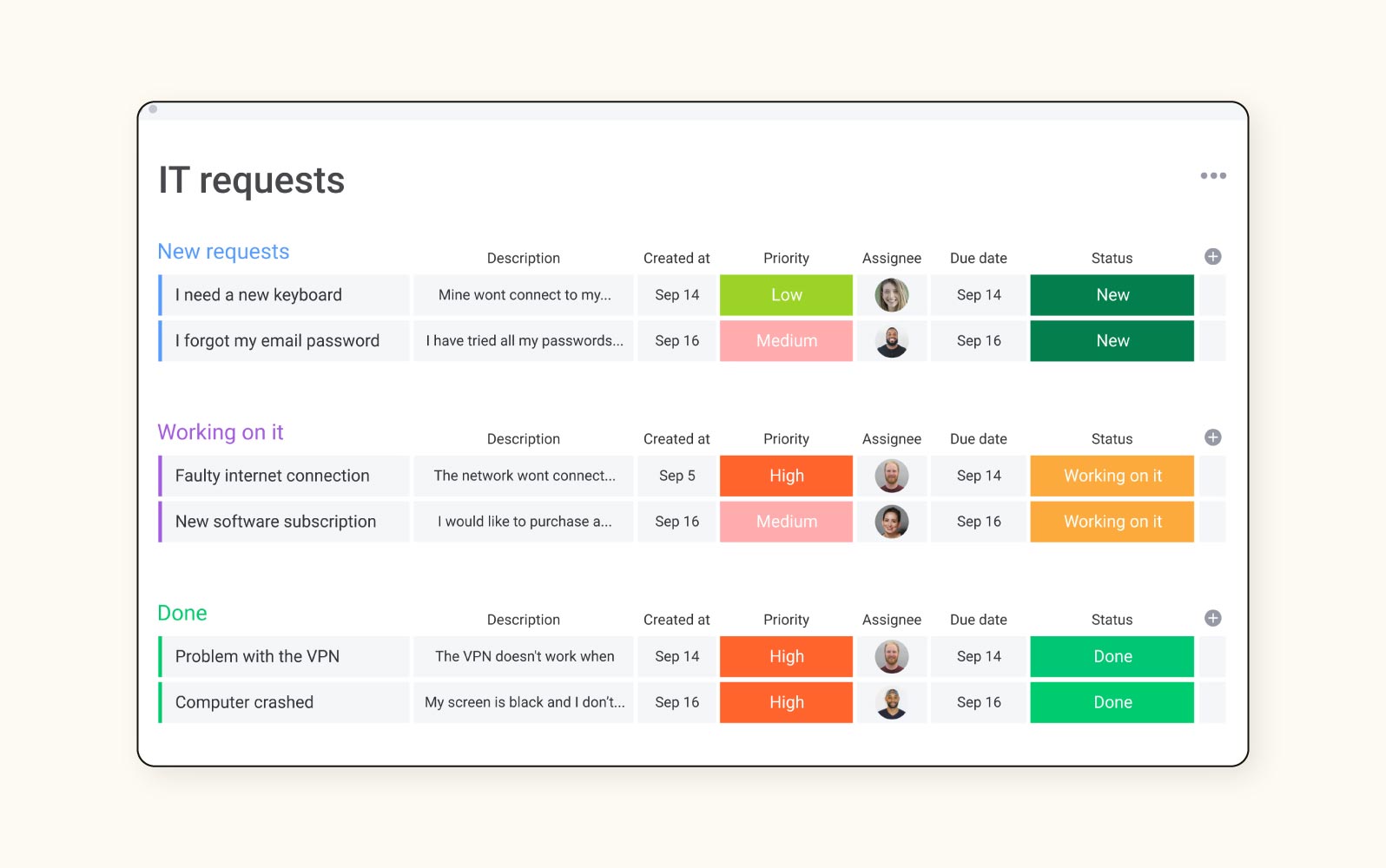
A component of monday.com's work operating system, monday Service provides ITSM functionality with visual-based workflow management. The platform turns service operations into visual boards that display tickets, incidents, problems, and changes in customisable views.
Users can access low-code automation builders, and monday Service integrates with the broader monday.com ecosystem. The tool emphasises flexibility through drag-and-drop interfaces that enable teams to visualise and manage service workflows according to their specific processes, rather than forcing adaptation to preset frameworks.
|
Pros |
Cons |
|
What users are saying:
- “We love the drag-and-drop functionality of the system.”
- “Adding more team members to it seems to be pricey.”
- “The customer service is weird. You do not get to work with just one person, and your issue is handed off to the next person with every reply.”
Learn more: Discover how Monday.com integrates with Zendesk.
3. Freshservice
Best for process-oriented ticket management
|
Starting price |
Free trial |
Key features |
|
$15 per agent/month (billed annually) |
14 days |
|
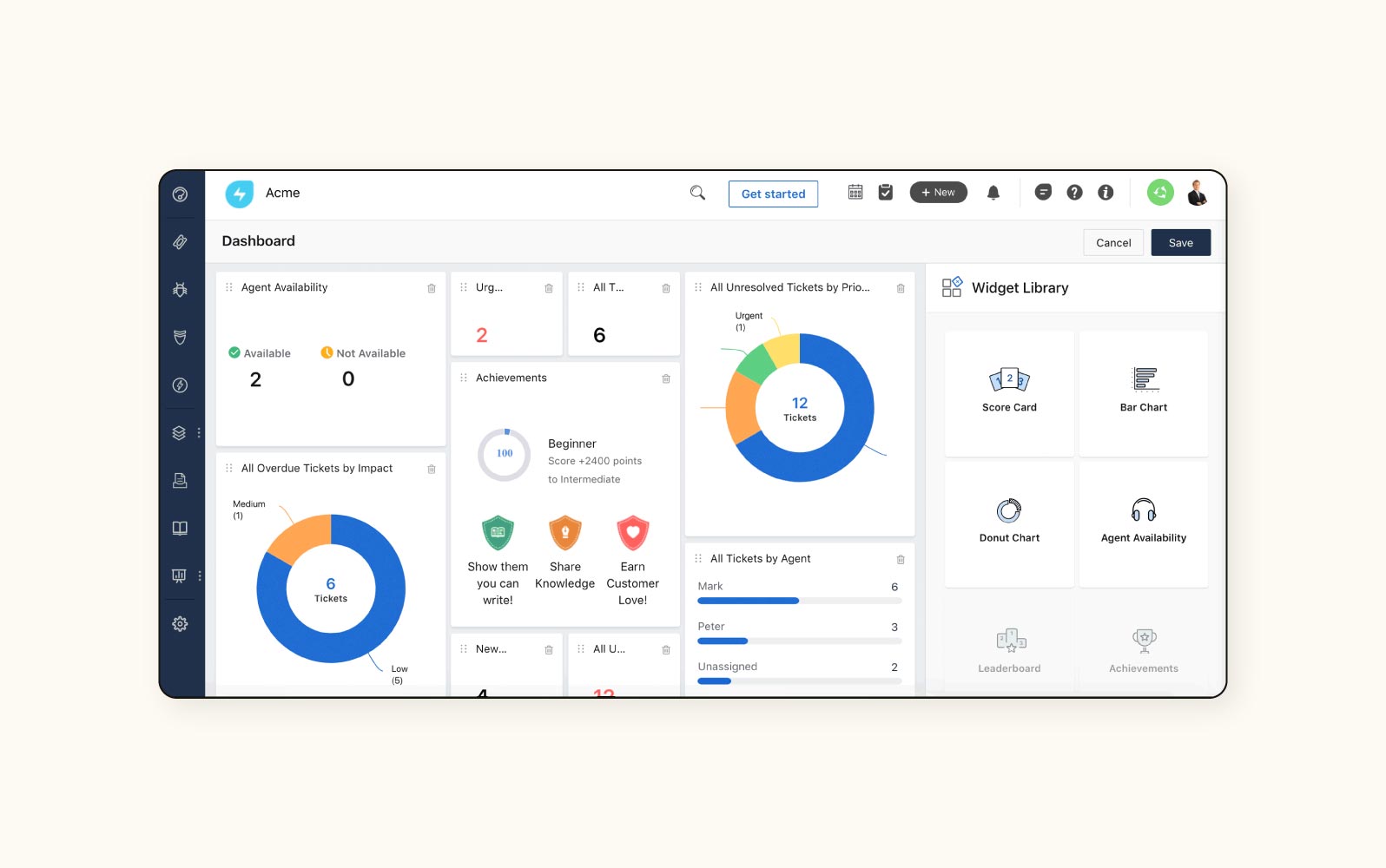
Freshservice from Freshworks is a cloud-based ITSM platform for small- to enterprise-sized businesses. The system provides core ITIL processes, including incident, problem, change, and release management within a unified space.
Among Freshservice’s features are service catalogue functionality, automated ticket routing, and self-service capabilities. The software features Freddy AI, an AI-powered chatbot for autonomous support, project management tools integrated with service management operations, and asset discovery mechanisms that maintain configuration management database (CMDB) accuracy through automated scanning and discovery.
|
Pros |
Cons |
|
What users are saying:
- “Great ITSM tools and keeps on improving.”
- “I wish the reporting and analytics capabilities were more robust.”
- “Almost every time I reach service with an issue, I get an answer that is not possible.”
Learn more: Discover how Zendesk and Freshdesk compare.
4. SolarWinds Service Desk
Asset management integration
|
Starting price |
Free trial |
Key features |
|
$39 per technician/month (billed annually) |
30 days |
|
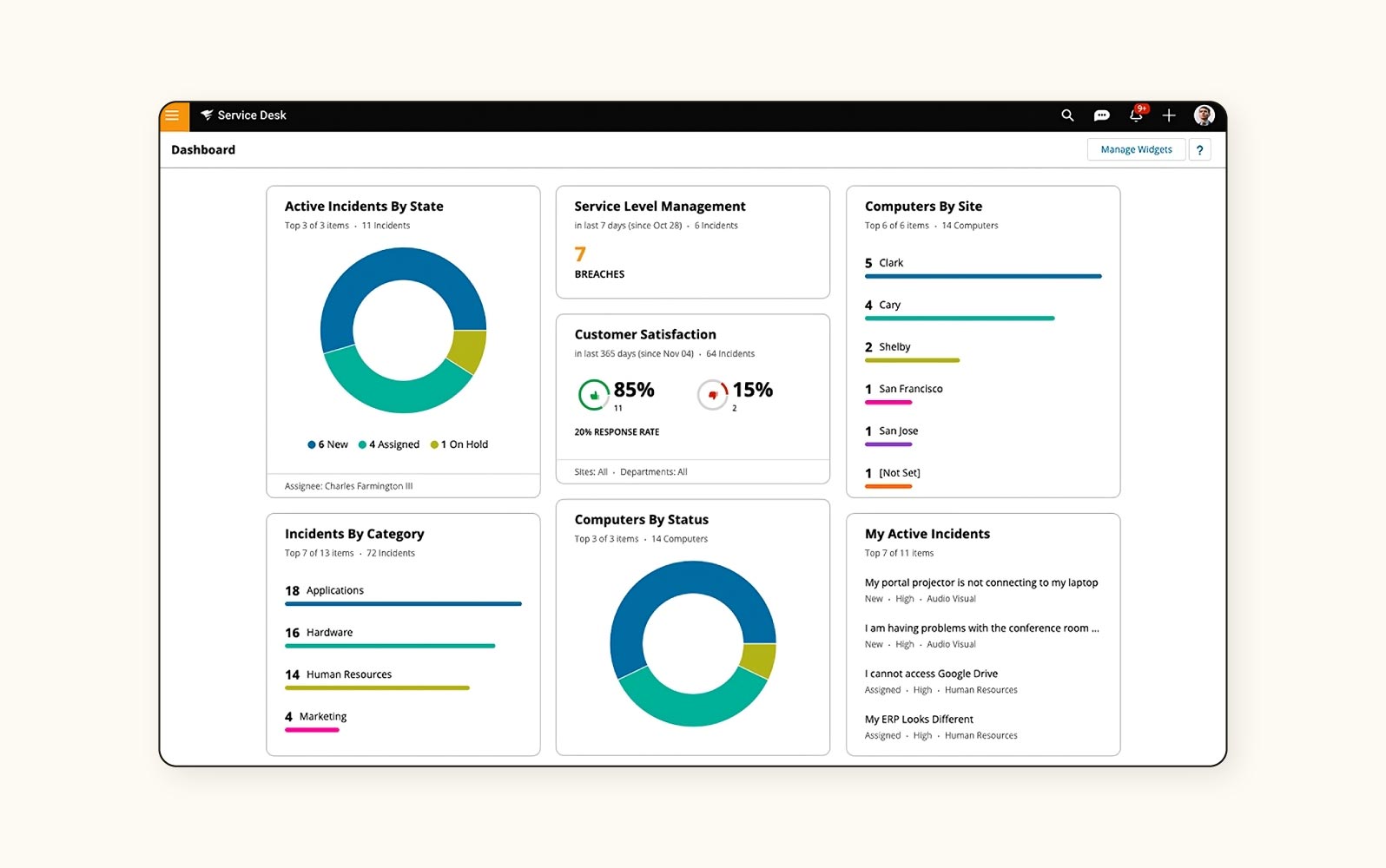
SolarWinds Service Desk is an ITSM solution that offers comprehensive asset management capabilities integrated with service desk functionality. The platform connects IT service operations directly to asset information, providing context for service activities.
SolarWinds users can access discovery scanning for hardware and software assets, automated ticket categorisation, and a configuration management database. The platform employs machine learning to provide suggested resolutions based on historical ticket data and includes risk assessment tools for change management processes.
|
Pros |
Cons |
|
What users are saying:
- “It serves our purposes without overwhelming us with extra features we won't need.”
- “The task arrangement for submitting new tickets might be a little complicated at times.”
- “Our module was super basic, and support for it was nonexistent.”
Learn more: Discover how SolarWinds Service Desk integrates with Zendesk.
5. Jira Service Management
Best for CRM integration
|
Starting price |
Free trial |
Key features |
|
Free (up to 3 agents). $20 per agent/month thereafter (build monthly |
7 days |
|
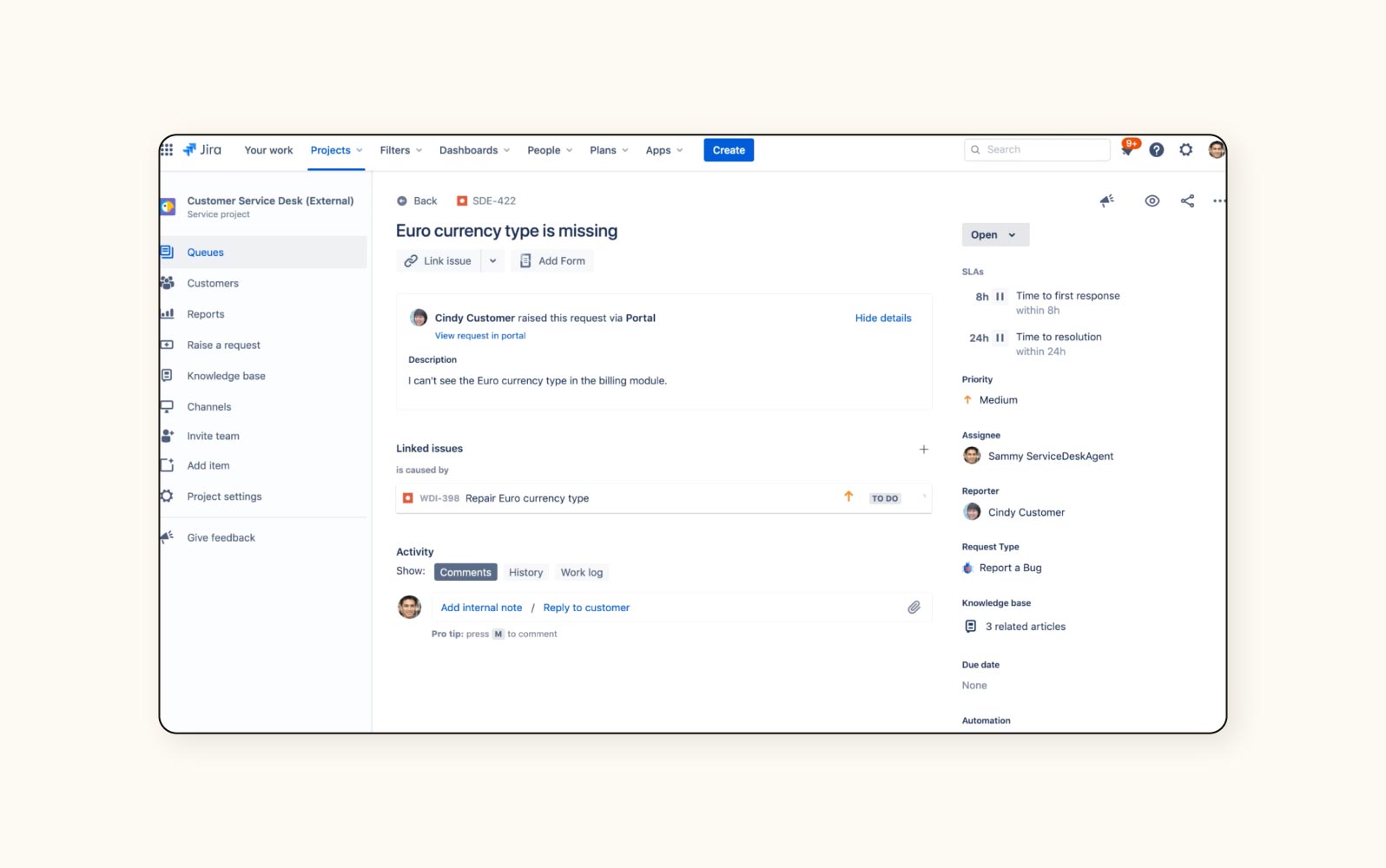
Jira Service Management is an ITSM platform built on Atlassian's Jira foundation. It is designed to connect development and operations teams. Through native integration with development tools, it aligns ITSM practices with DevOps methodologies.
The tool supports incident, problem, change, and configuration management processes and connects directly to development workflows. Features include request queuing optimisation, automated SLA tracking, and knowledge base integration with Confluence. The system enables cross-functional visibility between development and service teams.
|
Pros |
Cons |
|
|
What users are saying:
- “Jira Service Management is a pretty good piece of software for bug tracking.”
- “Setting up workflows and customisations can be time-consuming and sometimes confusing…I feel like it requires a developer.”
- “Unlike other SM products, it barely provides any typical configuration for processes.”
Learn more: Discover how Jira integrates with Zendesk and how Zendesk and Jira compare.
6. SysAid
Best for customisable automation
|
Starting price |
Free trial |
Key features |
|
Contact SysAid |
30 days |
|
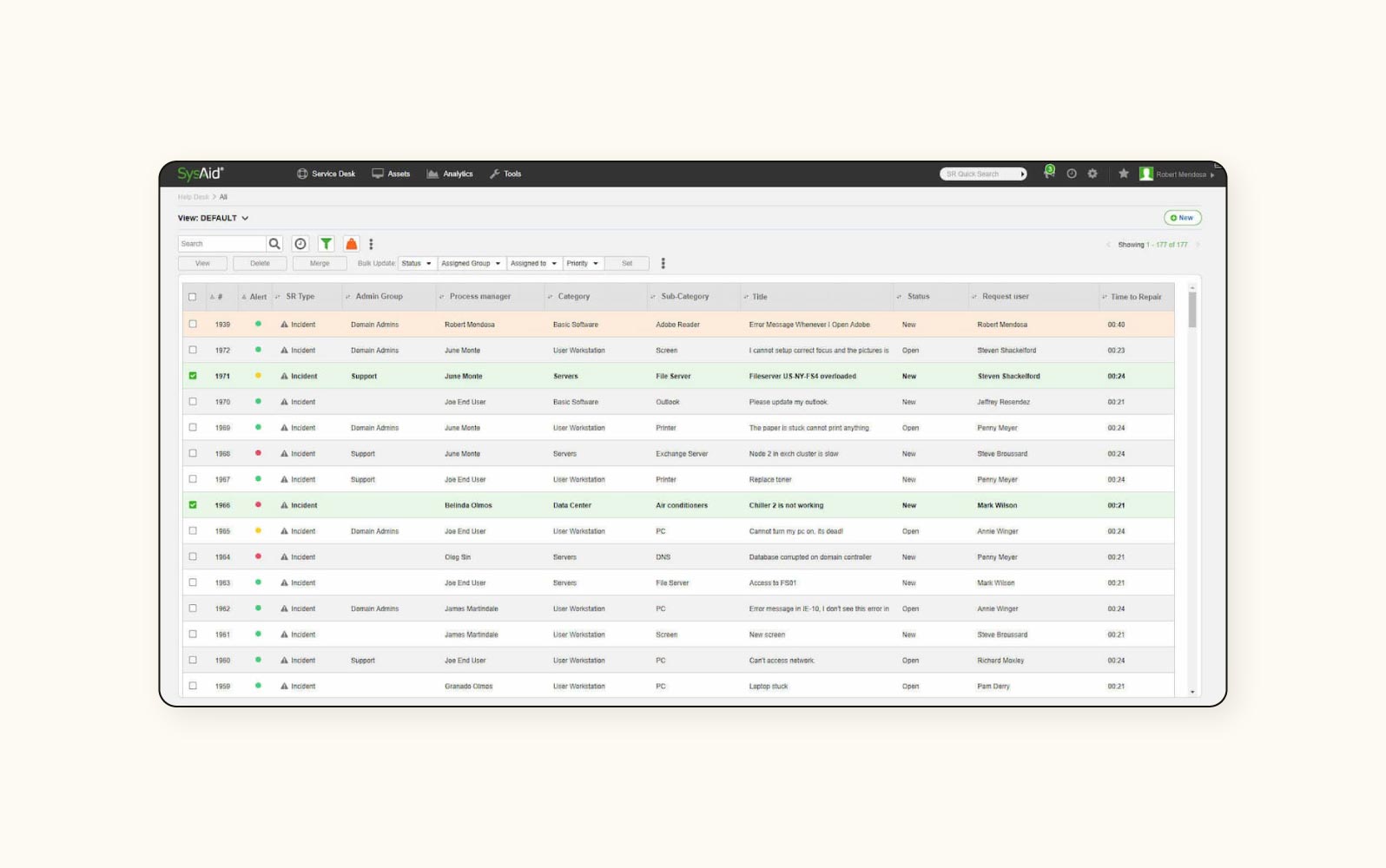
SysAid is an ITSM platform that emphasises automation capabilities across service desk operations. It offers customisable workflow automation tools for routine tasks and service processes.
The tool provides customisable workflow engines, automated ticket routing, and password reset mechanisms. It includes built-in remote control functionality that allows technicians to access user systems directly from ticket interfaces. The asset management functionality maintains hardware and software inventories with automated discovery capabilities.
|
Pros |
Cons |
|
What users are saying:
- “SysAid is a cost-effective tool for ITSM.”
- “The overall product is not the most user-friendly.”
- “I look forward to SysAid four years from now…too many bugs in the system.”
7. Simpro
Best for MSP-focused operations
|
Starting price |
Free trial |
Key features |
|
$15 per user/month (billed annually) |
14 days |
|
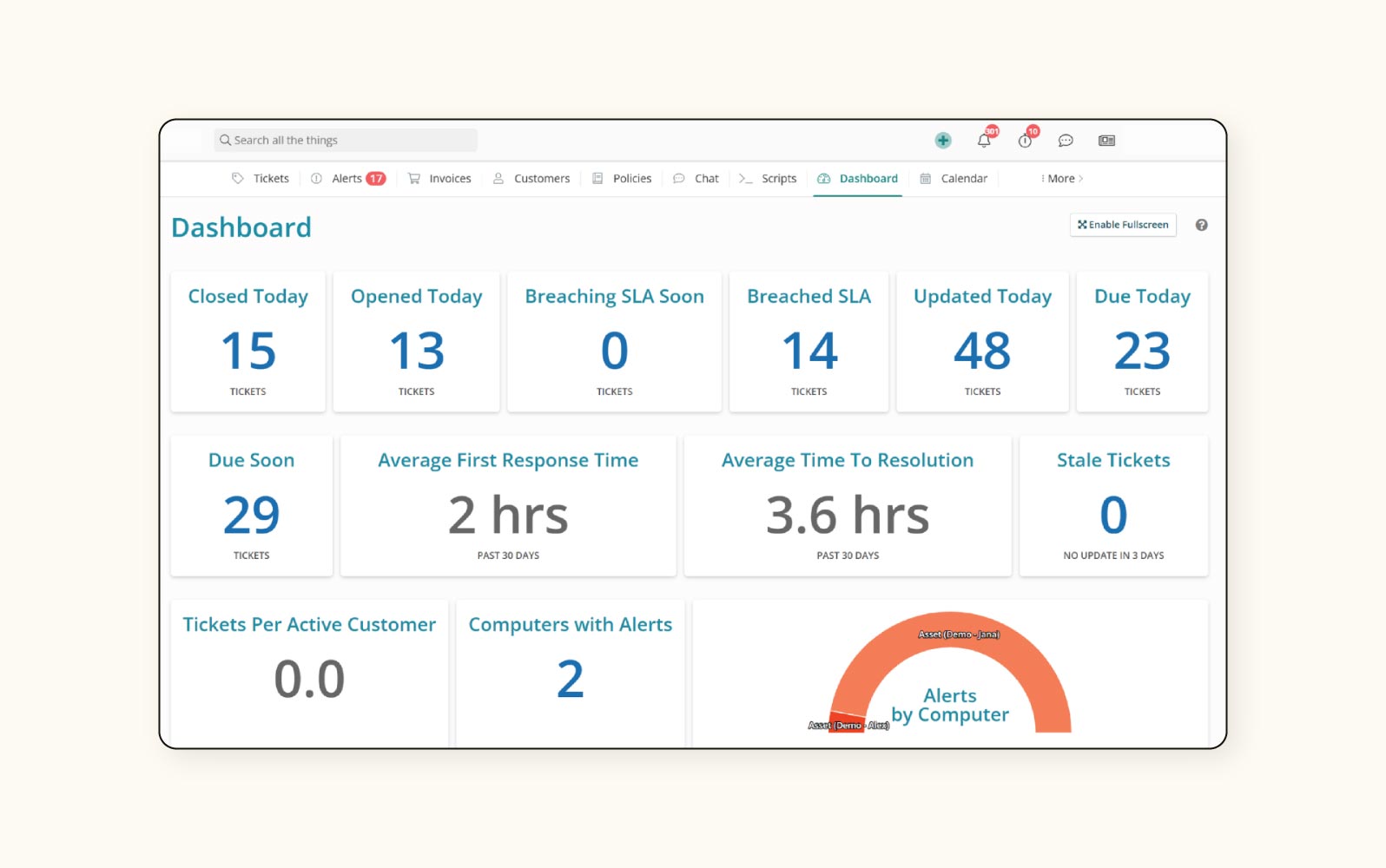
Syncro is a platform focused on managed service providers (MSPs) that combines ITSM functionality with remote monitoring and management (RMM) and professional services automation (PSA) capabilities. It is designed specifically for MSPs supporting multiple client environments.
It incorporates ticketing, asset management, and remote support within a single tool. The system includes client management features, automated billing procedures, and technician time tracking. It also provides endpoint management tools, including remote access, patch management, and scripting for client environments.
|
Pros |
Cons |
|
What users are saying:
- “At times, the integrations with other systems feel part-finished.”
- “Would be nice if assigning policies were simpler.”
- “I really wish their mobile app performed better.”
8. Zoho Desk
Best for multichannel support
|
Starting price |
Free trial |
Key features |
|
$7 per user/month (billed annually) |
15 days |
|
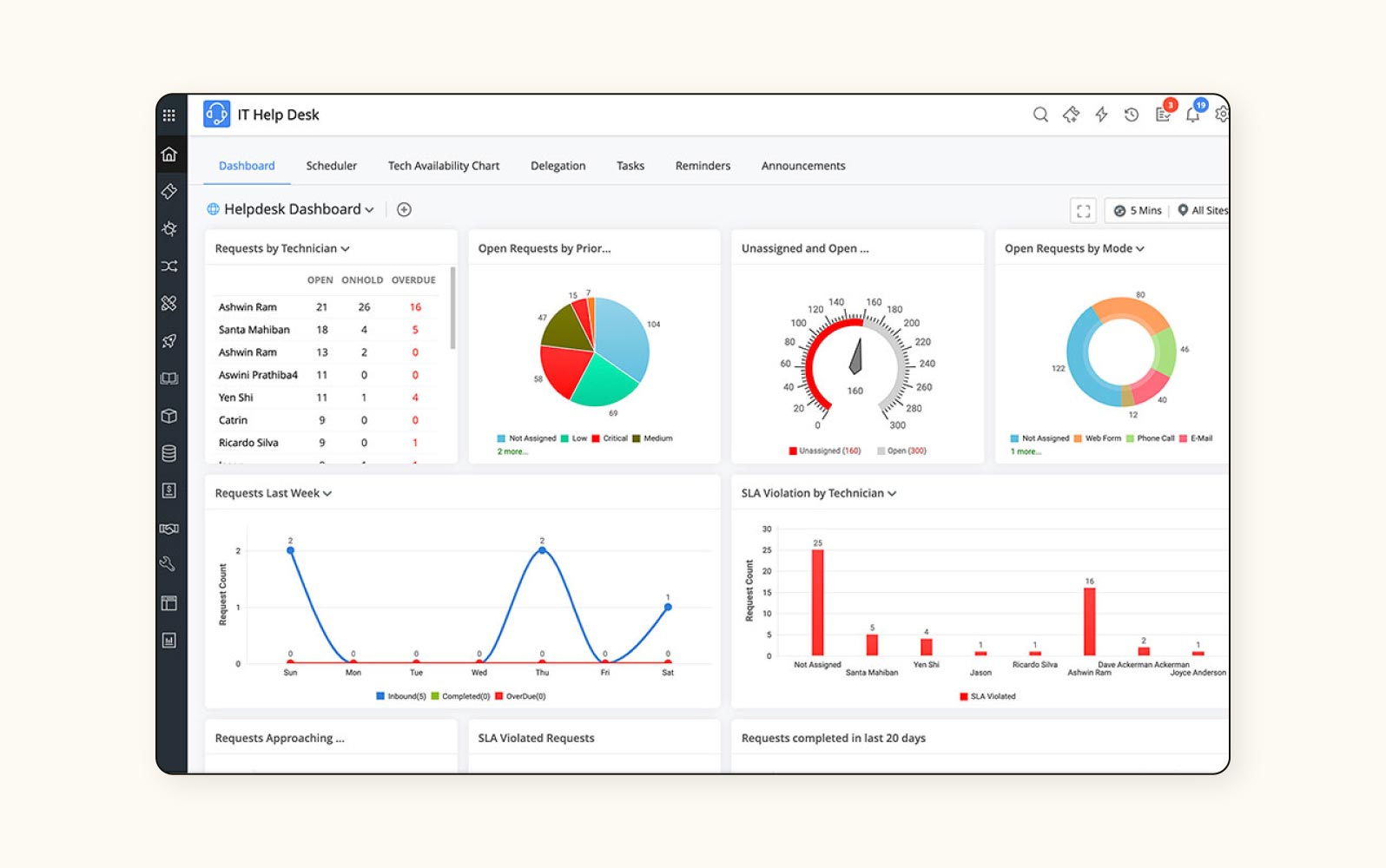
Zoho Desk is a help desk platform that provides omnichannel support capabilities. The system consolidates interactions from multiple channels, including email, phone, chat, social media, and web forms, into a unified agent interface.
Sentiment analysis for incoming tickets allows Zoho Desk to route according to employee needs. The tool also has time-tracking mechanisms and automated distribution rules for agents. Zia, an AI assistant, provides insight into ticket trends and helps identify potential issues before they escalate. Integration with the broader Zoho ecosystem enables connections to CRM, analytics, and business process tools.
|
Pros |
Cons |
|
What users are saying:
- “It gives agents full context for each customer, including past interactions, making support more personal and efficient.”
- “The UI can feel outdated and unintuitive.”
- “[It’s a] cumbersome process [and] artificial intelligence is missing.”
Learn more: Discover how Zoho integrates with Zendesk and Zendesk and Zoho compare.
9. ServiceNow
Best for enterprise service management
|
Starting price |
Free trial |
Key features |
|
Contact ServiceNow |
Contact ServiceNow |
|
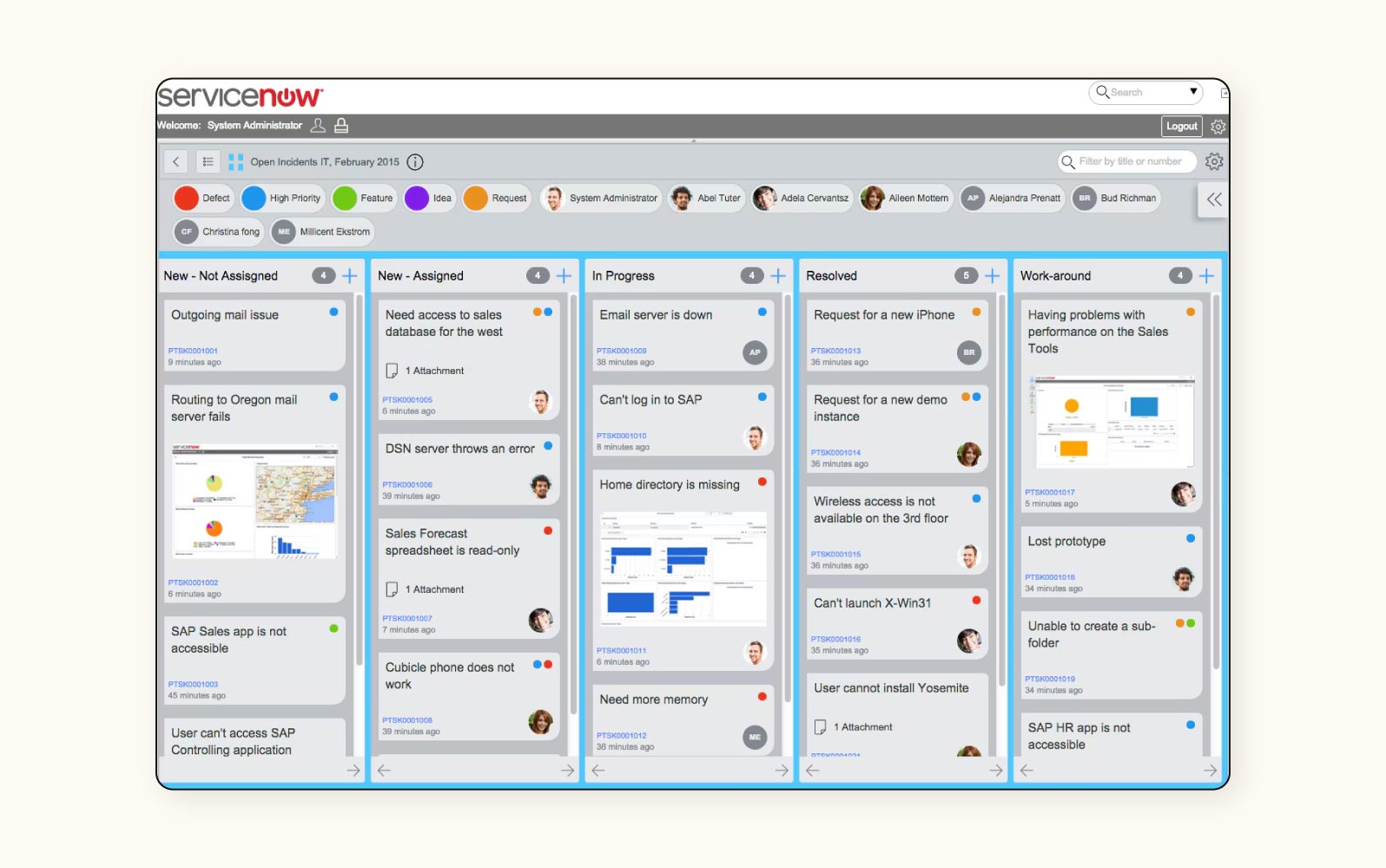
ServiceNow ITSM is an enterprise-scale service management solution built on the Now Platform. The system provides comprehensive ITIL-aligned processes within a unified architecture, including incident, problem, change, and service catalogue management.
This ITSM tool features workflow automation, performance analytics, and virtual agent capabilities. The software includes orchestration tools for complex multi-step processes, machine learning for incident categorisation, and predictive intelligence for identifying potential issues. With its multi-instance architecture, the system can support global enterprise implementations with a multi-instance architecture.
|
Pros |
Cons |
What users are saying:
- “Very simple to use and change.”
- “The message function is not very well designed.”
- “Not very intuitive, and complicated to execute and triage.”
Learn more: Discover how Zendesk and ServiceNow compare.
10. LogMeIn Rescue
Best for remote support capabilities
|
Starting price |
Free trial |
Key features |
|
$3/month (billed annually) |
14 days |
|
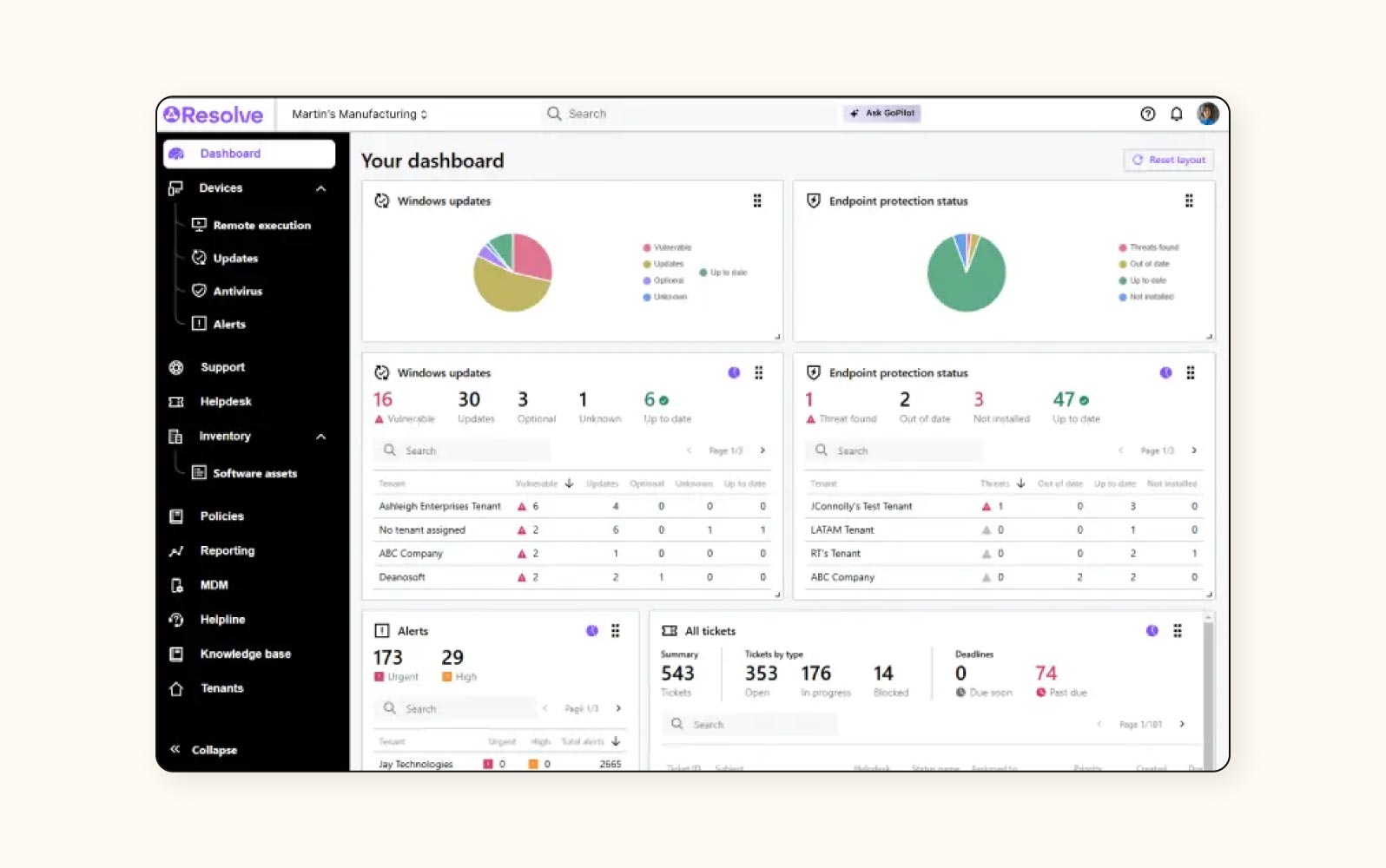
LogMeIn Resolve, formerly GoTo Resolve, is an ITSM platform with enhanced remote support capabilities. The system combines service desk functionality with remote access tools, enabling technicians to troubleshoot and resolve issues without physical presence.
LogMeIn’s solution features endpoint management tools, remote diagnostic capabilities, and console-based access to user systems. The system incorporates a zero-trust security architecture with session-based permissions.
|
Pros |
Cons |
|
What users are saying:
- “The software offered a comprehensive ticketing and incident management solution that streamlined support processes.”
- “It experiences some latency issues every now and then.”
- “One aspect I liked least was the limited reporting and analytics options.”
11. Talkdesk
Best for self-service tools
|
Starting price |
Free trial |
Key features |
|
$12 per agent/month (billed annually) |
30 days |
|
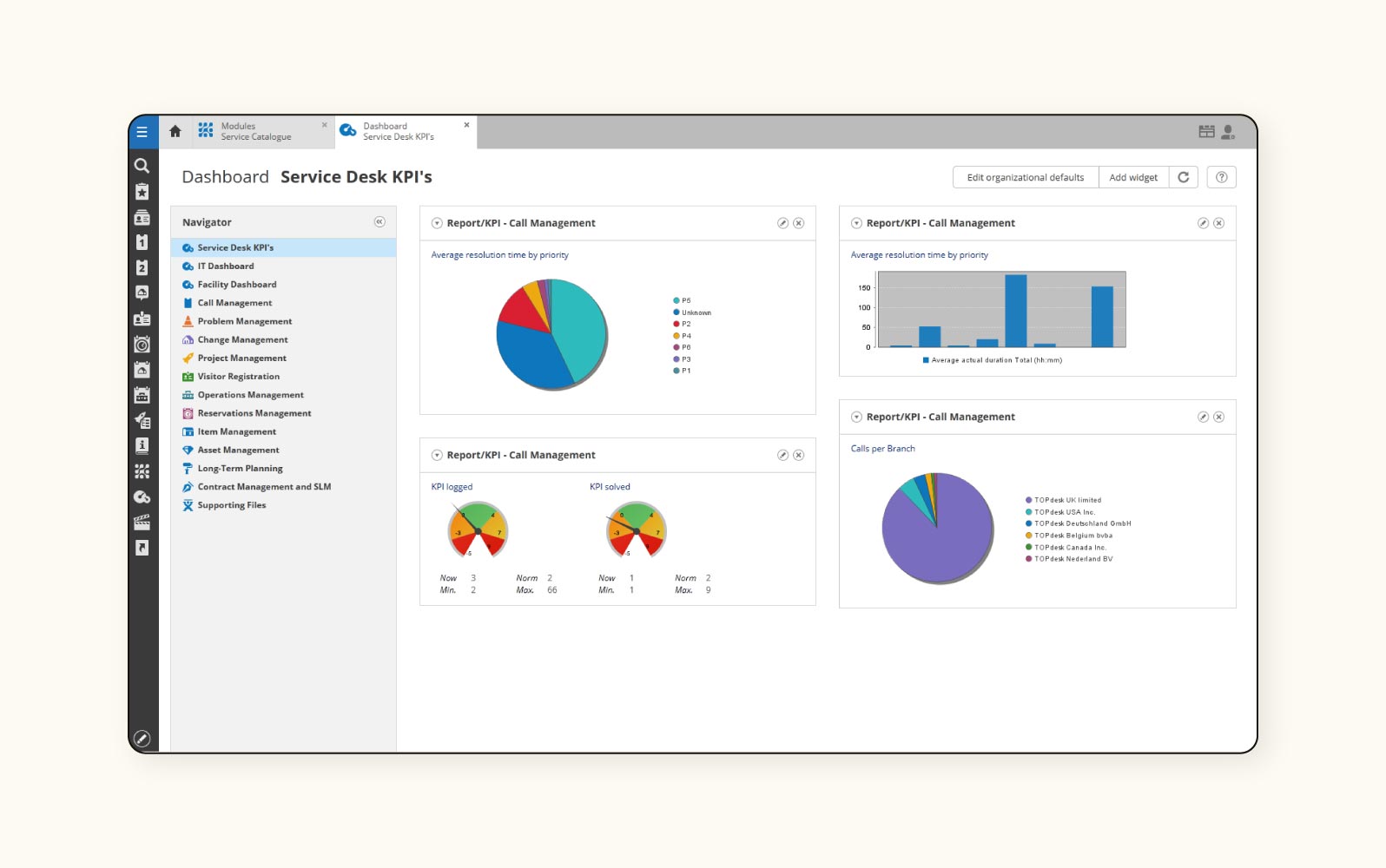
TOPdesk is an ITSM platform that emphasises self-service capabilities through a portal. The system provides configurable service portals with tailored interfaces that adapt to different user groups.
With TOPdesk, companies have a visual service catalogue design, knowledge base management, and asset registration tools. The tool includes supplier management capabilities for tracking vendor relationships and integrating external service providers. It also supports rota planning functionality for aligning resource availability with service demand patterns.
|
Pros |
Cons |
|
What users are saying:
- “Customer support is always available.”
- “Reporting is not easy, and customising was complicated.”
- “Creating workflow-based email alerts is very difficult and time-consuming.”
12. HappyFox
Best for cross-department ticketing
|
Starting price |
Free trial |
Key features |
|
$29 per agent/month (billed annually) |
Unavailable |
|
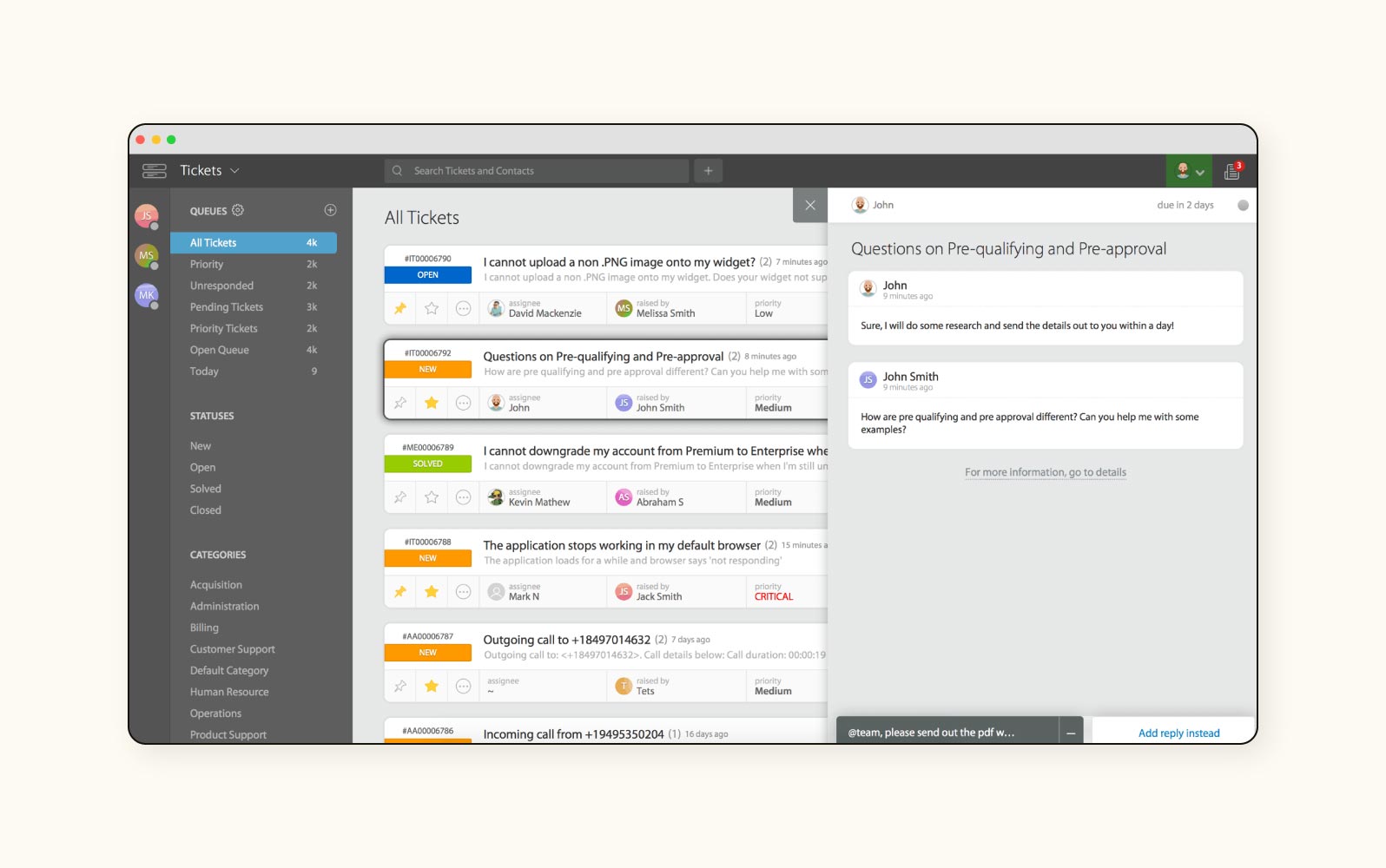
HappyFox is a ticketing system designed for cross-departmental service management. The platform enables multiple departments to manage their own service queues while maintaining unified visibility across the organisation.
Users get automation capabilities, multi-channel ticket creation, and knowledge base functionality. It also includes task management tools, custom fields for ticket categorisation, and SLA tracking mechanisms. The system supports business rules that can be tailored to different departmental needs.
|
Pros |
Cons |
|
What users are saying:
- “HappyFox gave the company I was working for the ability to provide employees greater capacity, issue tracking, and efficiency.”
- “I wish some features were more flexible.”
- “Not a seamless user experience.”
Learn more: Discover how HappyFox integrates with Zendesk.
13. Spiceworks Cloud Help Desk
Best for budget-conscious IT teams
|
Starting price |
Free trial |
Key features |
|
Free |
Not applicable |
|
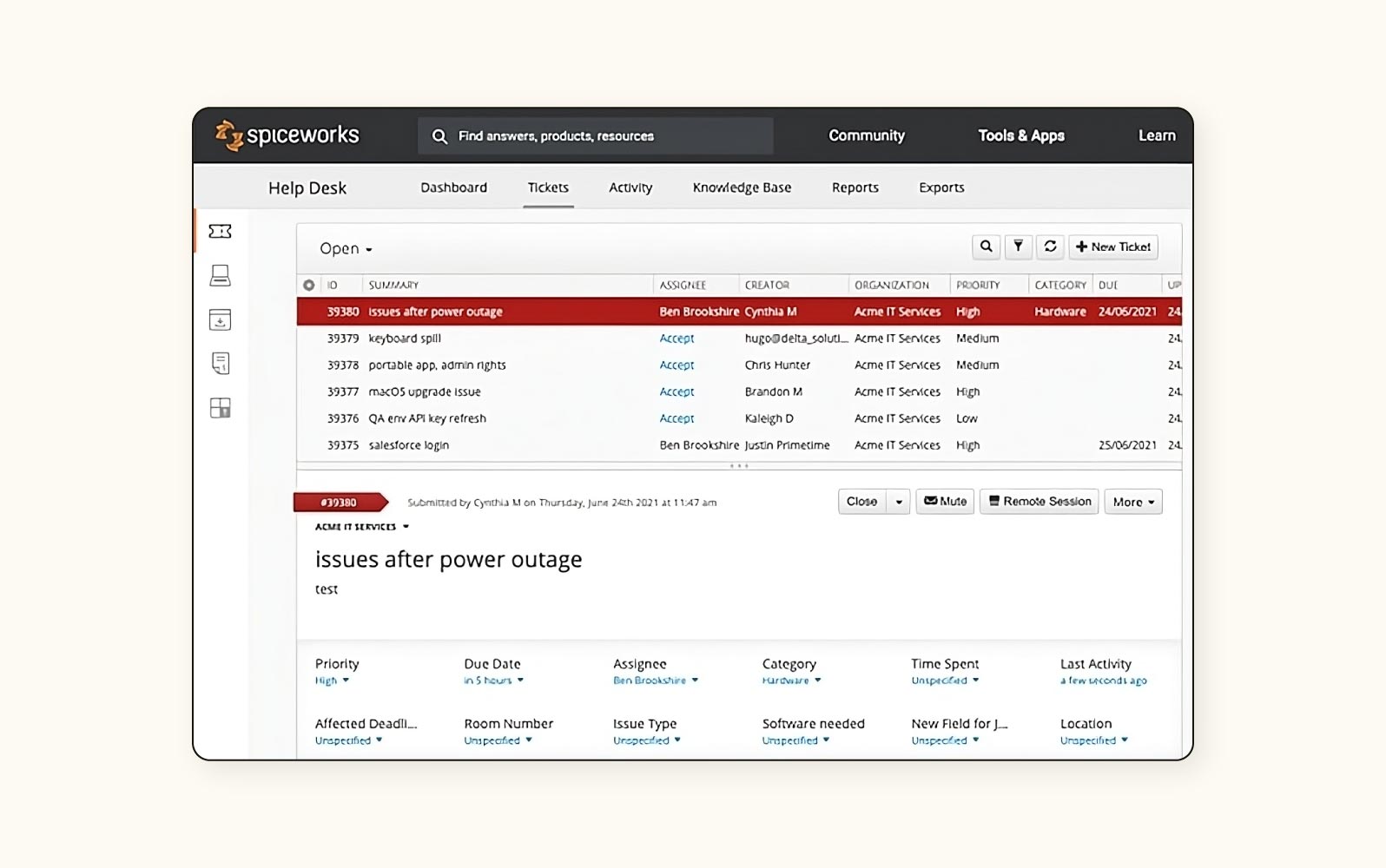
Spiceworks Cloud Help Desk is a free cloud-based ticketing system targeted at small to medium-sized IT departments with limited budgets. The platform provides core ticketing functionality, including ticket creation, assignment, and tracking.
The help desk features basic automation capabilities, knowledge base functionality, reporting tools, and a community connection that allows IT professionals to seek advice from peers. Spiceworks is supported through advertising revenue rather than subscription fees, and no ad-free tier is available.
|
Pros |
Cons |
|
|
What users are saying:
- “Spiceworks is a great way to handle helpdesk tickets and collaborate with fellow IT folks.”
- “I don't love the adverts, but I know that keeps their product free.”
- “It seems to lack sufficient testing before being launched.”
Learn more: Discover how Zendesk and Spiceworks compare.
14. TeamDynamix
Best for higher education and the public sector
|
Starting price |
Free trial |
Key features |
|
Contact TeamDynamix |
Contact TeamDynamix |
|
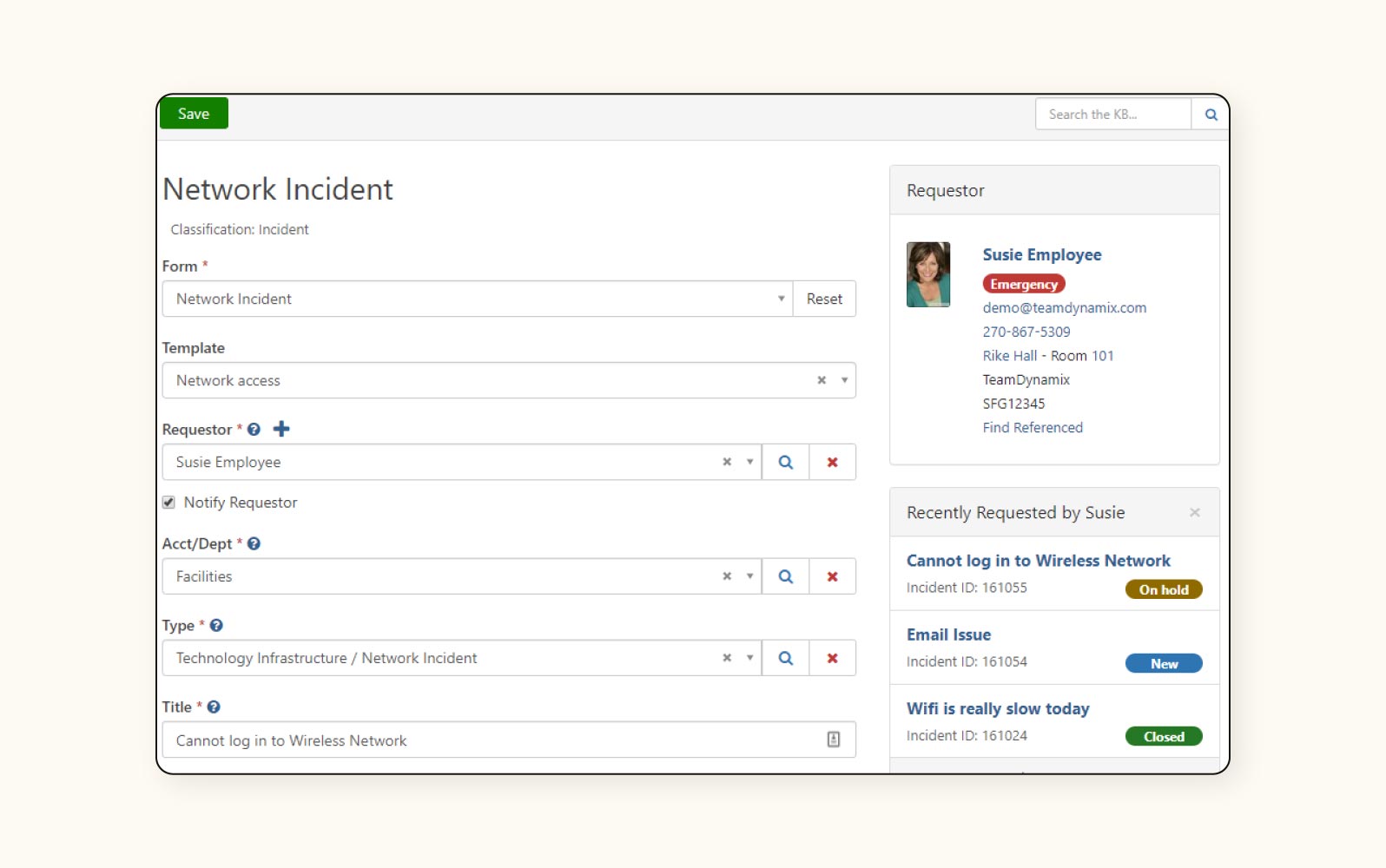
TeamDynamix is an ITSM platform specifically designed for higher education and public sector organisations. The system addresses these environments' unique service management requirements, including multiple constituent groups and complex approval processes.
The ITSM tool features project portfolio management integrated with service management, asset tracking capabilities, and knowledge base functionality. TeamDynamix includes client portal customisation, workflow automation, and resource allocation features.
|
Pros |
Cons |
What users are saying:
- “Setting up new services and applications is quite easy and quick.”
- “It can be a bit cumbersome to learn, and the constant pop-up windows are insane.”
- “It is not truly “code-less” — there are areas that you need to know HTML or JavaScript; it is not as intuitive as other systems I've used.”
15. SupportBee
Best for email support
|
Starting price |
Free trial |
Key features |
|
$20 per user/month (billed annually) |
14 days |
|
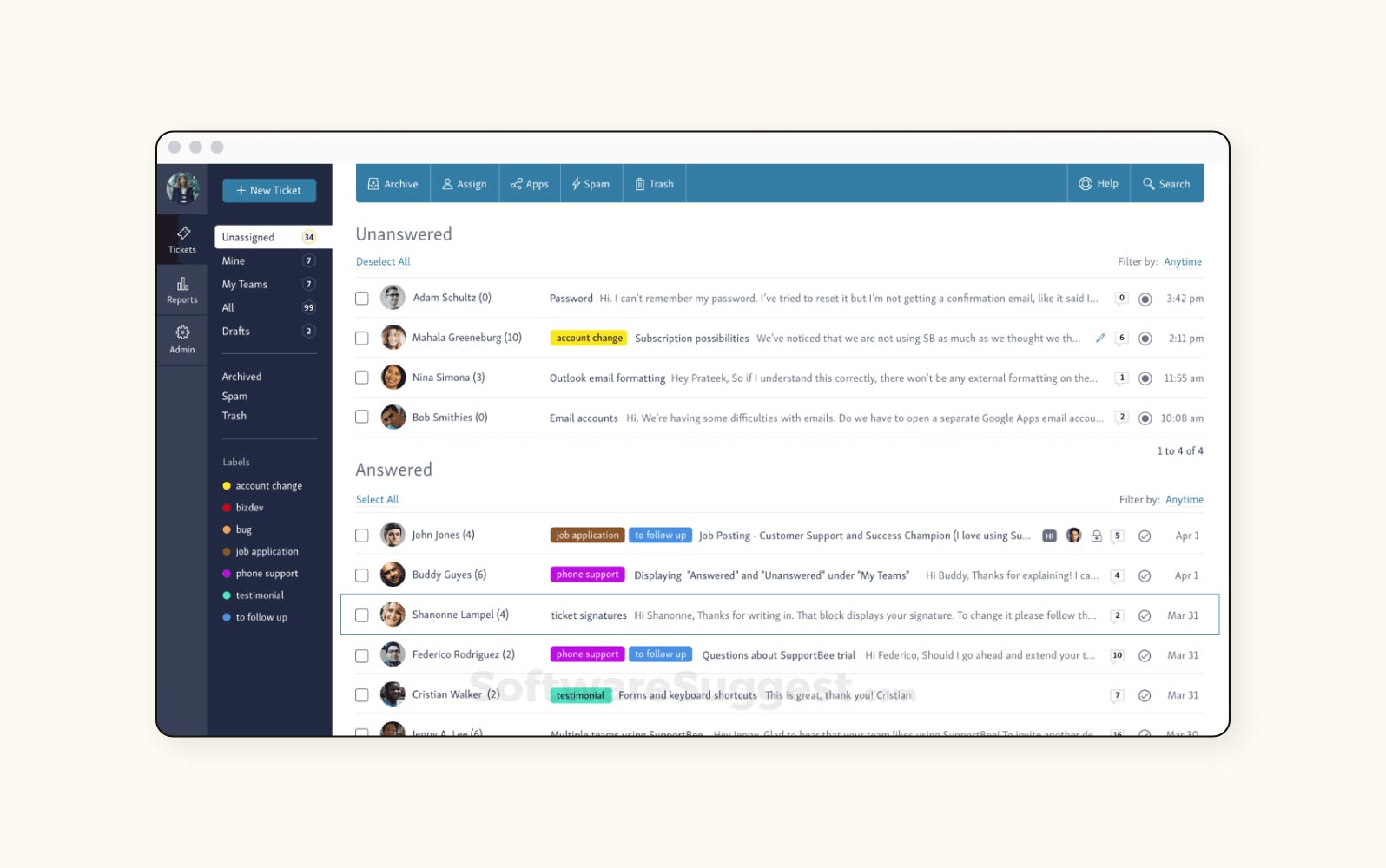
SupportBee is an email-first ticketing system that transforms email communications into a collaborative support workflow. The platform maintains a familiar email interface with behind-the-scenes ticketing system capabilities.
Collaborative inbox functionality, email-based ticket creation, and assignment mechanisms are all included. SupportBee also has private comments for internal communication, automated ticket filtering, and integration capabilities.
|
Pros |
Cons |
|
What users are saying:
- “SupportBee is very easy to use and helps resolve incidents quickly and efficiently.”
- “Knowledge base could use much (much!) better organisational tools.”
- “Search feature is completely useless.”
16. Jira Service Management
Best for asset-centric ITSM
|
Starting price |
Free trial |
Key features |
|
$17 per agent/month with a minimum of 5 agents (billed annually) |
30 days |
|
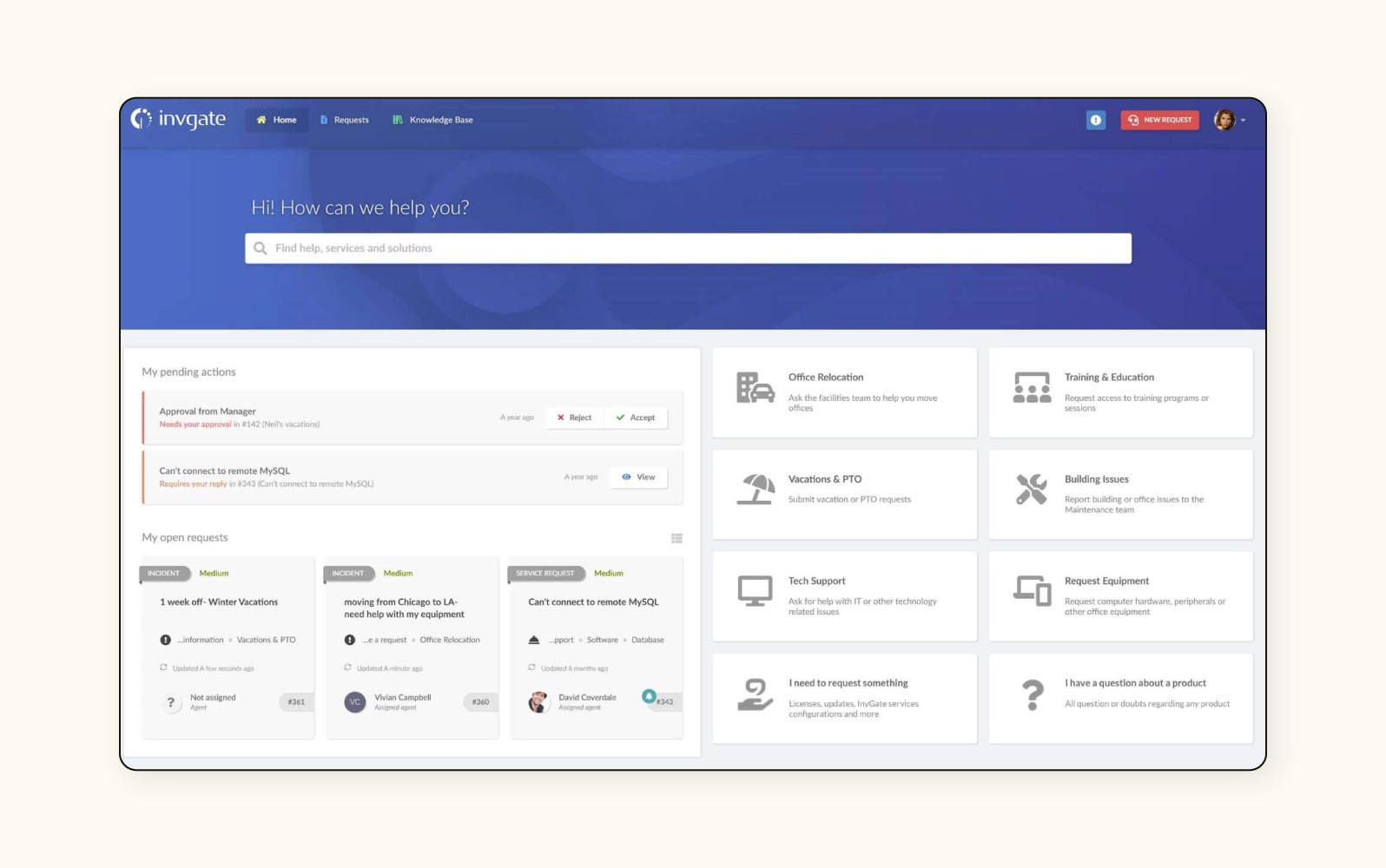
InvGate Service Management is an ITSM platform that provides asset-centric service management capabilities. The system directly connects service operations with asset information to provide context for support activities.
The service desk features automated asset discovery, service catalogue functionality, and knowledge base management. The solution includes gamification elements to encourage knowledge sharing and ticket resolution, customisation capabilities for forms and workflows, and reporting dashboards. The system incorporates automation for routine tasks, including ticket routing and escalation.
|
Pros |
Cons |
|
|
What users are saying:
- “The best thing that [InvGate Service Management] has is its dashboard and knowledge base.”
- “Some of the setup could benefit from being a little easier to use.”
- “The reports that can be generated with the system are impractical and visually poor.”
Key features of ITSM tools
Zendesk combines powerful AI technology with intuitive design to revolutionise your IT service management experience. Here are the top features you’ll benefit from.
AI-powered self-service
Empower your people to solve their own issues with an AI-enhanced employee portal solution. Zendesk equips you with knowledge bases that use machine learning to continuously improve article recommendations based on employee search patterns and ticket resolutions. An AI agent engages employees in natural conversations, answering questions instantly and escalating tickets to human agents when necessary.
The knowledge base can even help your internal customer service team keep content current, suggesting new articles based on common ticket topics and quickly creating new articles from just a few bullet points. These tools dramatically reduce ticket volume and provide employees with immediate, 24/7 support.
Workflow automation
Zendesk enables you to streamline operations and eliminate repetitive tasks with a powerful workflow automation engine. Create sophisticated automation rules with built-in routing and intelligence that can trigger notifications and assign tasks based on pre-defined conditions or AI-detected patterns.
This intelligent automation makes Zendesk accessible to teams without the technical expertise to implement a more complicated solution. It also reduces resolution times and frees your agents to focus on high-value tasks, helping them to feel more fulfilled at work.
AI built for service
The advanced AI-powered ecosystem that Zendesk creates transforms IT service delivery with intelligent solutions designed specifically for service teams. AI co-pilot assists agents by drafting responses, summarising tickets, and suggesting next best actions. This helps solve employee issues quickly and precisely, ensuring high employee satisfaction.
Zendesk can also help teams scale without sacrificing service quality. AI agents handle routine enquiries autonomously—in fact, they can resolve up to 80 per cent of tickets independent of any agent intervention.
For IT teams that provide phone-based support, native AI-assisted voice capabilities provide real-time guidance during calls, with natural language understanding (NLU) enabling human-centred conversations. Zendesk can automatically detect employee sentiment and intent to ensure consistent, high-quality support experiences that blend efficiency with the human touch your employees expect.
Integrated ticketing system
The Zendesk ticketing system goes beyond basic issue tracking with AI-powered prioritisation and routing. The system can automatically categorise incoming requests, assess urgency using sentiment analysis, and route tickets to the most qualified agents. Employees aren’t left waiting only to be connected with an agent who isn’t qualified to resolve their issue—a major frustration point with other ITSM solutions.
Dynamic fields adapt based on issue type, ensuring agents collect all relevant information upfront. AI-generated ticket summaries and suggested solutions help agents resolve issues faster. And smart SLA management ensures the most critical issues receive immediate attention.
Seamless integration
Thanks to the Zendesk Marketplace, you can connect your entire IT ecosystem with extensive integration capabilities. In a matter of only minutes, Zendesk seamlessly integrates with over 1,800 applications, including asset management tools, monitoring systems, and identity providers, as well as communication hubs like Slack and Microsoft Teams.
Pre-built connectors and custom API connections ensure your teams work from a single, unified interface. Whether you use authentication tools like Okta or support tools like Jira, the Zendesk Marketplace has the integrations your team needs to keep your current systems running while expanding your service capabilities internally.
Reporting and analytics
Transform data into actionable insights with the comprehensive reporting and analytics solution from Zendesk. Interactive dashboards help review team and individual performance in real time, so you always have an up-to-date view of service interactions. Plus, custom reports can be scheduled for automatic delivery to key stakeholders, ensuring everyone has the information they need to make data-driven decisions.
AI is also instrumental to Zendesk analytics. AI-powered trend analysis identifies emerging issues before they impact productivity. Natural language querying allows stakeholders to ask questions in plain English and receive instant answers that use human language. And predictive analytics forecasts ticket volumes and resource needs, helping teams proactively allocate staff.
How to choose the right IVR solution
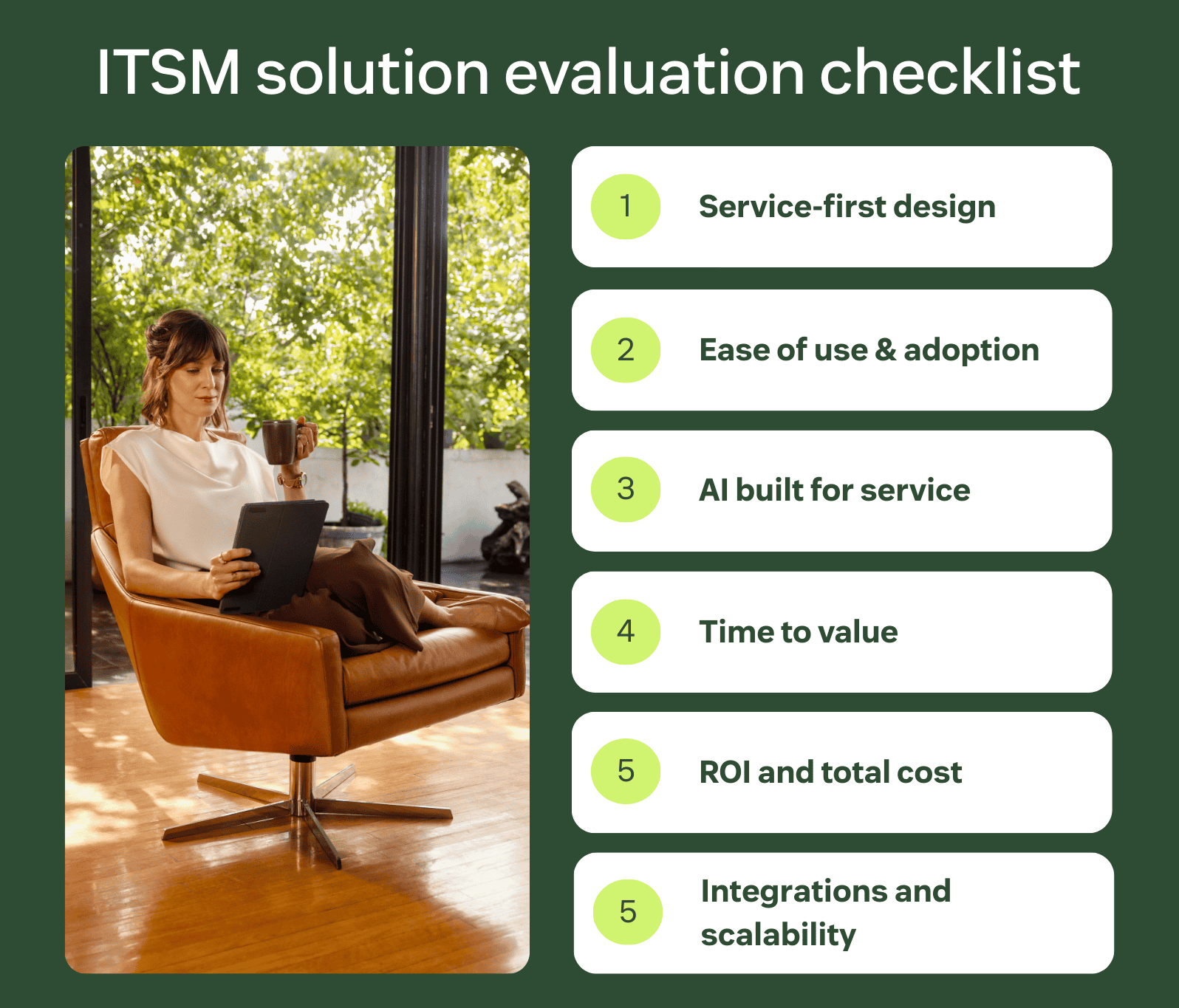
Choosing the best ITSM solution for your business isn’t just about ticking off a list of features. It’s about finding a platform that fits your organisation today and scales as your needs evolve. As employee expectations rise and teams are asked to do more with less, your ITSM tools should help you deliver efficient, high-quality service.
Choose a solution built for service
Many ITSM tools are designed primarily around IT processes, which can make it difficult to extend service delivery beyond technical support. Look for an ITSM solution that can support IT, HR, and other internal teams from a single platform.
Service-first ITSM solutions should:
- Handle employee requests end to end.
- Provide a consistent experience across departments.
- Make it easy for non-technical teams to deliver support without complex configurations or separate tools.
When service delivery runs on a shared, service-first platform, teams work more efficiently and deliver faster, more consistent support.
Prioritise ease of use and employee adoption
The effectiveness of ITSM tools depends on whether employees and agents actually use them. Complicated interfaces and rigid workflows slow down adoption and limit impact.
Look for an intuitive user experience (UX) that includes features like natural language search, conversational self-service, and clear request flows. This will help your employees resolve issues faster, reducing the burden on service teams. For agents, ease of use means lower training time and more focus on high-value work.
Look for AI that delivers value on day one
AI can significantly improve IT service delivery, but only when it’s purpose built for service teams. When evaluating ITSM tools, consider how deeply AI is embedded into everyday workflows.
The right AI capabilities can automate routine requests, assist agents with faster resolutions, and surface insights that help teams work more effectively. It should do this without requiring complex setup or ongoing management. Just as importantly, the AI elements should be designed with privacy, security, and data governance in mind.
Consider time to value and implementation effort
Long, complex implementation can delay impact and make it harder to justify investment. A strong ITSM tool should help you get up and running quickly, without heavy reliance on professional services or extensive technical expertise.
Pre-built templates, automation recipes, and guided setup can dramatically shorten deployment timelines. This allows teams to start delivering value in days rather than months.
Ideal return on investment (ROI)
When choosing an ITSM tool, it’s critical to understand the ROI potential it brings. ROI isn’t solely about licensing costs. Instead, teams need to consider the operational efficiencies and measurable service improvements over time.
Effective ITSM tools drive ROI through:
- Faster resolution times
- Average ticket volume
- Higher first-contact resolution (FCR) rates
- Boosts employee productivity
Built-in reporting and analytics make it easier to track these outcomes in real time. This helps you quantify impact and justify your investment to stakeholders across IT, HR, finance, and leadership.
Ensure it integrates with your existing tech stack
ITSM tools rarely operate in isolation. To avoid creating new silos, look for a solution that integrates easily with systems you already rely on. This could be identity providers, collaboration tools, asset management platforms, or monitoring software.
An ITSM tool with strong integration capabilities allows your team to work from a single interface, preserve existing tool investments, and create a more seamless service experience for employees.
Consider total cost of ownership
Upfront pricing doesn’t always reflect the true cost of an ITSM tool. Add-ons, customisation, long implementation timelines, and ongoing administration can all increase total cost over time.
Evaluate the setup effort, scalability, and long-term maintenance before you commit to an ITSM tool. You need to ensure that you choose a solution that delivers sustained value as your organisation grows.
Frequently asked questions

Tesco boosts self-service rate for EX from 30% to 73% with support from Zendesk
“Our colleagues are at the heart of the customer experience. They deliver value to our customers, so it’s key that we enable them to do the best job they can, as efficiently as possible.”
Adam Bruce
Head of Product – Service Desk, Help & Automation
Read customer story
Deliver more effective IT service with Zendesk
As your internal support team navigates increasingly complex IT environments, selecting the right ITSM solution becomes a strategic decision that impacts every aspect of your business. With flexible pricing, rapid time-to-value, and a commitment to continuous innovation, Zendesk delivers immediate results while positioning your organisation for long-term success.
Experience the difference by starting your free trial today and discover why thousands of leading companies trust Zendesk to power their IT service management.
Related ITSM tools guides
See what else Zendesk is capable of with these similar software guides.
Related links:

ITSM metrics: What to measure and why it matters
What are ITSM metrics? ITSM metrics are measurable indicators used to track the performance, efficiency, and…

ITSM vs. ESM: Differences between IT and enterprise service management
Evaluating tools for employee service management can lead to a debate between ITSM vs. ESM as…

What is a support ticket?
Support tickets offer a wealth of data about your customers that can benefit your entire organisation – but what do support tickets actually look like?

Ticket escalation: what it is and how to manage it
Learn how ticket escalation works and why a dedicated escalation process is important for your business.