Flexivity AI
AI resolution and agent assist that builds your knowledge base from past tickets
Works with
Support
Developer
Flexivity AI
About this app
Flexivity is AI ticket resolution and agent assist for Zendesk that frees your team from common tickets while helping them triage, draft, and summarize the tickets they do handle. Trained on your team's history, Flexivity learns from every ticket and provides full agent control over every response.
See Flexivity in action (2-min demo) →
What Flexivity does for your team
- Triages tickets the moment they arrive. Auto-classifies incoming tickets using your own Zendesk system’s custom categories.
- Automatically resolves common tickets. Drafts responses based on relevant knowledge base articles, and then replies to customers directly or reviews with support agents first, based upon ticket handling rules.
- Assists support agents with AI context. Provides customer sentiment throughout the ticket lifecycle, summarizes long ticket threads, and searches for related tickets from your team’s history.
- Builds your knowledge base. Spots the questions your team keeps getting and drafts the articles that would deflect or resolve them.
Why Flexivity
Many AI tools for customer support focus mainly on either automated ticket handling or agent assist — Flexivity delivers both. It provides an integrated, tiered system with varying levels of automation and assist configured for each class of ticket — from classification only, to draft replies, to fully automated ticket handling — that puts your support agents in control.
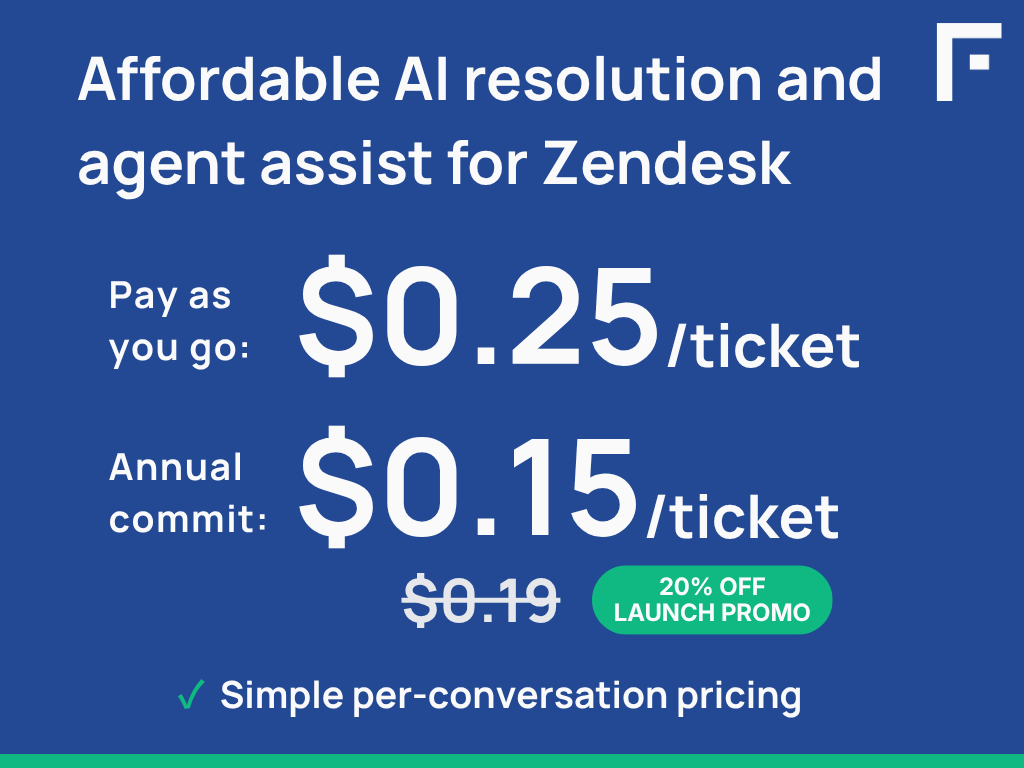
Affordable pricing based upon the number of tickets/conversations is both predictable and scales with your ticket volume — so cost stays aligned with value. Also, all editions include all available features, you choose what to use on which tickets.
Data and privacy
Your customer data stays yours. Personal information is redacted before processing, your data is never used to train third-party AI models, and everything is encrypted in transit and at rest.
For the full data access and handling disclosure, see docs.flexivity.ai/data-disclosures/zendesk. For the broader privacy policy, see docs.flexivity.ai/legal/privacy-policy.
App details
How to install
- Click Install and follow the prompts to accept the default values.
- Open any ticket in Zendesk Support. Open the Flexivity AI app in the right sidebar — click Sign up or log in to start your free trial at Flexivity.
Log into Flexivity and follow the quickstart guide to connect your Zendesk subdomain.
Refresh Zendesk — Flexivity AI summaries, recommendations, and classifications will appear automatically on every ticket.
Need help? Contact support@flexivity.ai or visit https://docs.flexivity.ai.
Leave a review
Share your experience with the rest of the Zendesk community