Klick-Zen Action Buttons
One-click action buttons for Zendesk automated emails and Help Center - customers update, confirm, and close tickets without agent interaction
Installs
10+
Works with
Support
Developer
Acenerate
About this app
Let customers resolve tickets with one click - right from their inbox
Klick-Zen adds actionable buttons to your automated Zendesk ticket emails, agent replies, and Help Center. When a customer clicks, their ticket updates instantly - status changed, tag added, comment inserted, field updated - no login, no reply email, no friction.
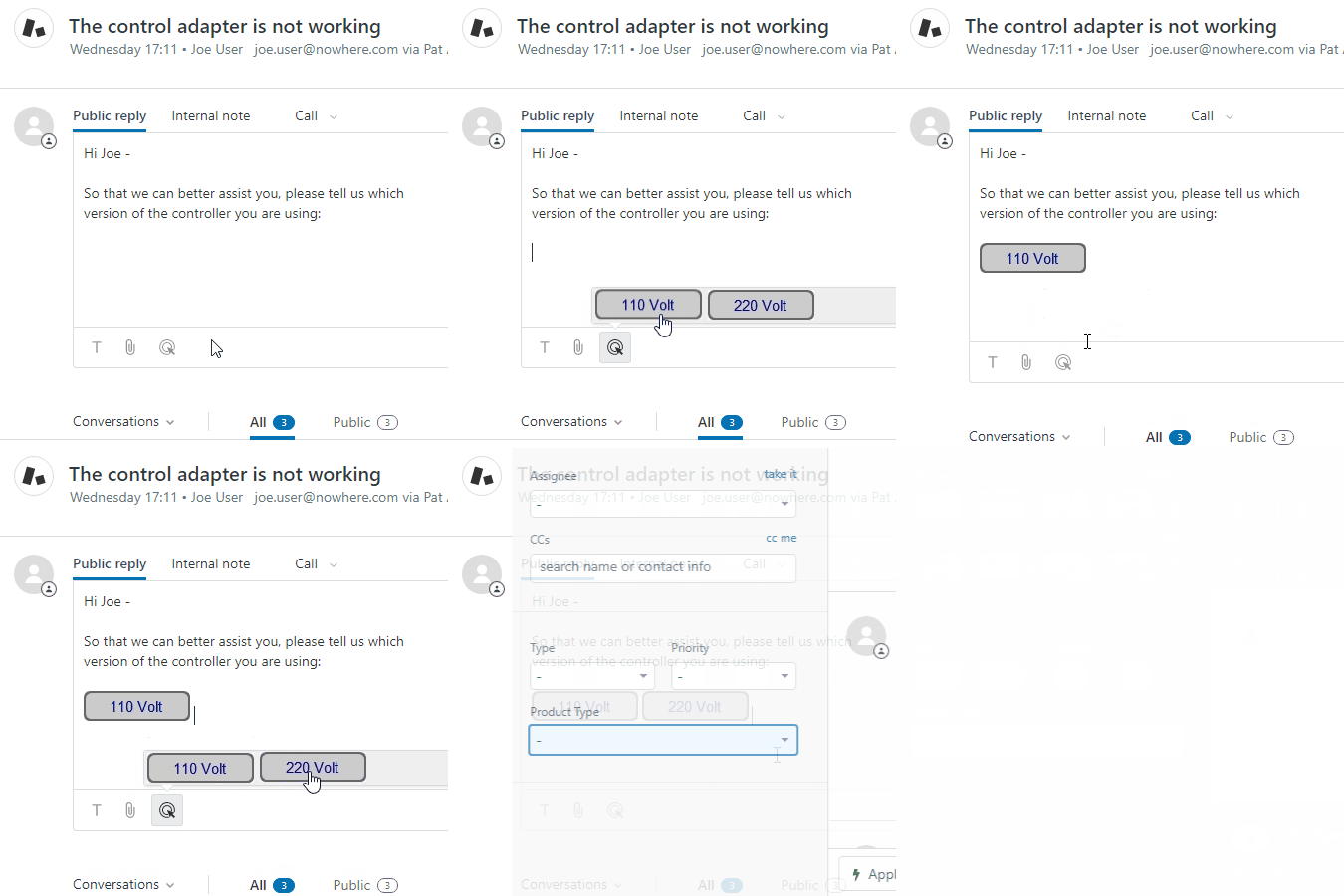
What teams use Klick-Zen for
- Close resolved tickets automatically - "Issue resolved" closes the ticket; "Still need help" keeps it open and routes it back to an agent. Fewer reopened tickets, cleaner queues.
- One-click CSAT and feedback - capture satisfaction the moment a ticket resolves, with response rates far above traditional survey links.
- Route tickets by customer choice - buttons add tags or update fields that fire your existing Zendesk triggers, sending tickets to the right team without agent touches.
- Confirm, approve, or escalate without a login - customers act on tickets directly from email. No Help Center account required.
- Cut "just checking in" back-and-forth - replace multi-email exchanges with a single click.
Up and running in minutes
Create a button: give it a title, style it, assign one or more ticket actions.
Paste the HTML snippet into a trigger email template or macro - or insert buttons into individual replies with the Klick-Zen toolbar in the ticket editor.
Customer clicks; the ticket updates instantly and any downstream Zendesk triggers fire.
No coding. No webhooks to build. No hosting required - Klick-Zen hosts the button images and a customizable landing page for you.
Actions a button can perform
Change ticket status (including solve/close)
Add tags
Insert a public or private comment
Update custom ticket fields
Change priority, type, or assignee
Track when a customer visits a recommended web page
Stack multiple actions on one button, or add multiple buttons to one email to offer choices. Every update can trigger your existing Zendesk automations - the combinations are endless.
Match your brand
Control colors, fonts, and borders. Brand the hosted landing page with your logo and colors, or redirect to your own page. Serve everything from your own custom subdomain for a seamless customer experience.
Works in Help Center and everywhere Zendesk sends email
Automated trigger emails
Macros
Ad-hoc agent replies
Help Center ticket view
Data Disclosure
Klick-Zen cares about your privacy. For details, please read our Privacy Policy.
Free 14-day trial. Questions? Visit klick-zen.com or email support@klick-zen.com
App details
How to install
Klick-Zen Installation
Install the Klick-Zen app from the Zendesk marketplace
- Locate the Klick-Zen icon
 in the left Zendesk sidebar, and click on it
 Agree to the Terms of Service, and click "Authorize"
Click "Allow" for Zendesk access
Refresh entire Zendesk browser window
IMPORTANT: You MUST refresh the entire browser window that is currently running Zendesk after the authorization process
Leave a review
Share your experience with the rest of the Zendesk community
Plans and pricing
Monthly Flat Rate
Free 14-day trial, then $199.00 per month
If your Zendesk instance has 50 or more agents, this option offers a discounted flat monthly rate
Free trialMonthly Per Agent
Free 14-day trial, then $4.00 per agent, per month
Best for smaller companies; pay per Zendesk Agent, with no minimum
Free trial