New
Fields Director PRO
This App hides, disables, shows, enables, and makes required ticket/user/organization fields.
Works with
Support
Developer
100lines.ioAbout this app
About the App
Fields Director PRO Zendesk Support App enables advanced Zendesk Administrators to manage ticket, user and organization fields behaviour for selected Agents.
App Features
App supports advanced configuration of the following features:
TICKET: Required fields - listing ticket fields that should have any value at every ticket submission;
TICKET: hide / disable / show / enable fields - hiding/disabling/showing/enabling pre-configured ticket fields and/or ticket field values;
USER: hide / show fields - hiding/showing pre-configured user fields;
ORGANIZATION: hide / show fields - hiding/showing pre-configured organization fields;
Exclude agents by groups / tags / emails / organization - agent specific configuration of app behaviour;
Error message when required fields are missing values - custom text displayed when ticket submission is interrupted due to required fields missing values;
Optional delay in milliseconds - solve possible conflicts between several installations of this app or between this and other apps that handling fields;
Fields Director PRO Zendesk Support App makes it possible to achieve very granular ticket, user and organization field management.
Fields Director PRO App comes with detailed In-App instructions that makes it easier to configure.
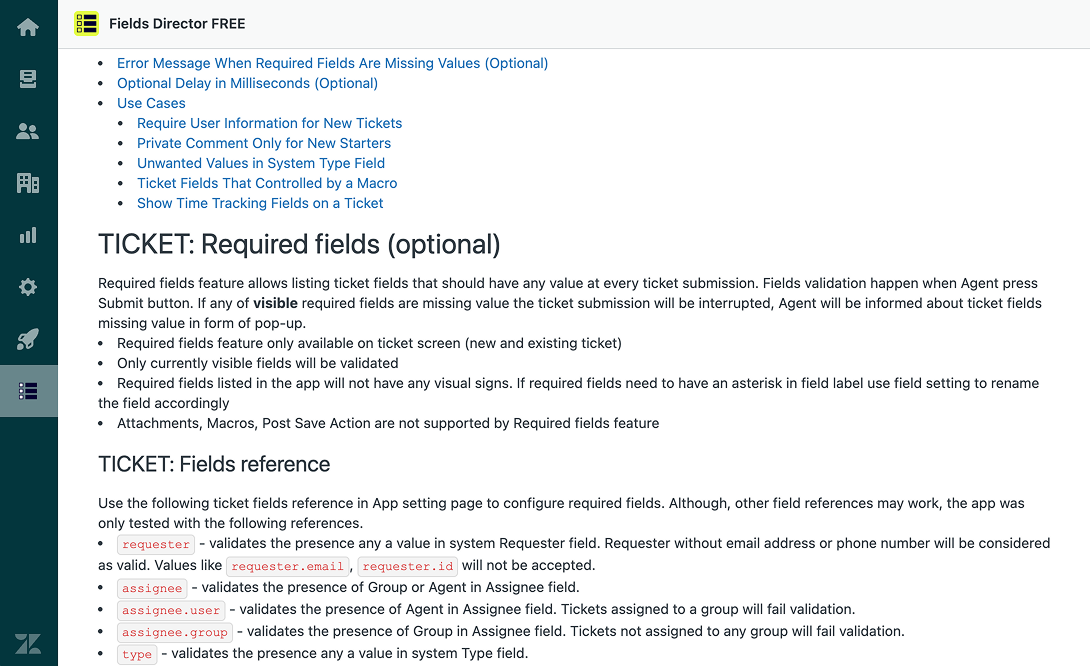
The In-App settings preview allows quick configuration preview.
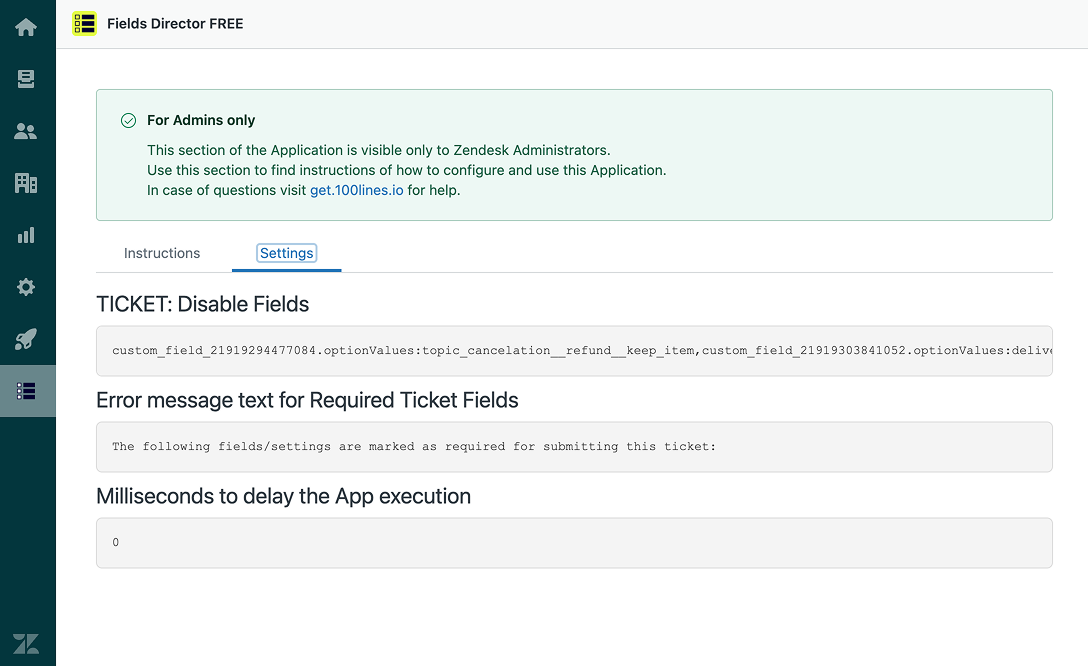
Installing single or multiple app instances will give you fields control that you never had before.
In case of questions contact us via email.
About 100lines.io
100lines.io helps solving specific Zendesk and Business problems using advanced technical solutions.
Data disclosure
Fields Director FREE runs entirely on Zendesk infrastructure and accesses only the ticket fields, related metadata, and configuration required to deliver its functionality; all customer and ticket data remains stored in Zendesk, is not transmitted to external services, and is never shared with third parties or used for profiling or marketing. The app uses standard Google Analytics solely for aggregated, non-personal usage metrics to improve the product, and no ticket content or user data is sent outside Zendesk. Administrators control installation and removal, which immediately ends data access. For full details, please refer to the Privacy Policy
App details
How to install
Install
Install app from Zendesk marketplace.
- Use App documentation for configuration.
- To uninstall the app follow Zendesk instructionsApp consider Zendesk system requirements.
TICKET: Required fields
Fields
requesterassigneeassignee.userassignee.grouptypeprioritytagscollaboratorbrandformsubjectcommentinternalNotepublicReplyorganizationsharedWithdue_dateproblemcustom_field_{FIELD ID}### TICKET: hide/disable/show/enable fields#### FieldsrequesterassigneecollaboratorsharedWithtagspriorityticket_form_iddue_dateproblemtypebrandstatuscustom_field_{FIELD ID}#### Field valuesassignee.optionValues:{GROUP ID}assignee.optionValues:{GROUP ID}:{AGENT ID}assignee.optionValues.{GROUP ZERO BASED INDEX}status.optionValues:newstatus.optionValues:openstatus.optionValues:pendingstatus.optionValues:holdstatus.optionValues:solvedstatus.optionValues.0type.optionValues:tickettype.optionValues:questiontype.optionValues:incidenttype.optionValues:problemtype.optionValues:tasktype.optionValues.0priority.optionValuespriority.optionValues:lowpriority.optionValues:normalpriority.optionValues:highpriority.optionValues:urgentpriority.optionValues.0ticket_form_id.optionValues:{FORM ID}ticket_form_id.optionValues.0sharedWith.optionValues:{SHARING AGREEMENT ID}sharedWith.optionValues.0custom_field_{FIELD ID}.optionValues:{VALUE}custom_field_{FIELD ID}.optionValues.0### USER: hide/show fields#### FieldsnotesdetailstimezonelocalesuserSegmentsorganizationtagssignaturealiasgroupsaccessrolesystem::embeddable_last_seensystem::nps_commentsystem::nps_ratingsystem::last_nps_survey_date{USER FIELD KEY}### ORGANIZATION: hide/show fields#### Fieldstagsdomainsgroup_idshared_ticketsshared_commentsdetailsnotes{ORGANIZATION FIELD KEY}### Exclude agents by groups/tags/emails/organization#### Value examples- groups example (group IDs):
112233,556677 - tags example (tags):
typel1,vip - emails example (emails):
hi@email.com,yo@mail.org - organization example (organization IDs):
998877,554433
Leave a review
Share your experience with the rest of the Zendesk community